Click to Call via Linkus Web Client
After setting up 'Yeastar Linkus for Google' extension to work with Linkus Web Client, you can click phone numbers on web-based CRMs or websites to call out from Linkus Web Client.
Procedure
Hover mouse over the phone number that you want to dial, then click the pop-up.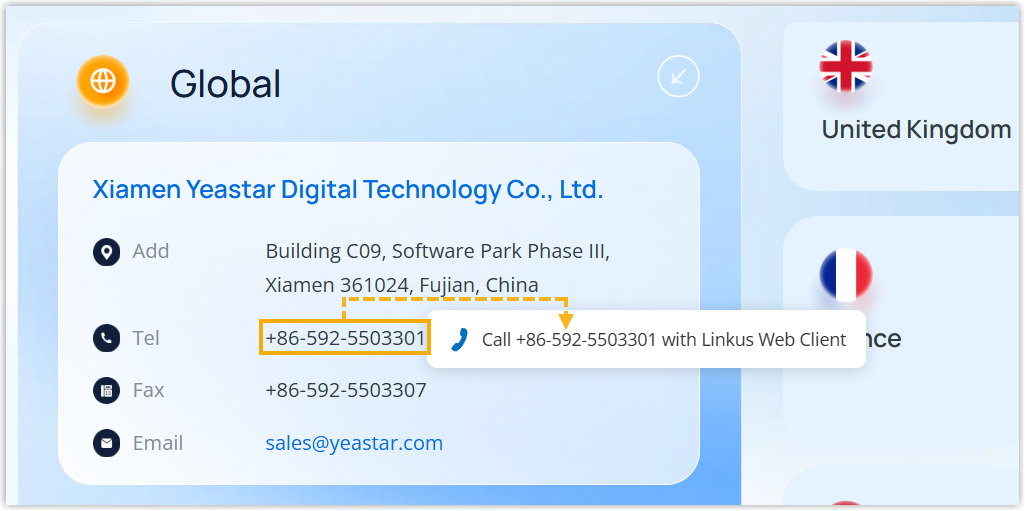
Result
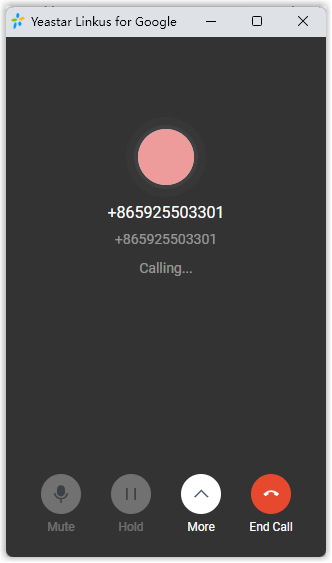
The call is sent out via Linkus Web Client directly.
Note:
- The phone number is automatically filtered (only numbers and
+are kept) and pasted on Linkus Dialpad before calling out. - Do NOT click
 to close the mini, pop-out Linkus Web
Client during a call. Otherwise, the call will be ended.
to close the mini, pop-out Linkus Web
Client during a call. Otherwise, the call will be ended.
What to do next
You can change the following preferences of click-to-call:
- The length of phone number to be detected
- Whether to display call icon for phone number detected
- Whether to detect phone numbers for a website
For more information, see Change 'Yeastar Linkus for Google' Preferences.