Choose Email Client
Linkus supports sending call details for follow-up via email during a call and after calls. This topic describes how to select your preferred email client for the email sending.
Requirements
The firmware of the PBX server is 84.21.0.66 or later.
Procedure
- Log in to Linkus Web Client, go to .
-
In the Choose Email Client drop-down list, select the desired email client used to send call details.
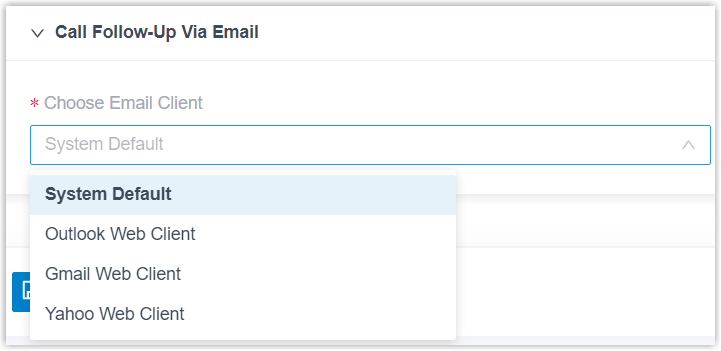
Option Introduction System Default The default email client configured in your computer's operating system is used to compose and send the call details. Outlook Web Client The Outlook web client is used to compose and send the call details. Gmail Web Client The Gmail web client is used to compose and send the call details. Yahoo Web Client The Yahoo web client is used to compose and send the call details. - Click Save.
Result
The Send Call Details to Email Addresses feature is now configured to use your selected email client. All subsequent follow-up emails will be composed and sent through it.