Add a Team
A team defines the data sources used to calculate call statistics. This topic describes how to add a team in Linkus Web Client.
Limitation
A maximum of 100 teams are supported.
Procedure
- Log in to Linkus Web Client, go to Call Analytics.
- At the top of the list, select the desired dashboard, then click
 .
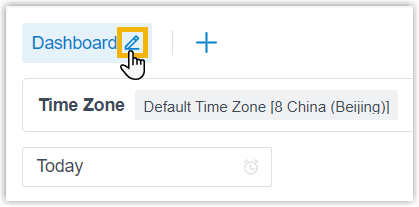
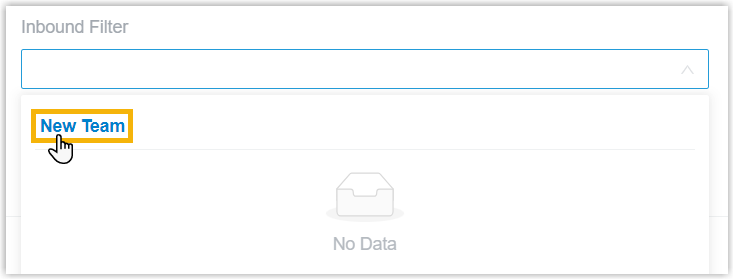
- In the Inbound Filter or Outbound
Filter drop-down lists, click New
Team.
- In the pop-up window, configure the following settings.
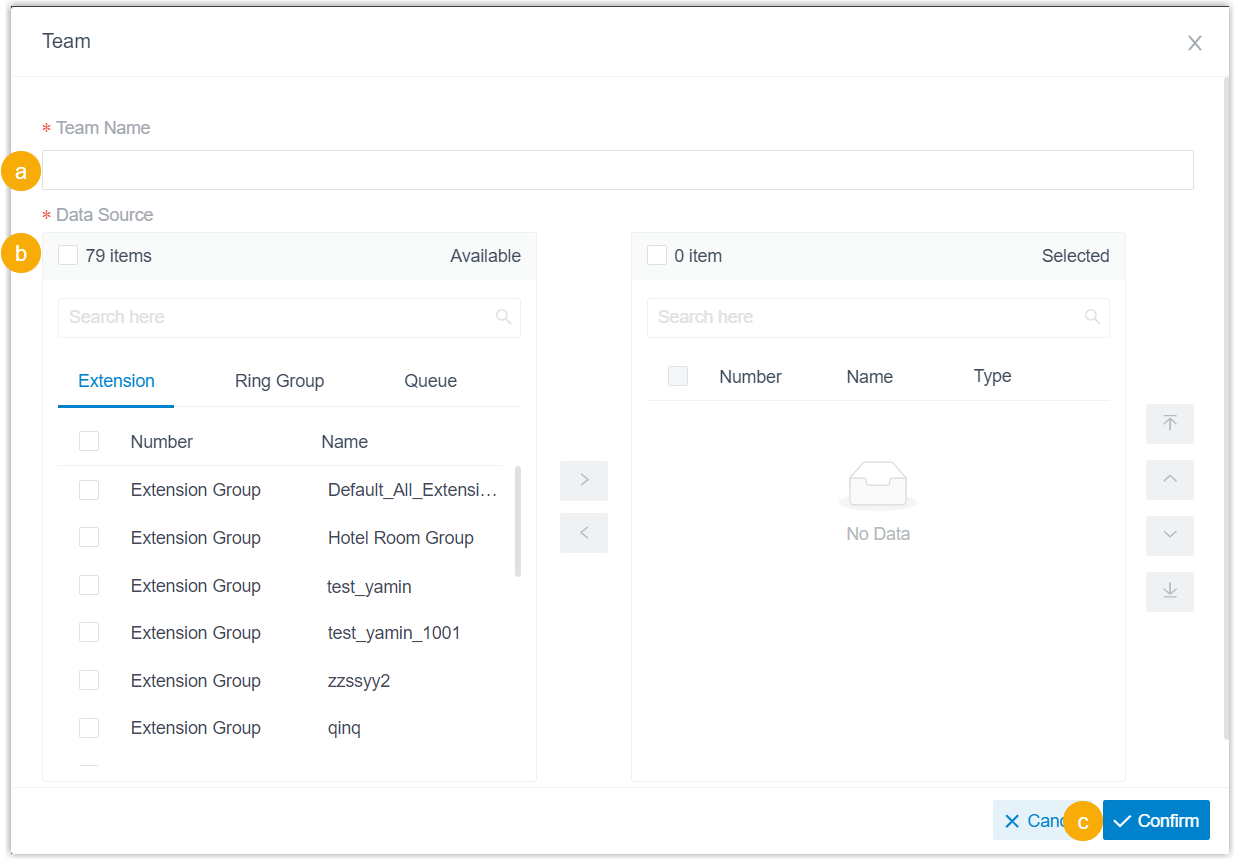
- In the Team Name field, enter a name to help identify the team.
- In the Data Source section, select the extensions, extension groups, ring groups, or queues to include in the team's call statistics.
- Click Confirm.
Result
- The team is created and added to the Inbound Filter and Outbound Filter drop-down lists.
-
The team can be selected in any dashboard.