Configure AI Voicemail Transcription
With AI voicemail transcription feature, your voicemail messages can be transcribed to readable text, which allows you to efficiently view and manage voicemails as text. This topic describes how to configure AI transcription according to your preference on Linkus Mobile Client, and the changes will be synchronized across your Linkus clients.
Requirements
- PBX Server
-
- The firmware of the PBX server is 84.19.0.110 or later.
- System administrator has enabled AI Voicemail Transcription feature, and grant your extension the permission to use this feature.
- Linkus Mobile Client
- The version of your Linkus Mobile Client
meets the following requirements:
- Linkus iOS Client: 5.16.6 or later
- Linkus Android Client: 5.16.10 or later
Procedure
- At the top-left corner of the Calls page, tap your account.
- Go to .
- In the Voicemail Transcription section, configure the
following settings according to your need.
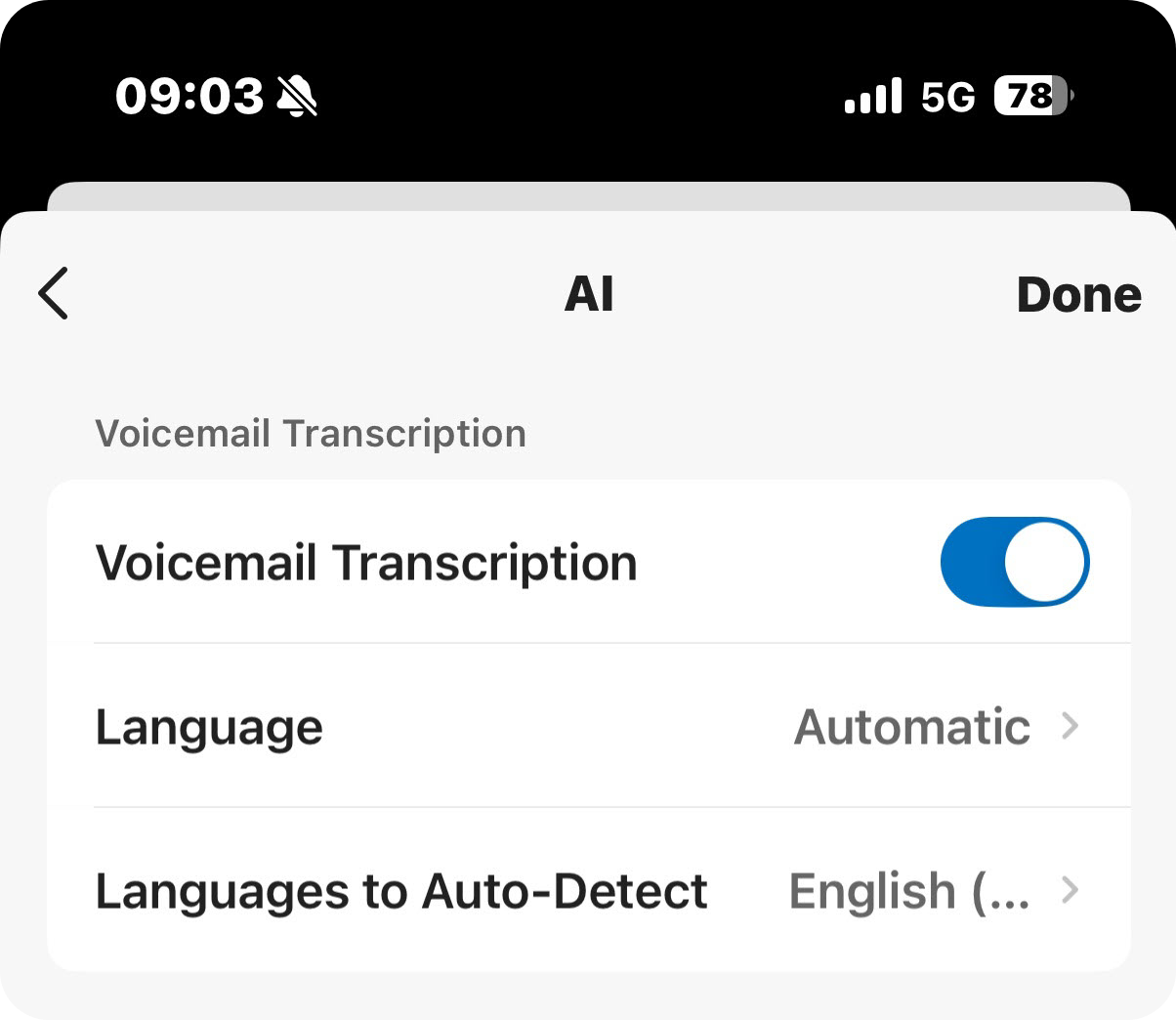
Setting Description Voicemail Transcription Specify whether to automatically transcribe your voicemail messages. This option is enabled by default. If disabled, you need to manually trigger the transcription for specific voicemails when needed.
Language Select the language in which the your voicemail messages will be transcribed. Languages to Auto-Detect Select the desired languages for auto detection. The system will automatically detect and transcribe voicemail messages in the selected languages. Note:- Whether the setting is visible depends on whether the Language is set to Auto Detection and the system administrator’s configurations on the PBX server.
- You can select up to 5 languages for auto-detection simultaneously.
- Only one region can be selected per language. For example, you cannot select both English (UK) and English (US) at the same time.
- At the top-right corner, tap Done.
Result
- Messages delivered to your voicemail will be transcribed into text in the
specified language, either automatically or manually. The transcribed
voicemail messages are marked with an icon
 ; tap
; tap
 to check the transcribed text.Note: Messages from group voicemails in Shared by Members mode will follow the global transcription language setting on the PBX server.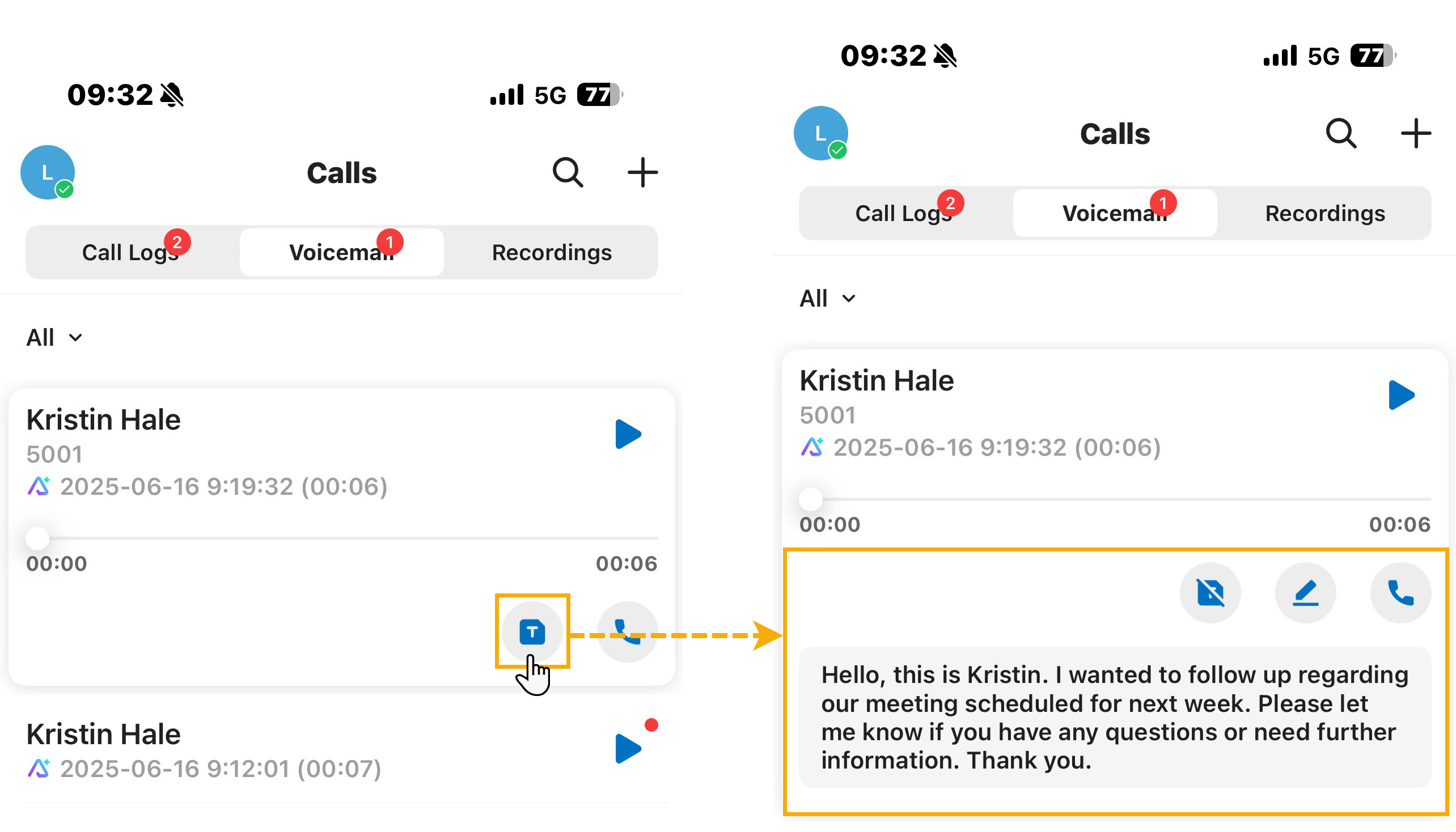
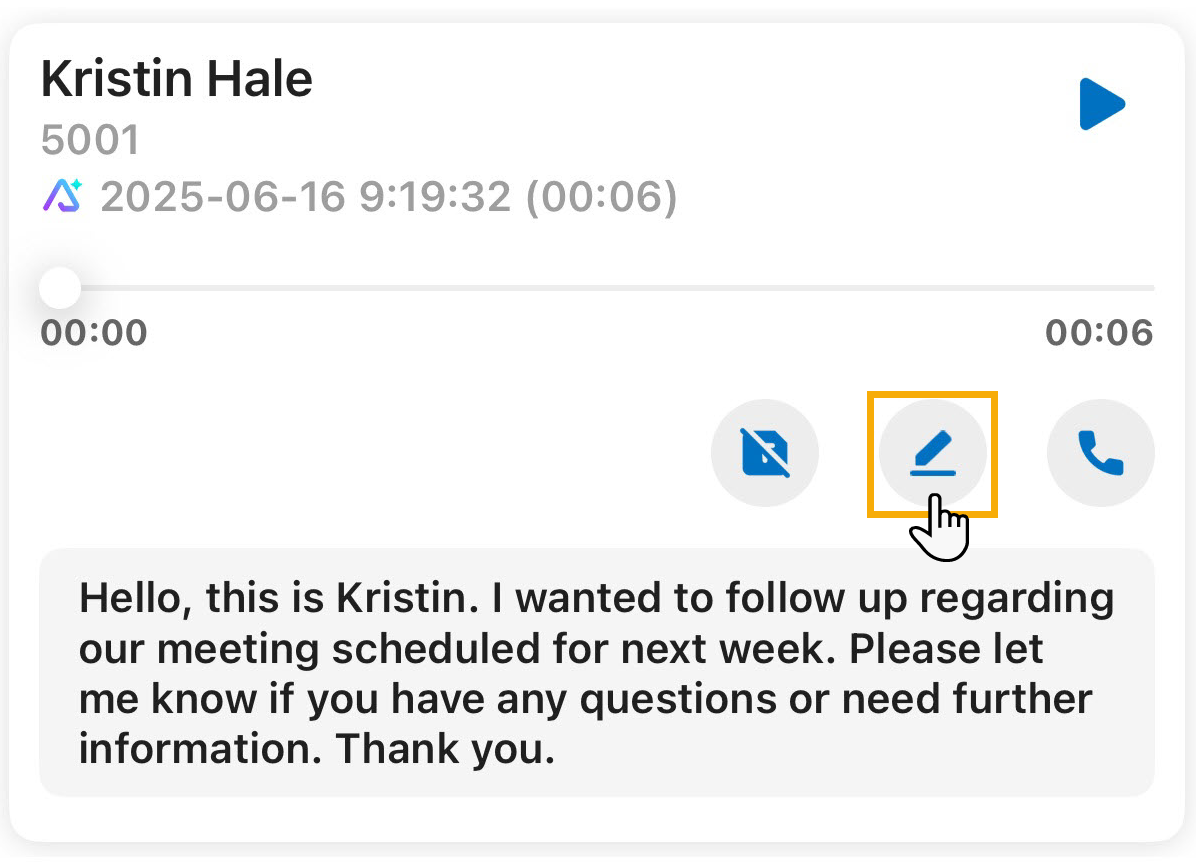
- You can refine the transcribed texts by tapping
 to
correct names, clarify information, or add notes for future
reference.
to
correct names, clarify information, or add notes for future
reference.