Enable AI Voicemail Transcription
AI voicemail transcription can converts voicemail audio into readable text using the built-in artificial intelligence (AI), allowing users to quickly review voicemail messages. This topic describes how to enable AI voicemail transcription.
Requirements
| Item | Requirement |
|---|---|
| Firmware | 84.19.0.110 or later. |
| Subscription |
|
Procedure
- Log in to PBX web portal, go to .
- Select the checkbox of Voicemail Transcription to enable the feature.
- Configure voicemail transcription settings:
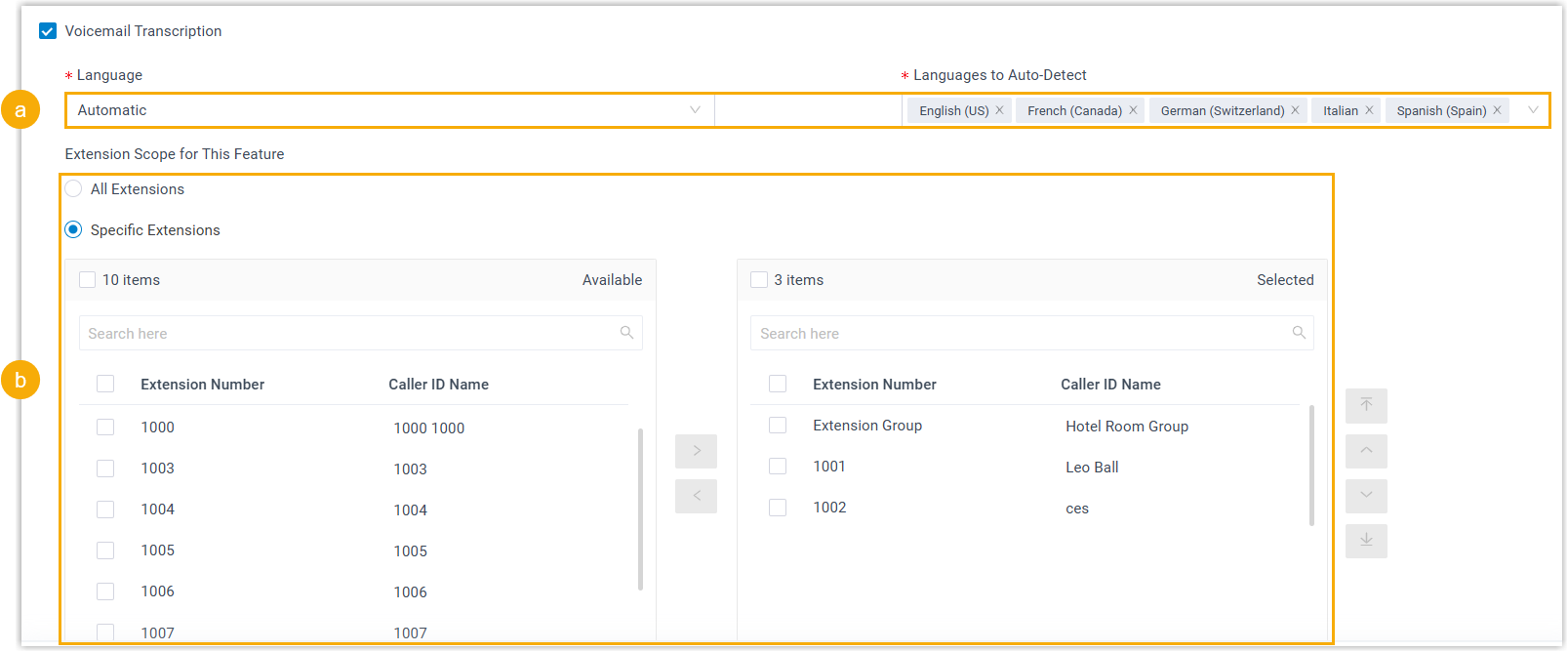
- Set the transcription language.
- Language: In the drop-down list, select the desired language in which group voicemail messages will be transcribed.
- Languages to
Auto-Detect: If you set the
Language to Automatic, select the
desired languages for auto detection.
The system will automatically detect and transcribe voicemail messages in the selected languages.
Note:- You can select up to 5 languages for auto-detection simultaneously.
- Only one region can be selected per language. For example, you cannot select both English (UK) and English (US) at the same time.
- In the Extension Scope for This Feature
section, specify which extensions / extension groups / departments
are allowed to use voicemail transcription feature.
- All Extensions: All extensions can use this feature.
- Specific Extensions: Only selected extensions can use this feature.
- Set the transcription language.
- Click Save.
Result
- The AI voicemail transcription feature is enabled. The system will
automatically transcribe both group and extension voicemail messages into
readable texts in the specified languages.Note: Messages delivered to extension voicemails, including those from group voicemails in Broadcast to Members mode, are transcribed in the language individually configured for each extension (Path: ). For more information, see Configure AI Voicemail Transcription for an Extension.
- The system automatically monitors
transcription usage and sends notifications when specific capacity
thresholds are reached:
- When transcription utilization rate (used minutes / total minutes)
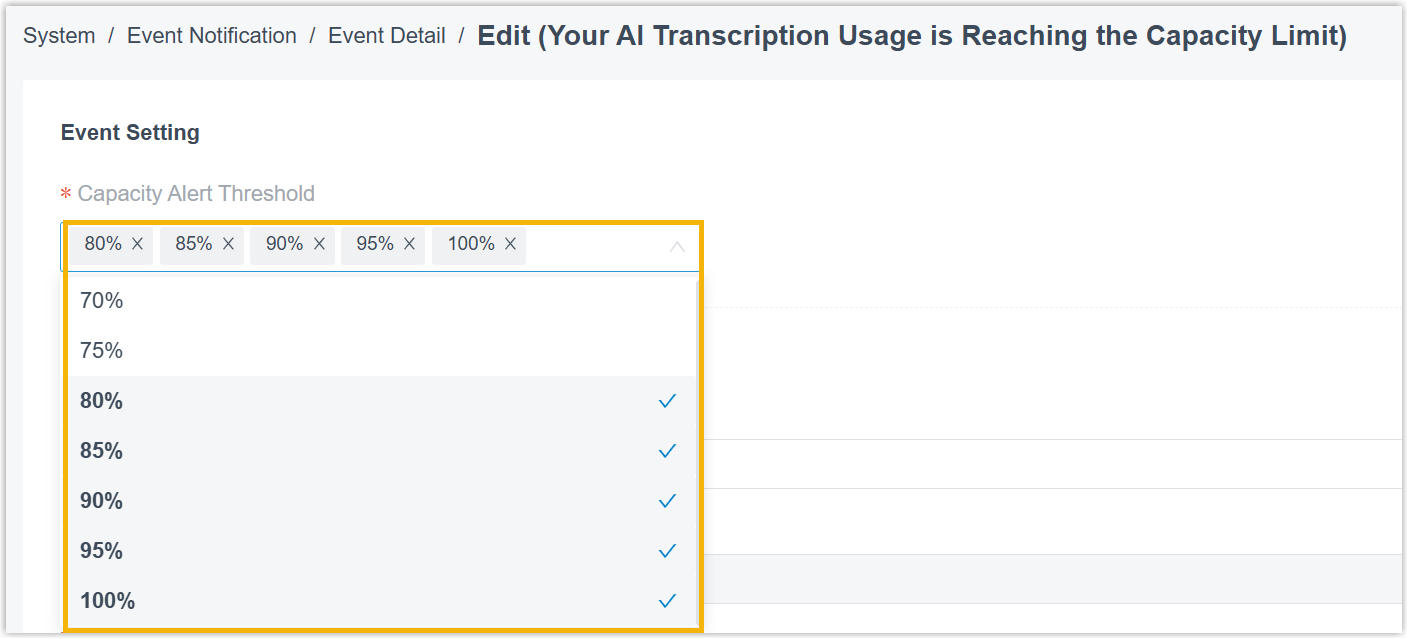
has reached the pre-configured capacity thresholds, the PBX sends a
notification Your AI Transcription Usage is Reaching the
Capacity Limit to notify relevant contacts.Note:
- The default thresholds are 80%, 90%, and 95%.
- You can customize the thresholds as needed (Path: ).
- When the total capacity is fully used, the PBX sends a notification AI Transcription Limit Reached to notify relevant contacts.
Note: In addition, you can track AI transcription usage using one of the following methods.- View used transcription minutes from the Transcription Usage Details report. For more information, see Access Transcription Usage Details Report.
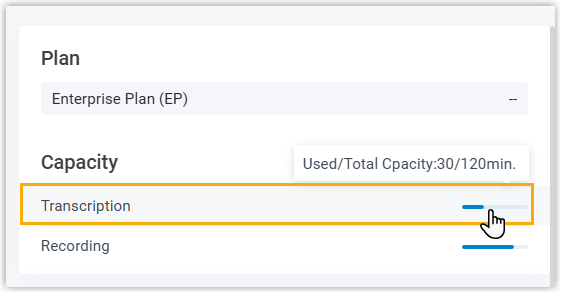
- View used transcription minutes and total capacity directly from the
Dashboard (Only visible to super
administrator account).
- When transcription utilization rate (used minutes / total minutes)
has reached the pre-configured capacity thresholds, the PBX sends a
notification Your AI Transcription Usage is Reaching the
Capacity Limit to notify relevant contacts.