Enable AI Call Transcription
AI call transcription can transcribe calls between two parties into readable text in real time and automatically generate call summaries. This topic describes how to enable AI call transcription.
Requirements
| Item | Requirement |
|---|---|
| Firmware | 84.20.0.74 or later. |
| Subscription |
|
Procedure
- Log in to PBX web portal, go to .
- Select the checkbox of Call Transcription to enable the feature.
- Configure call transcription settings.
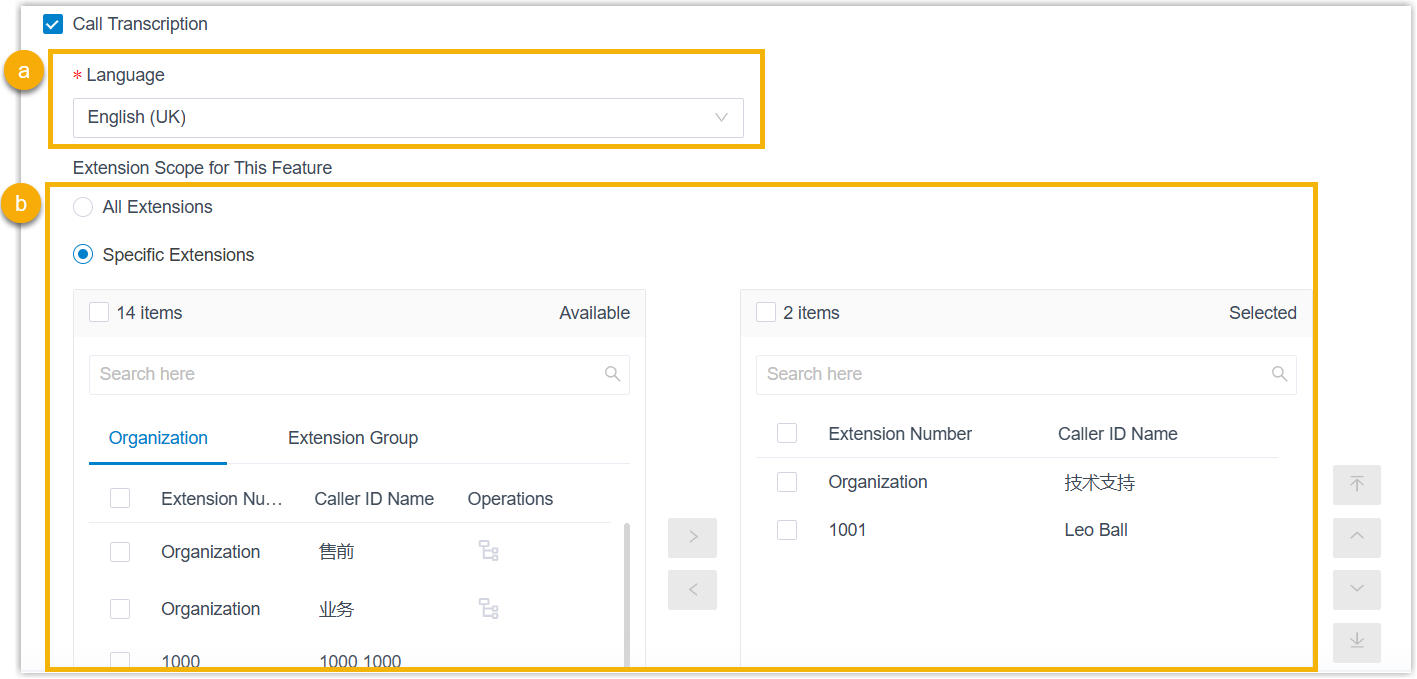
- In the Language drop-down list, select the desired language for call transcription.
- In the Extension Scope for This Feature
section, specify which extensions / extension groups / departments
have access to the call transcription feature.
- All Extensions: All extensions can use this feature.
- Specific Extensions: Only selected extensions can use this feature.
- Click Save.
Result
- The AI call transcription feature is enabled. Call audio can be recognized
and transcribed into readable text in the specified language in real time,
and a call summary can be generated automatically after the call ends.Note: You can configure the call transcription language and mode (either automatic or manual) for extensions individually as needed (Path: ). For more information, see Configure AI Call Transcription for an Extension.
- The system automatically monitors
transcription usage and sends notifications when specific capacity
thresholds are reached:
- When transcription utilization rate (used minutes / total minutes)
has reached the pre-configured capacity thresholds, the PBX sends a
notification Your AI Transcription Usage is Reaching the
Capacity Limit to notify relevant contacts.Note:
- The default thresholds are 80%, 90%, and 95%.
- You can customize the thresholds as needed (Path: ).
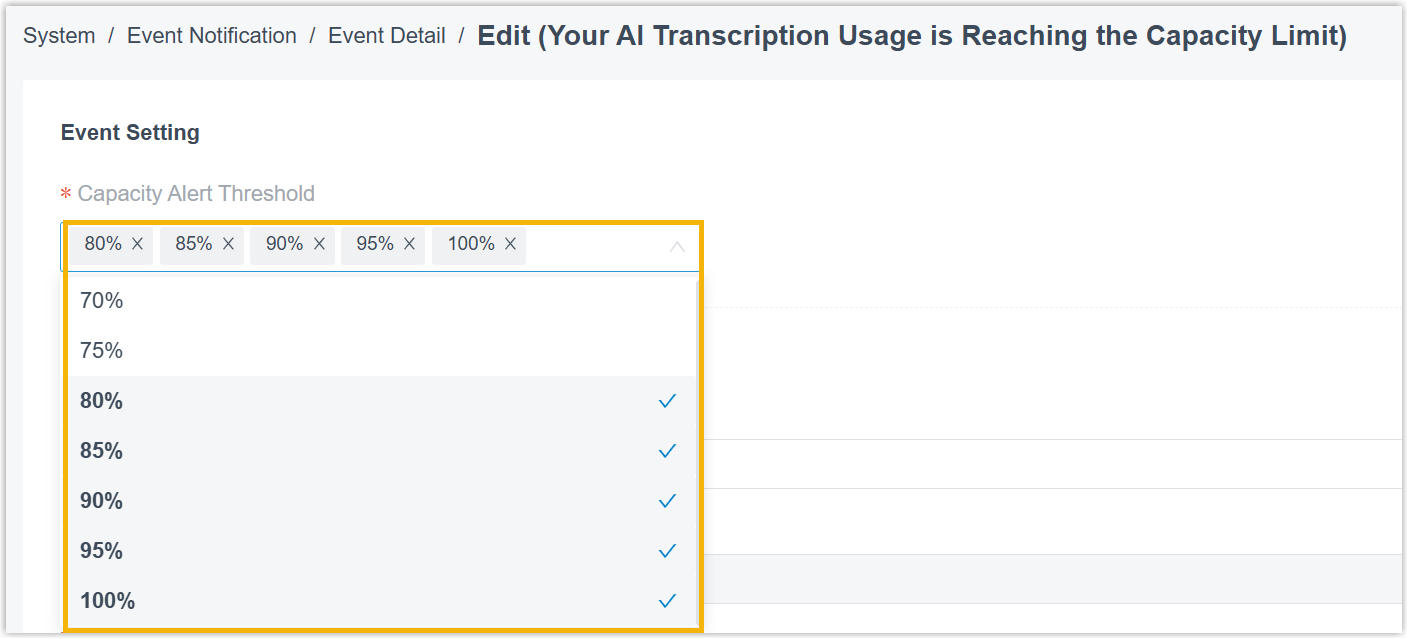
- When the total capacity is fully used, the PBX sends a notification AI Transcription Limit Reached to notify relevant contacts.
Note: In addition, you can track AI transcription usage using one of the following methods.- View used transcription minutes from the Transcription Usage Details report. For more information, see Access Transcription Usage Details Report.
- View used transcription minutes and total capacity directly from the
Dashboard (Only visible to super
administrator account).
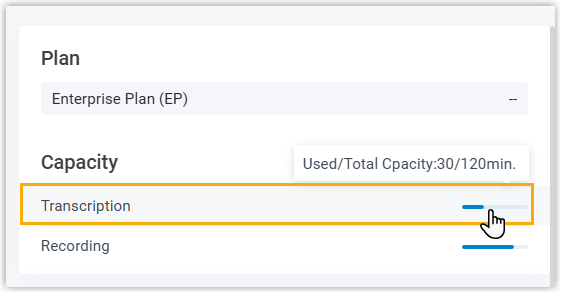
- When transcription utilization rate (used minutes / total minutes)
has reached the pre-configured capacity thresholds, the PBX sends a
notification Your AI Transcription Usage is Reaching the
Capacity Limit to notify relevant contacts.