Get Company Contact Info
This topic provides an overview of the Get Company Contact Info component, and describes its configuration, variables, as well as supported connections.
Component introduction
Get Company Contact Info component allows you to query company contacts information, such as contact name, phone number, email address, etc.
You can either specify the company contact directly, or configure expressions to dynamically specify the target company contact. The query results are stored in variables, which can be used as input for subsequent components or for condition evaluation.
Component configuration
- After adding Internal Data Ops
component to a message flow, click Internal Data Ops
component to proceed with the configuration.
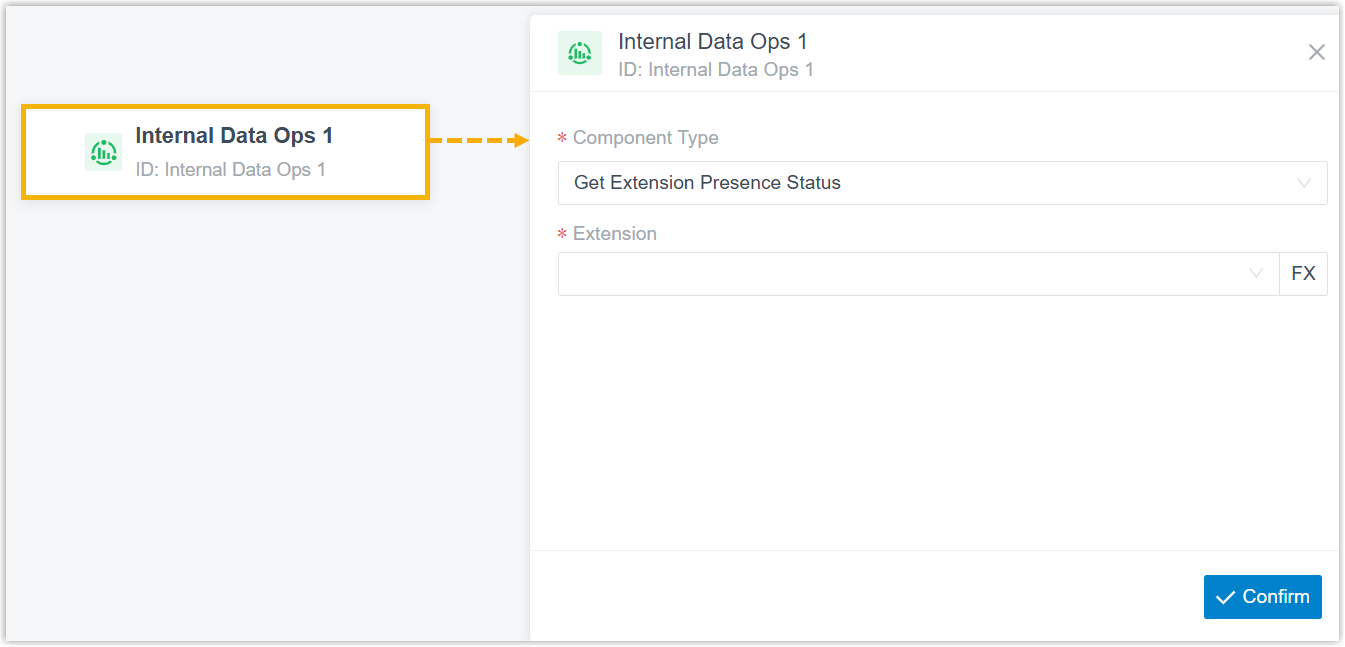
- In the pop-up right panel, complete the following settings.
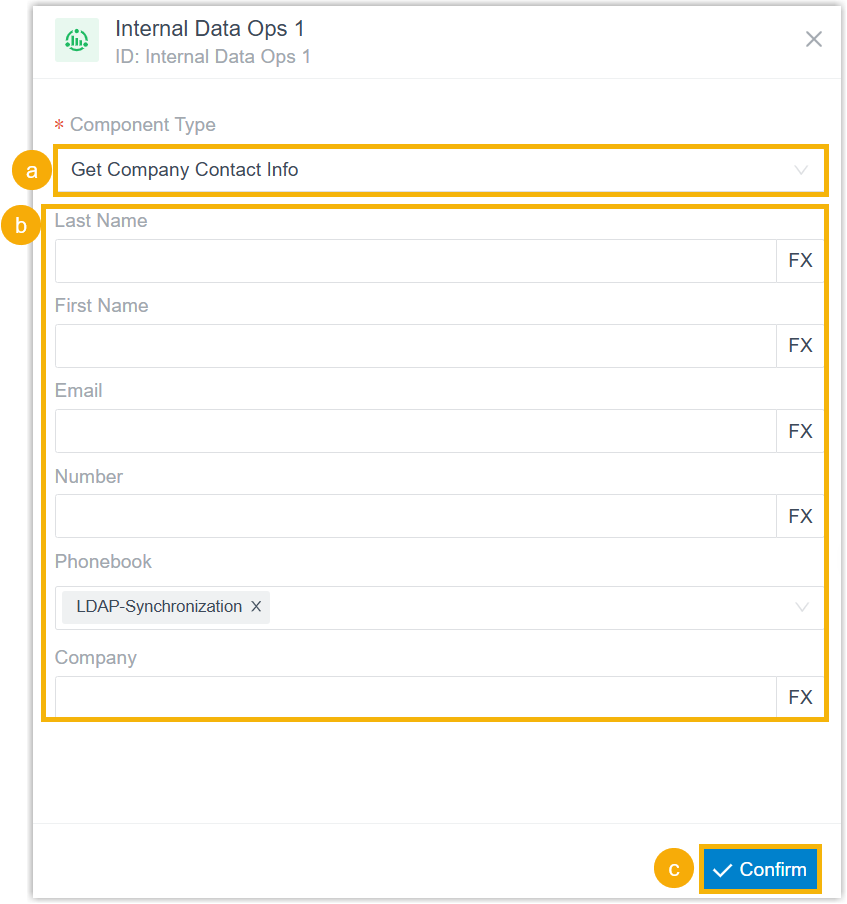
- In the Component Type drop-down list, select Get Company Contact Info.
- Specify the target company contact using the following
filters.
Filter Description Last Name Enter contact's last name. First Name Enter contact's first name. Email Enter contact's email address. Number Enter contact's phone number. Note: The system follows the number matching rule (set in ) when searching for company contacts. If Do Not Match is selected, the system performs an exact number match.Phonebook Select phonebook(s) to search contacts in these directories. Note: If no phonebooks are configured, the system searches across all directories.Company Enter keywords from company information. Note: For Last Name, First Name, Email, Number and Company filters, you can click to configure expressions to
dynamically filter the contacts.
to configure expressions to
dynamically filter the contacts.An expression may include variables, constants, and functions. You can enter
FXto view and select system‑supported functions, and enter$to view and select variables already stored in the current message flow.For more information about functions and variables, see Variables and Functions in Yeastar Expression.
- At the bottom-right corner, click Confirm.
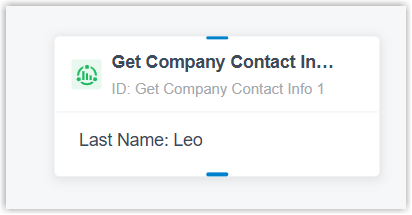
The configured information appears on the component.
-
Optional: To route the message session or trigger other actions, hover over the component and click
 to add the next component .
For more information about components that support to be connected, see Component connections.
Component variables
When a Get Company Contact Info component is added to a message flow, the system stores company contact information in variables. These variables can be referenced in expression-supported components (such as Condition) to retrieve the contact information and respond accordingly based on the result.
| Variable | Type | Description | Example Value |
|---|---|---|---|
| $GetCompanyContactInfo{index}.contactName | String | Contact name. | "Leo Poll" |
| $GetCompanyContactInfo{index}.company | String | Company name. | "YS" |
| $GetCompanyContactInfo{index}.email | String | Email address. | "leo@ys.com" |
| $GetCompanyContactInfo{index}.phonebookList | String | The phonebook(s) to which the contact belongs. | "All" |
| $GetCompanyContactInfo{index}.remark | String | Remark about the contact. | "remark" |
| $GetCompanyContactInfo{index}.business | String | Business number. | "01082345678" |
| $GetCompanyContactInfo{index}.business2 | String | Business number. | "02160123456" |
| $GetCompanyContactInfo{index}.mobile | String | Mobile number. | "13800001234" |
| $GetCompanyContactInfo{index}.mobile2 | String | Mobile number. | "15900005678" |
| $GetCompanyContactInfo{index}.home | String | Home number. | "01087654321" |
| $GetCompanyContactInfo{index}.home2 | String | Home number. | "075523456789" |
| $GetCompanyContactInfo{index}.businessFax | String | Business fax number. | "01082345679" |
| $GetCompanyContactInfo{index}.homeFax | String | Home fax number. | "02160123457" |
| $GetCompanyContactInfo{index}.other | String | Other phone number. | "4008880000" |
Component connections
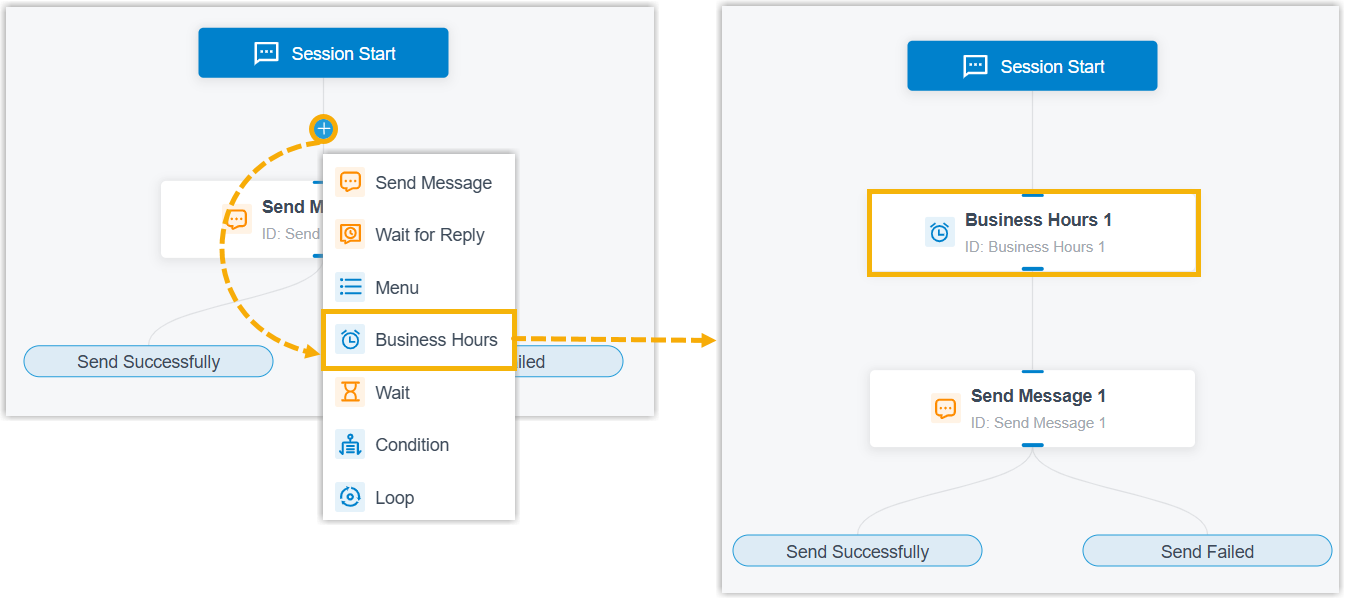
Get Company Contact Info component can be connected to one component, which can be any of the components listed below.
and
select the target component. The selected one is inserted between them with
connections auto-established on both ends, without the need to delete the
connection, add the component and reconnect manually.End components Transfer and Close are unavailable for this insertion method.
| Component | Description |
|---|---|
| Send Message | Send Message component enables the
system to automatically send messages to customers. For more information, see Send Message. |
| Send WhatsApp Template Message | Send WhatsApp Template Message
component enables the system to automatically send messages to
customers using specified WhatsApp message templates. Important: This component is
available only when the message flow is only applicable to
WhatsApp channel type.
For more information, see Send WhatsApp Template Message. |
| Wait for Reply | Wait for Reply component allows you to
set the reply timeout and route the message session depending on
whether a reply is received. For more information, see Wait for Reply. |
| Menu | Menu component allows you to present
the customer with a set of menu options, and route the message
session based on the value that they reply. For more information, see Menu. |
| Business Hours |
Business Hours component allows you to route the message session to different destinations based on the time of day. For more information, see Business Hours. |
| Wait | Wait component enables the system to automatically
route the message session to the connected component upon reply
timeout. For more information, see Wait. |
| Condition | Condition component allows routing the message session
based on logical expressions. For more information, see Condition. |
| Loop | Loop component allows a group of
components to be executed repeatedly based on the loop
strategy. For more information, see Loop. |
| Internal Data Ops | Internal Data Ops component allows you
to query data from PBX-native database. For more information,
see the following topics: |
| Email Sender | Email Sender component enables the
system to automatically send emails to a recipient via
configured email server and record the send logs, enabling
real-time notifications. For more information, see Email Sender. |
| Database Access | Database Access component allows you
to interact with database during a message flow. You can execute
SQL operations to retrieve or update data as needed. For more information, see Database Access. |
| HTTP Request | HTTP Request component allows you to
send HTTP requests to external web servers, enabling data
exchange with third-party services. For more information, see HTTP Request. |
| Transfer |
Transfer component allows you to transfer the message session to a specific destination to terminate the current message flow. For more information, see Transfer. |
| Close | Close component enables the system to
automatically disconnect the message session to terminate the
current message flow. For more information, see Close. |