Record or Upload Voicemail Greeting
A voicemail greeting is a user-defined audio prompt that can be used for user voicemail to provide customized voice messages for callers. You can create voicemail greetings by uploading audio files or recording greeting through a user extension.
Introduction
Limitation
Up to 10 voicemail greetings are supported for each user.
Upload a voicemail greeting
If you already have an audio file, you can upload it as a voicemail greeting.
- File format:
.wavor.mp3- PCM, 8 kHz, 16-bit, 128 kbps
- A-law (G.711), 8 kHz, 8-bit, 64 kbps
- μ-law (G.711), 8 kHz, 8-bit, 64 kbps
-
File size: Less than 8MB
- Log in to NovoOne Tenant portal, go to .
- Click
 beside the
desired user.
beside the
desired user. - In the Voicemail tab, scroll down to
Greeting section and click Greeting
Management.
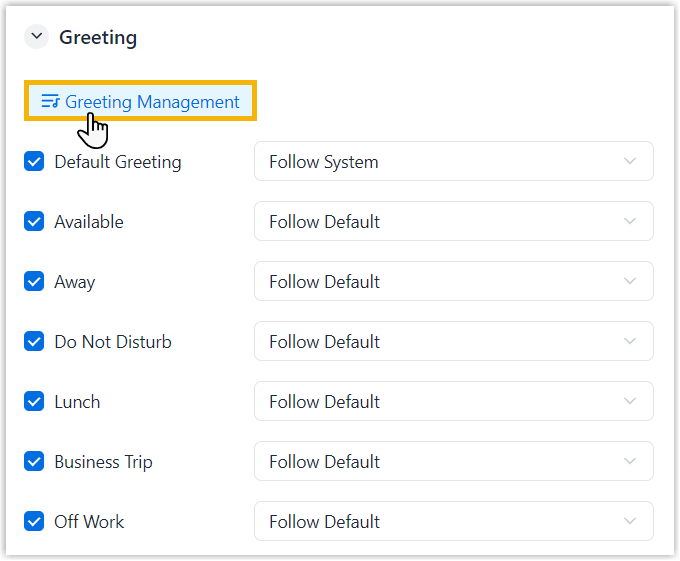
- In the pop-up window, click
Add.
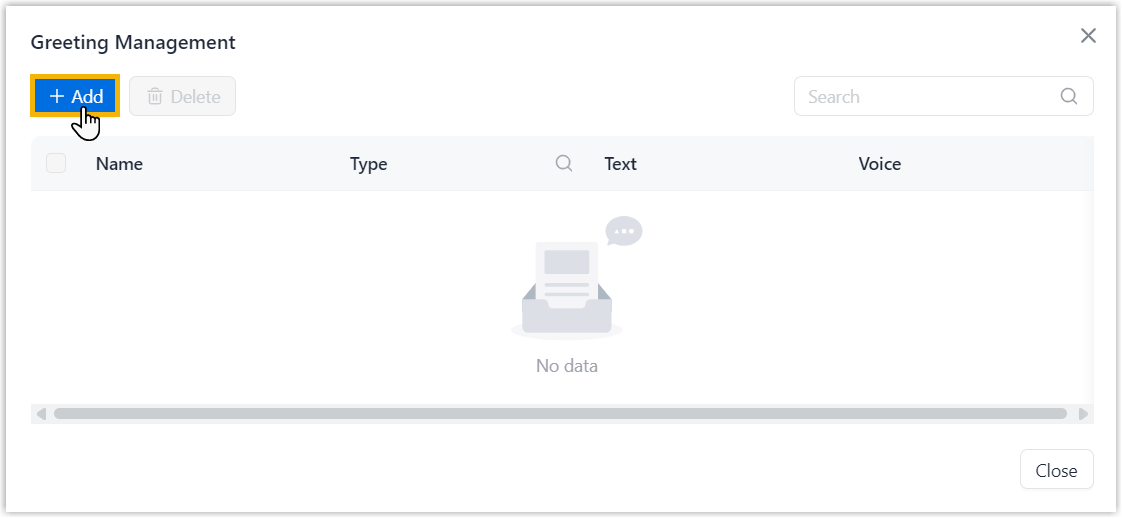
- In the pop-up window, complete the following settings, then close the
window.
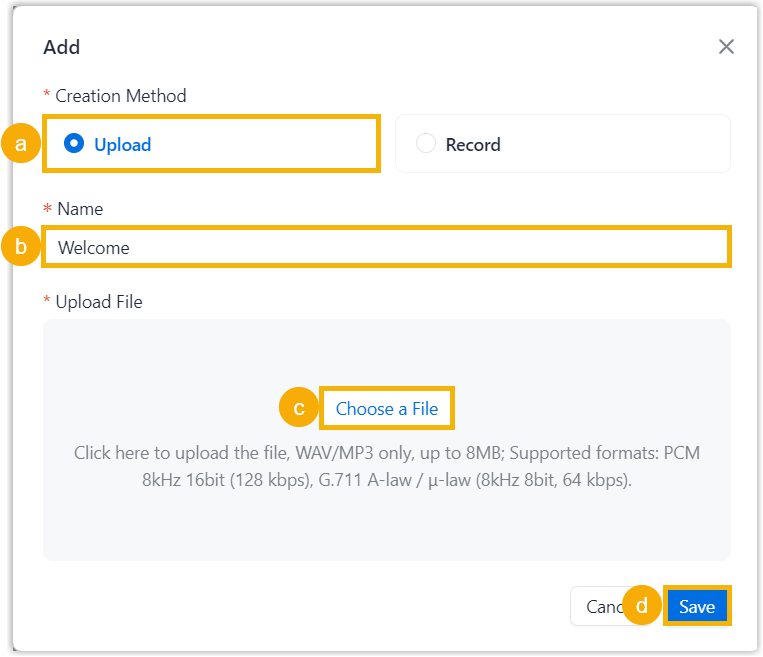
- In the Creation Method section, select Upload.
- In the
Name field, enter a name to
help identify the audio file.Note: If you want to use the audio filename, leave the field blank. The filename is automatically used after the file is uploaded.
- In the Upload File section, click Choose a File to select an audio file.
- Click Save.
Record a voicemail greeting
If you want to create a new greeting, you can record it through a user extension.
- Log in to NovoOne Tenant portal, go to .
- Click beside the
desired user.
- In the Voicemail tab, scroll down to
Greeting section and click Greeting
Management.
- In the pop-up window, click
Add.
- In the pop-up window, complete the following settings.
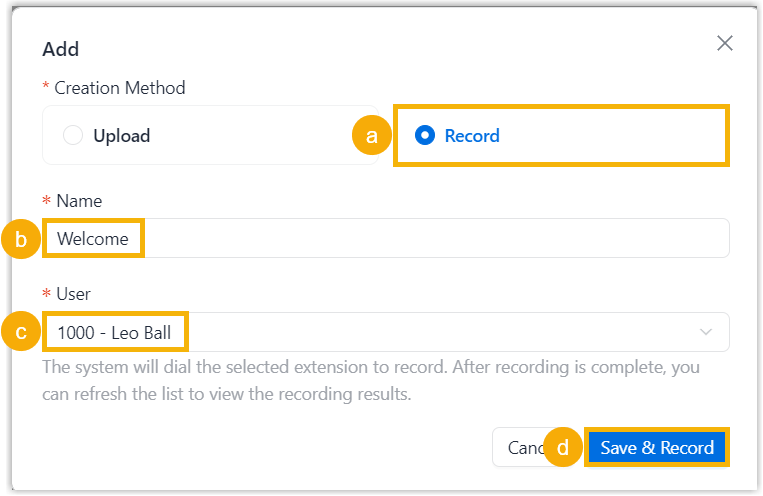
- In the Creation Method section, select Record.
- In the Name field, enter a name to help identify the audio file.
- In the User drop-down list, select a user extension.
- Click Save &
Record.
The system calls the selected user extension and plays the prompt "Please start recording your prompt after the tone. When done, hang up, or press the pound key." after the user answers the call.
The user can then record the audio. After the user hangs up, the recorded audio is saved in
.wavformat and displayed in the list.