Configure Global Voicemail Setting

This topic describes how to configure voicemail settings that apply globally to all users.

Procedure

  1. Log in to NovoOne Tenant portal, go to Call Features > Voicemail.
  2. In the Global Settings tab, configure the voicemail settings.
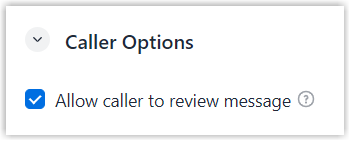
    Caller Options
    Setting Description
    Allow caller to review message Set whether to allow callers to play, save, or re-record their voicemail messages after recording.
    • If enabled, a prompt "Press 1 to save, press 2 to listen to it, press 3 to record" is played to callers. Callers can press the corresponding numeric key to perform the desired operation.
    • If disabled, the voicemail message is saved after callers press # or hang up the call.
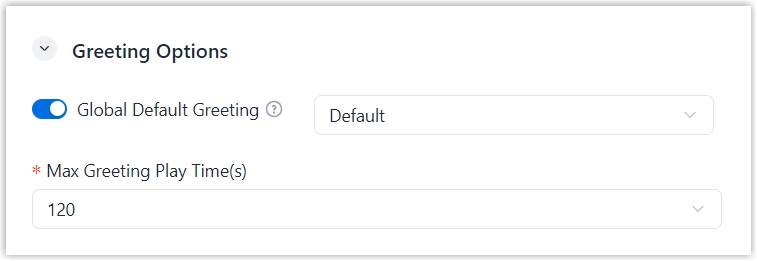
    Greeting Options
    Setting Description
    Global Default Greeting

    A default prompt "The person at extension {extension_number} is not available." is played when a caller reaches a user's voicemail box.

    You can use the default prompt, or select a custom prompt to greet callers and provide guidance.

    Note:
    • Available prompts are synchronized from System > Voice Prompt > Custom Prompt. You can select from existing prompts, or click Create New to add a new custom prompt.
    • If the callee has a custom voicemail greeting (configured in Users > Users > Voicemail > Greeting), it takes precedence over the global default greeting.
    Max Greeting Play Time(s) Set the maximum duration for playing the greeting.

    When the limit is reached, the remaining part of the greeting is not played.

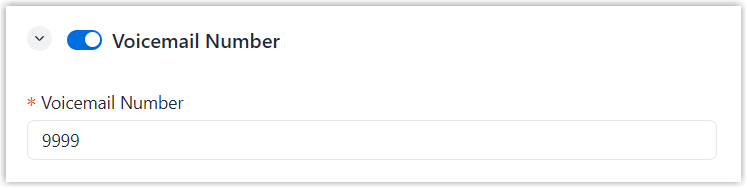
    Voicemail Number
    Setting Description
    Voicemail Number Set whether to enable voicemail access number.
    If enabled, users can access their voicemail boxes by dialing the voicemail access number.
    Note: Users can also access their voicemail boxes by dialing the voicemail feature code (default *2, which is defined in Voicemail > Feature Code > Voicemail > Check Voicemail / Subscribe Voicemail Status).
  3. Click Save.

Result

The configured global voicemail settings are applied to all users.