Configure Recording Prompts
NovoOne allows you to configure recording prompts to notify call participants when recording starts, pauses, or resumes. You can set different recording prompts for internal and external calls.
Procedure
- Log in to NovoOne Tenant portal, go to .
- In the Recording Tone section, configure recording
prompts for internal and external calls.
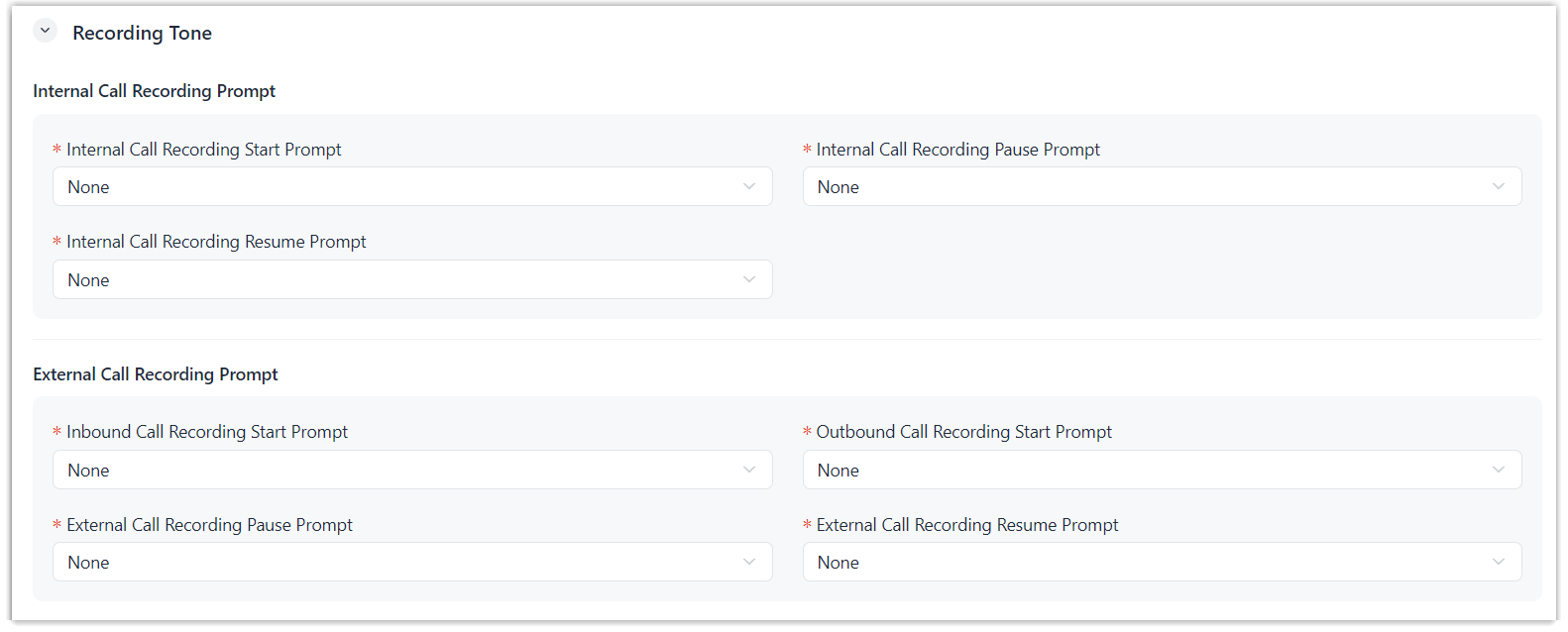 Note: Available prompts are synchronized from . You can select from existing prompts, or click Create New to add a new custom prompt.
For more information, see Add a Custom Prompt.
Setting Description Internal Call Recording Prompt Set recording prompts for internal calls. - Internal Call Recording Start Prompt: When recording starts for an internal call, the system plays the prompt and starts recording simultaneously.
- Internal Call Recording Pause Prompt: When an authorized user pauses recording for an internal call, the system plays the prompt and pauses recording after the prompt finishes.
- Internal Call Recording Resume Prompt: When an authorized user resumes recording for an internal call, the system plays the prompt and resumes recording simultaneously.
External Call Recording Prompt Set recording prompts for external calls. - Inbound Call Recording Start Prompt: When recording starts for an inbound call, the system plays the prompt and starts recording simultaneously.
- Outbound Call Recording Start Prompt: When recording starts for an outbound call, the system plays the prompt and starts recording simultaneously.
- External Call Recording Pause Prompt: When an authorized user pauses recording for an external call, the system plays the prompt and pauses recording after the prompt finishes.
- External Call Recording Resume Prompt: When an authorized user resumes recording for an external call, the system plays the prompt and resumes recording simultaneously.
- Optional: To periodically play a beep tone to notify both parties that
the call is being recorded, perform the following operations.
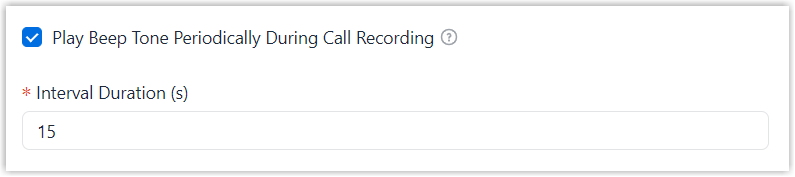
- Select the checkbox of Play Beep Tone Periodically During Call Recording.
- In the Interval Duration (s) field, set the interval.
- Click Save.
Result
During call recording, the system plays the corresponding prompt.