View Outbound Caller ID (DOD)
This topic describes how to view your extension's outbound caller ID settings on NovoOne Web Client, including the regular outbound caller ID and emergency outbound caller ID.
Introduction
- Outbound Caller ID
- Outbound Caller ID is the phone number and name displayed to the recipient when you make a regular outbound call. It helps the recipient identify who is calling.
- Emergency Outbound Caller ID
- If your company has subscribed to enhanced emergency services, the system administrator may associate your extension with an Emergency Location Identification Number (ELIN), which is tied to your office location. When you make an emergency call, this ID enables the emergency operator to identify your location for a faster response.
Procedure
- Log in to NovoOne Web Client, go to .
- Scroll down to the Outbound Caller ID section, then
check the following outbound caller ID settings as needed.
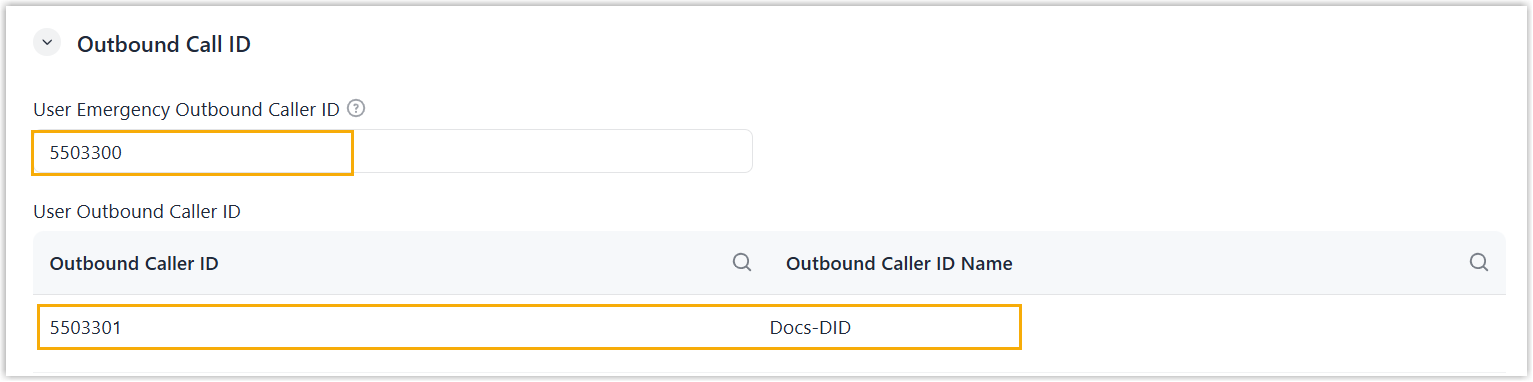
Setting Description User Emergency Outbound Caller ID View the emergency caller ID assigned to your extension. To change the number, you can select one from the system's DID pool, or enter a custom value, then click Save.
Note: Whether this number is used depends on the system administrator's configurations for emergency number.User Outbound Caller ID View the outbound caller ID (number and name) assigned to your extension for regular calls. Note: If multiple caller IDs are listed, the one at the top has the highest priority and will be used by default.