Configure Audio Devices
This topic describes how to select and test audio devices for NovoOne Web Client to ensure proper audio during calls.
Prerequisites
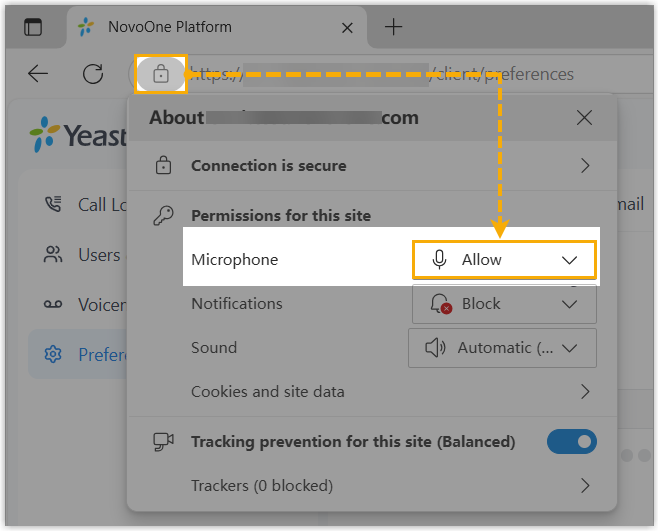
You have allowed the NovoOne Web Client to access your microphone.
Procedure
- Log in to NovoOne Web Client, then go to .
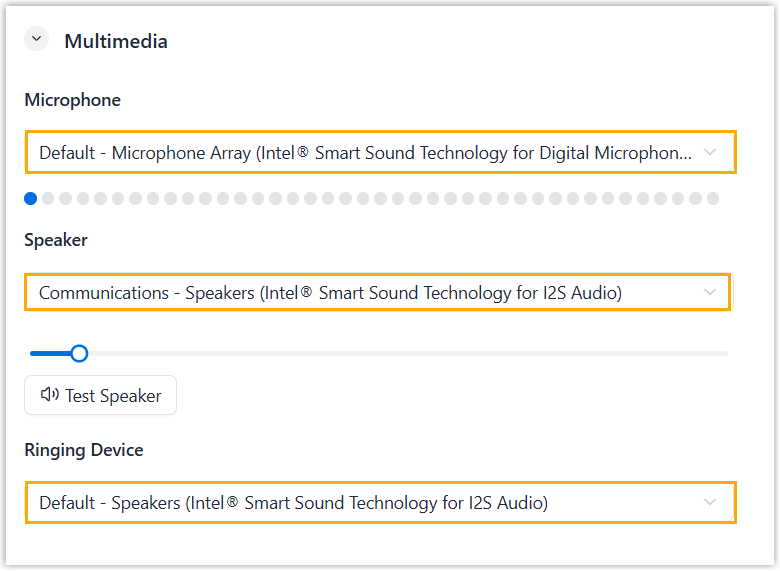
- Select the desired device from the drop-down list of
Microphone, Speaker, and
Ringing Device.Tip: For the speaker, you can click Test Speaker to play a test tone, then adjust the volume as needed.
- Click Save.