Configure Your Extension Profile
This topic describes how to upload an avatar and configure your account information on NovoOne Web Client.
Procedure
- Log in to NovoOne Web Client, go to .
- Upload your avatar.
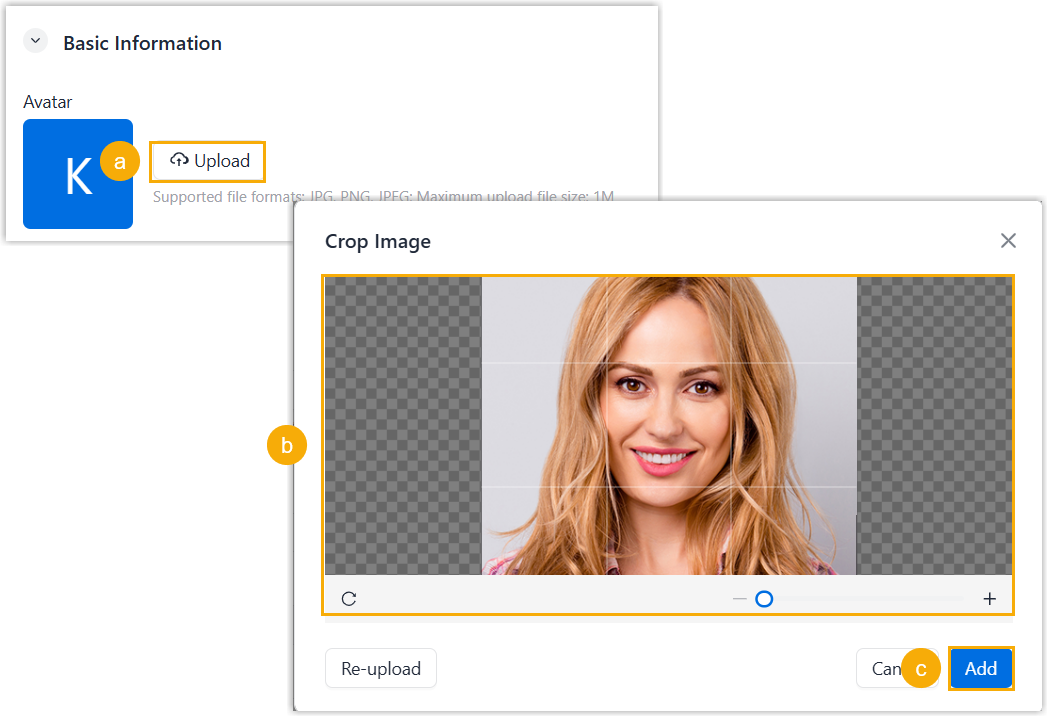
- Click Upload.
- In the pop-up window, select an image from your computer, then
crop the image as needed.Note: The image format must be in
JPG,PNG, orJPEGformat and not exceed 1 MB. - Click Add.
- Configure your basic information.

Information Description First Name First name. Last Name Last name. Email Email address, which can be used to receive welcome email or other notifications. Mobile Mobile number. - Click Save.