Stop Rejected Calls from Ringing Other Endpoints
This topic describes how to configure call handling to stop other endpoints from ringing when an incoming call is rejected on any endpoint.
Procedure
- Log in to NovoOne Web Client, then go to .
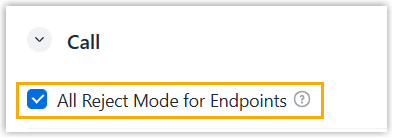
- In the Call section, select the checkbox of
All Reject Mode for Endpoints.
- Click Save.
Result
If your extension is registered on more than one endpoint, and you reject an incoming call on any of the endpoints, the other endpoints will stop ringing. The call is then forwarded to the preset When Busy destination (Path: ).