上传系统提示音
上传自定义的系统提示音语言包。
请求 URL
POST {base_url}/{api_path}/system_prompt/upload?access_token={access_token}请求参数
| 参数 | 是否必填 | 类型 | 说明 |
|---|---|---|---|
| file | 是 | File | 要上传的系统提示音语言包。 注: 文件必须为 tar 包,文件名格式为 "sound-<XX>.tar"
(如 "sound-en.tar")。 |
响应参数
| 参数 | 类型 | 说明 |
|---|---|---|
| errcode | Integer | 返回错误码。
注: 更多错误码和错误信息说明,请参见 错误码 & 错误信息。
|
| errmsg | String | 返回信息。
|
示例
请求示例
POST /openapi/v1.0/system_prompt/upload?access_token=gwakjgu9ZBUfz36wql4ndsVKkryI0kdj HTTP/1.1

Host: yeastardocs.example.yeastarcloud.com
Content-Type: multipart/form-data; boundary=----WebKitFormBoundary7MA4YWxkTrZu0gW
------WebKitFormBoundary7MA4YWxkTrZu0gW
Content-Disposition: form-data; name="file"; filename="sound-en.tar"
Content-Type: application/octet-stream

<binary package content>
------WebKitFormBoundary7MA4YWxkTrZu0gW--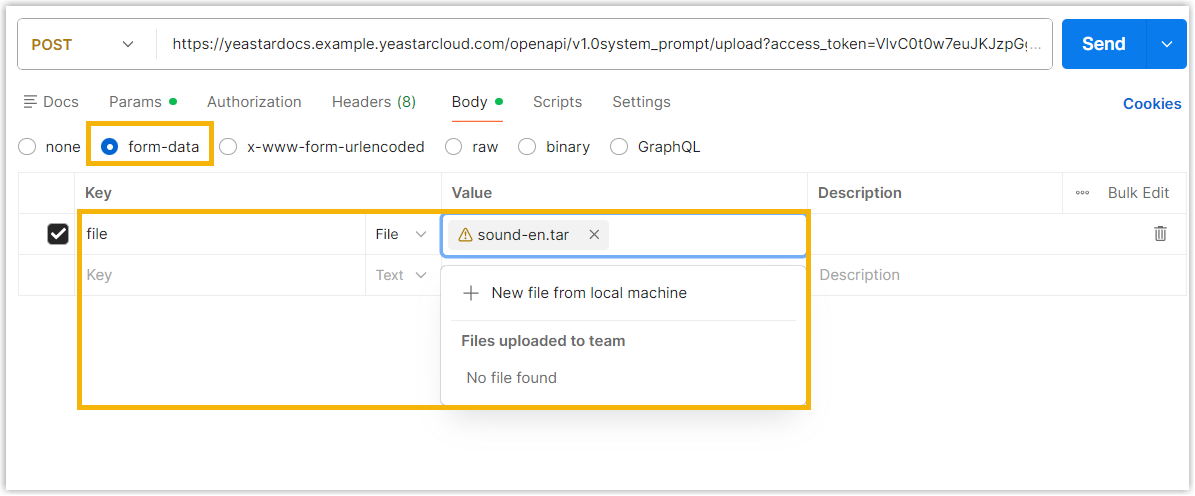
响应示例
HTTP/1.1 200 OK
{
  "errcode": 0,
  "errmsg": "SUCCESS"
}