Configure Theme Setting
By default, Linkus automatically adapts to your web browser's theme, switching between light and dark modes accordingly. In case of need, you can set Linkus to always use either light or dark mode, regardless of your web browser's settings.
Requirements
System administrator has upgraded the PBX server to 84.21.0.117 or later.
Procedure
- Log in to Linkus Web Client.
- Configure theme settings according to your need.
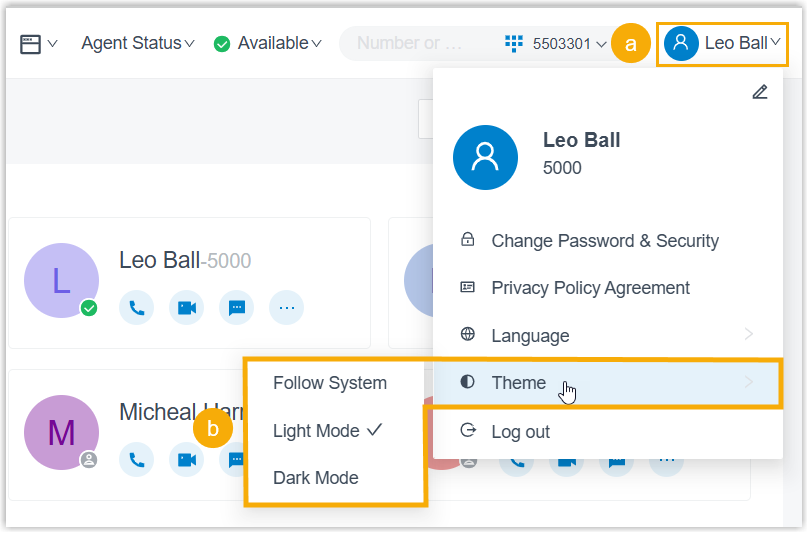
- At the top-right corner of web interface, click your account.
- In the drop-down list, click Theme, then
select your desired theme mode.
Mode Description Follow System Automatically sync with your web browser's current theme. Light Mode Always use the light theme. Dark Mode Always use the dark theme.
Result
The selected theme mode is immediately applied to Linkus, the web interface displays the corresponding theme colors.