Close
This topic provides an overview of the Close component, and describes its configuration as well as supported connections.
Component introduction
Close component is one of the end components to terminate the current message flow. When the session are routed to the component, the session will be disconnected.
Component configuration
- After adding Close component to a message flow, click
the component to proceed with the configuration.
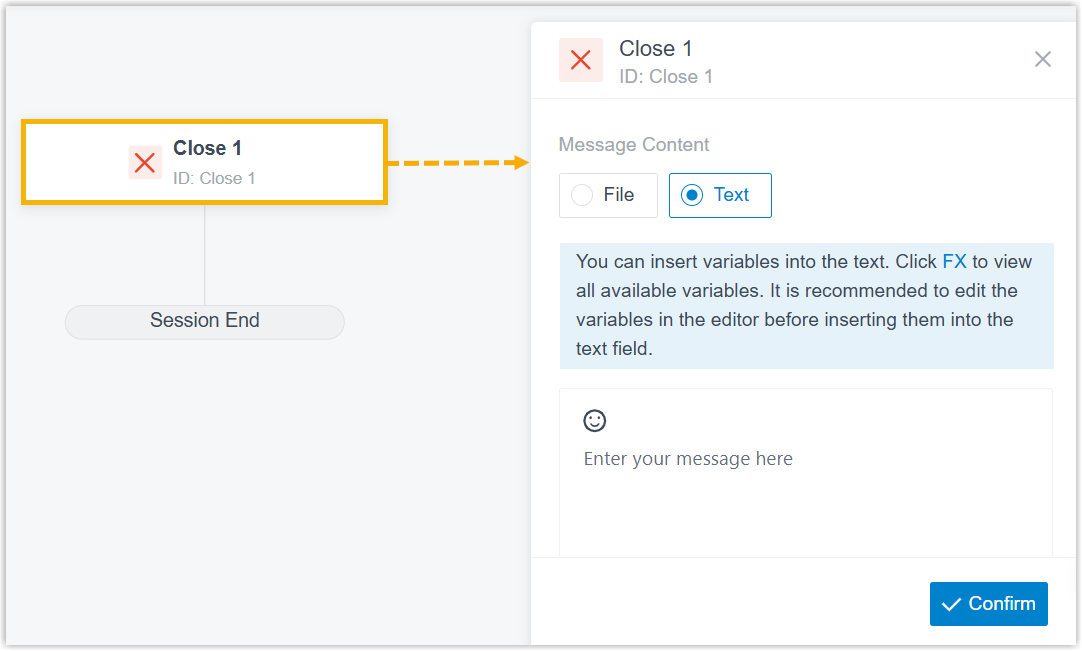
- In the pop-up right panel, complete the following settings.
Fill in the message content using one of the following methods to inform customer of the message session close.
Method Instruction File upload Click File and upload a file that includes the content to be sent. Note: The file must not exceed 100 MB.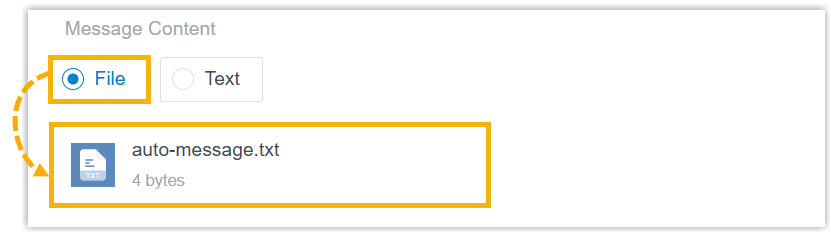
Text input Click Text and fill in the content to be sent in the text field. - To insert fixed text, enter plain text and emojis directly.
- To insert
expression, click
 , enter an
expression and click Save.Note:
, enter an
expression and click Save.Note:An expression may include variables, constants, and functions. You can enter
FXto view and select system‑supported functions, and enter$to view and select variables already stored in the current message flow.For more information about functions and variables, see Variables and Functions in Yeastar Expression.
The expression added in the editor is automatically filled in the text filed.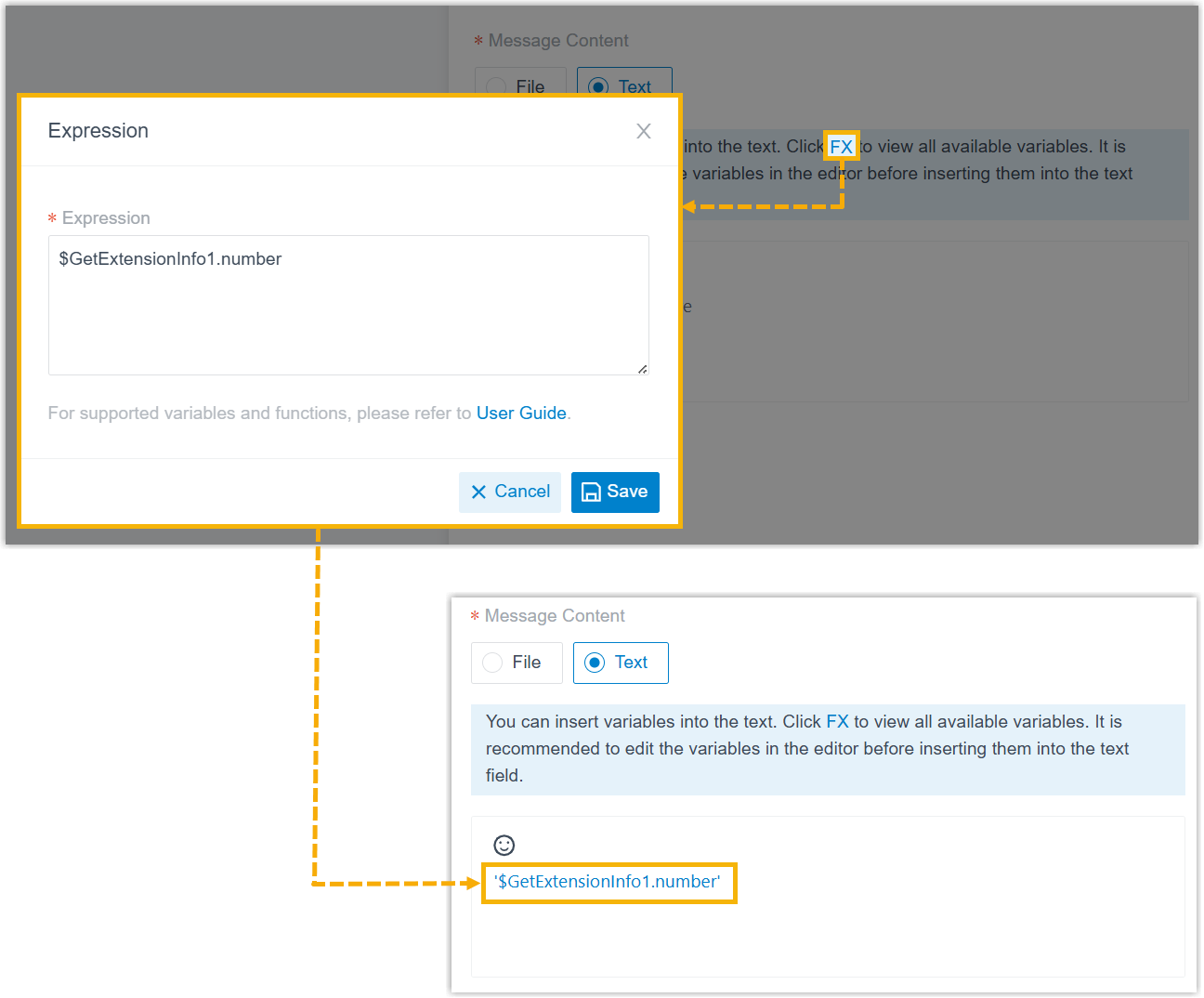
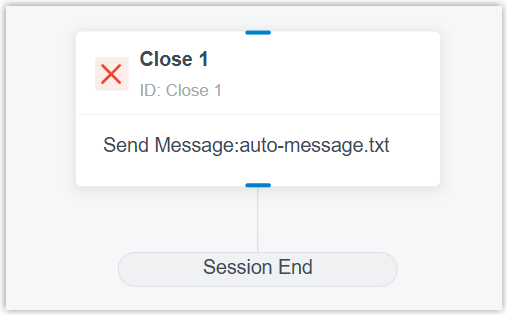
- At the bottom-right corner, click Confirm.
The configured content appears on the component.
Component connections
Close component comes with a built-in Session End branch. This branch can be connected on one developer component, which can be any of the components listed below.
| Component | Description |
|---|---|
| Internal Data Ops | Internal Data Ops component allows you
to query data from PBX-native database. For more information,
see the following topics: |
| Email Sender | Email Sender component enables the
system to automatically send emails to a recipient via
configured email server and record the send logs, enabling
real-time notifications. For more information, see Email Sender. |
| Database Access | Database Access component allows you
to interact with database during a message flow. You can execute
SQL operations to retrieve or update data as needed. For more information, see Database Access. |
| HTTP Request | HTTP Request component allows you to
send HTTP requests to external web servers, enabling data
exchange with third-party services. For more information, see HTTP Request. |