Stop Rejected Calls from Ringing Other Endpoints
Configure how incoming calls are handled when the user's endpoints are busy or an incoming call is rejected.
Procedure
- Log in to NovoOne Tenant portal, go to .
- Click
 beside the
desired user.
beside the
desired user. - In the Features tab, configure the following settings
in the Endpoints Call Rule section.
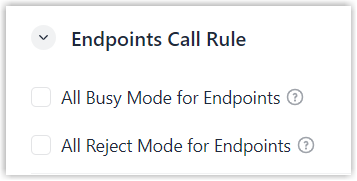
Setting Description All Busy Mode for Endpoints Set whether to forward new incoming calls to the Busy destination when the user is already on a call. If enabled, when one of the user's endpoints is busy, all other endpoints stop ringing and the new incoming call is forwarded to the Busy destination.
All Reject Mode for Endpoints Set whether to stop an incoming call from ringing on all other endpoints after it is rejected on one endpoint. If enabled, when one of the user's endpoints rejects an incoming call, all other endpoints stop ringing, and the incoming call is forwarded to the Busy destination.
- Click Save.