Configure Presence Setting for Users
Configure status information, call forwarding, and ring settings for different presence statuses to customize how the user's status are presented and incoming calls are handled.
Procedure
- Log in to NovoOne Tenant portal, go to .
- Click
 beside the
desired user.
beside the
desired user. - In the Presence tab, select a presence status to
configure its settings.

- Configure the presence settings.
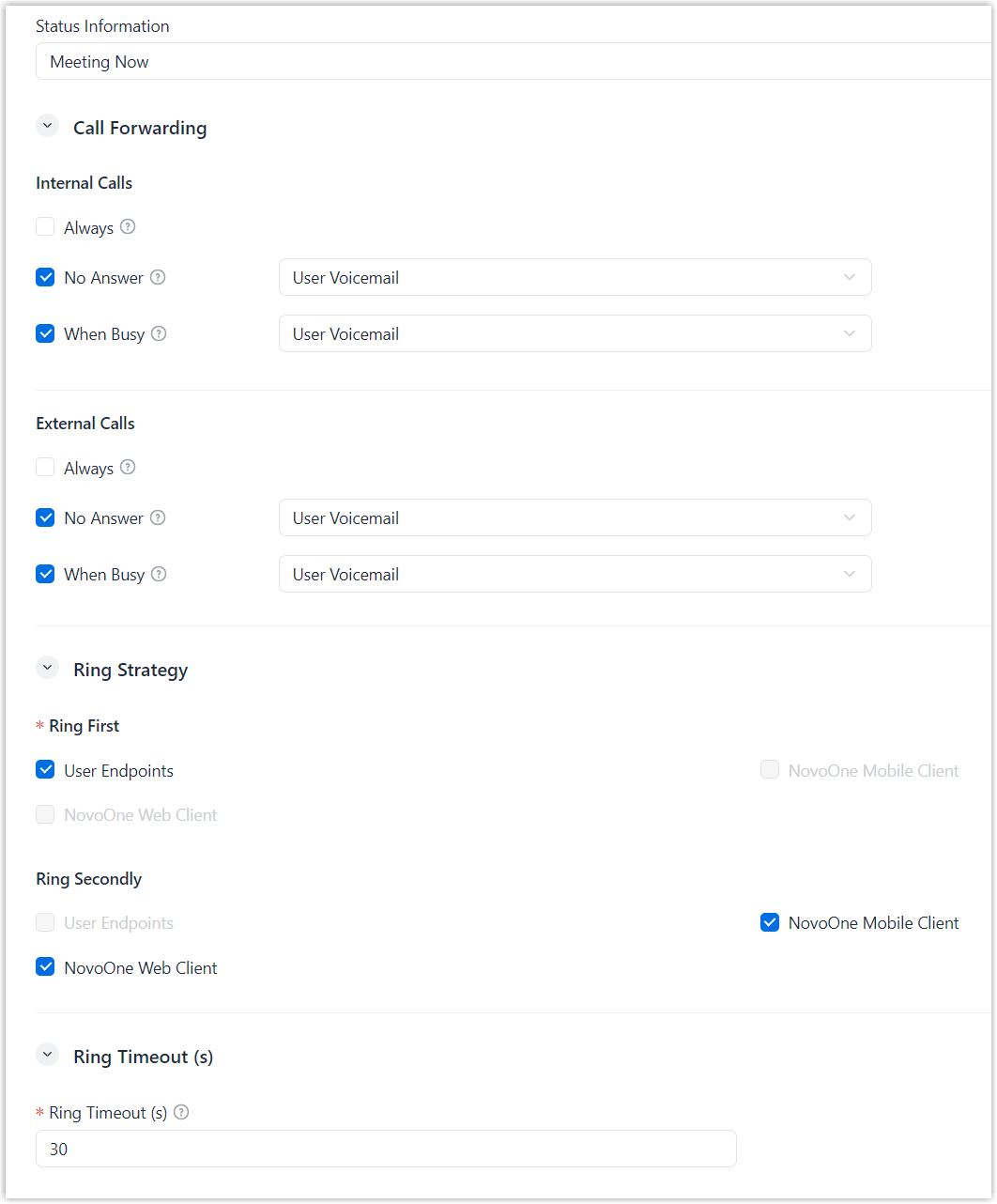
Setting Description Status Information Enter the information to be displayed with the selected presence status in NovoOne clients. Call Forwarding Configure call forwarding rules to for internal and external calls. - Types of incoming calls
- Select the type of incoming calls for which you want to configure call forwarding rules.
- Forwarding condition
- Select a call forwarding condition.
- Destination
- Select a call forwarding destination.
Ring Strategy Set ring strategy for the endpoints where the user extension is registered.Note:- This setting is not available in Do Not Disturb status.
- If the user is a member of a ring group or queue, the ring strategy configured for the ring group or queue takes precedence over this setting.
- Ring order
- Select the order in which endpoints ring.
- Endpoint
- Select the endpoints to ring in the corresponding ring order.
Ring Timeout (s) Note: This setting is not available in Do Not Disturb status.Set the maximum duration that each endpoint can ring. If the call is not answered on any endpoint within this time, the call is considered unanswered.
Valid value: 10 - 300
- Click Save.