Manage Tenants
View and manage tenants created by you, your colleagues, subordinate users, and their colleagues as needed.
Suspend tenants
You can suspend a tenant when its access needs to be temporarily disabled, such as when the customer does not renew subscription.
Important: After suspension, the tenant portal
becomes inaccessible and all calls are stopped. Ensure that you understand the
impact before proceeding.
- Log in to NovoOne Platform portal, go to Tenant.
- Click
 beside
the desired tenant.
beside
the desired tenant. - In the Status drop-down list, select
Suspended.

- Click Save.
Export tenants
You can export tenant information to a CSV file for backup or further processing.
- Log in to NovoOne Platform portal, go to Tenant.
- At the top of the list, click Export.
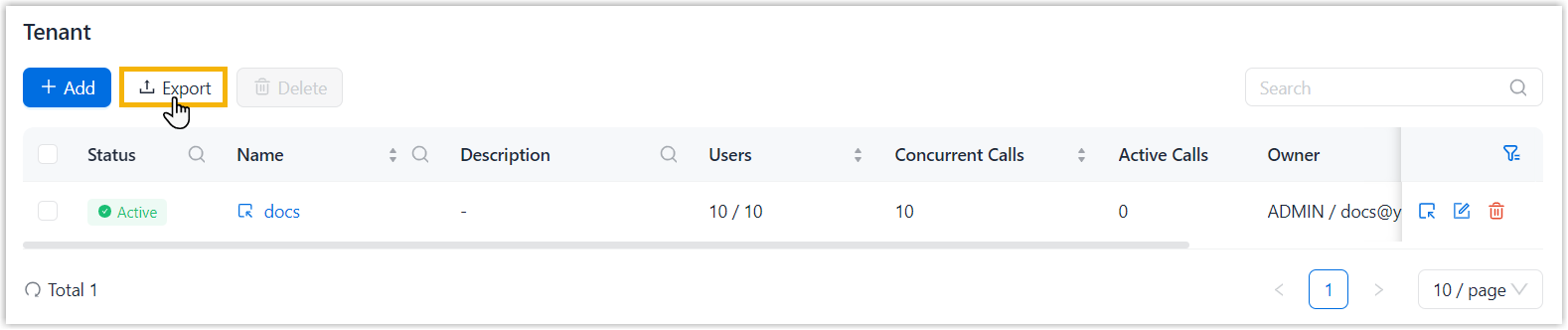
The tenant information is exported to a
.csvfile.
Delete a tenant
You can delete a tenant that is no longer needed.
Important: After deletion, all tenant data is
permanently deleted and cannot be restored. Ensure that you understand the impact
before proceeding.
- Log in to NovoOne Platform portal, go to Tenant.
- Select the checkbox of the desired tenant, click Delete
and confirm the operation.
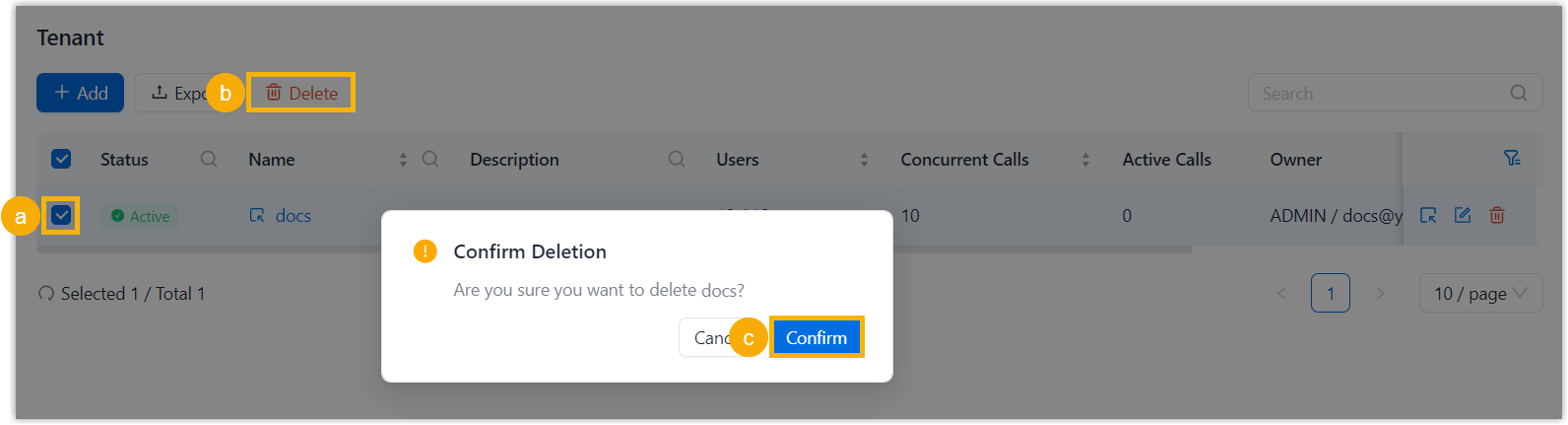
The tenant and its data are deleted, and allocated resources are returned to the tenant owner.