Link a Tenant User to Your Account
You can link a user in your or your reseller's tenant created in the current region to your account, so that you can access NovoOne Web Client via the tenant user account directly from NovoOne Platform portal. This topic describes how to link a tenant user to your account.
Procedure
Note: Only one user in the tenant created in the current region
can be linked to your account.
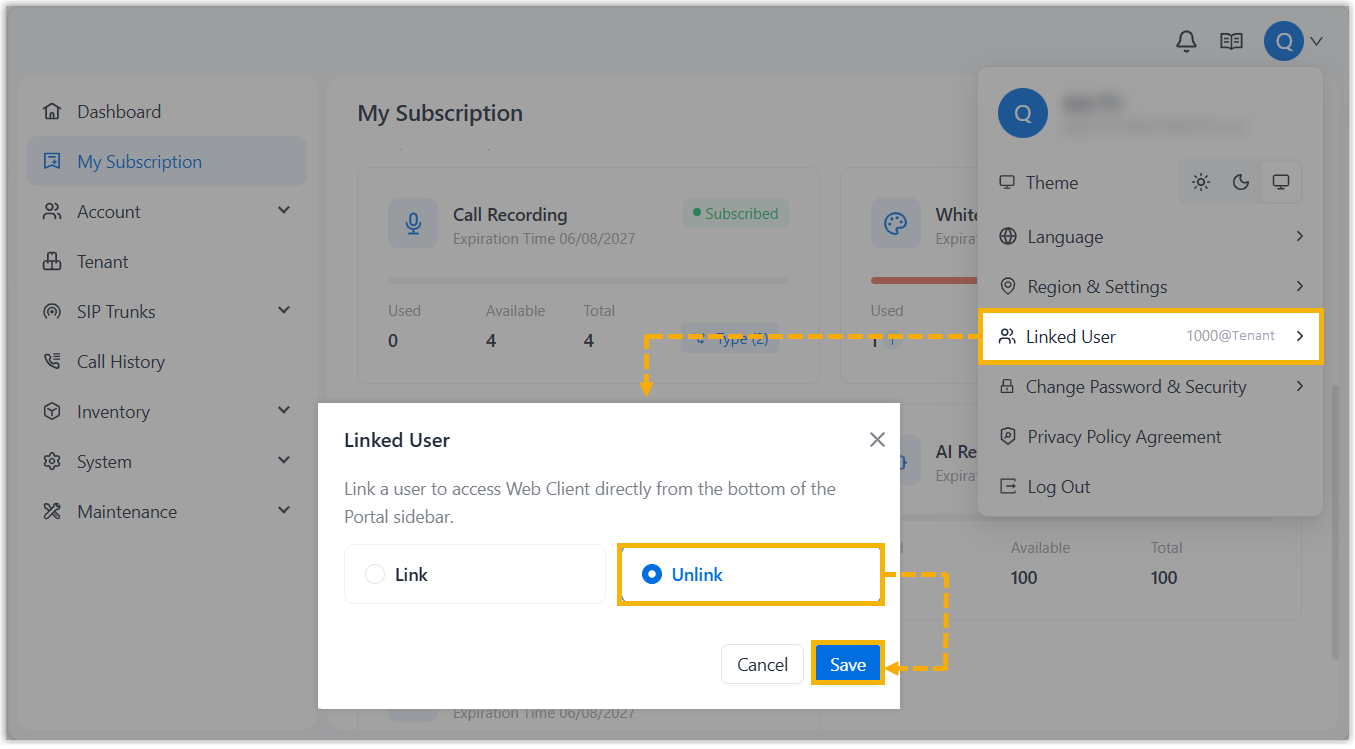
- Log in to NovoOne Platform portal, click your account at the top-right corner.
- In the drop-down list, click Linked User.
- In the pop-up window, complete the following settings.
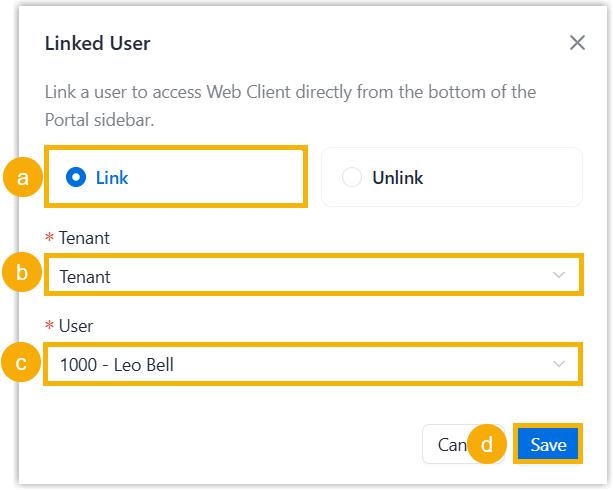
- Click Link.
- In the Tenant drop-down list, select a tenant.
- In the User drop-down list, select a user.
- Click Save.
Result
The entrance for NovoOne Web Client appears at the bottom-left corner of the webpage.
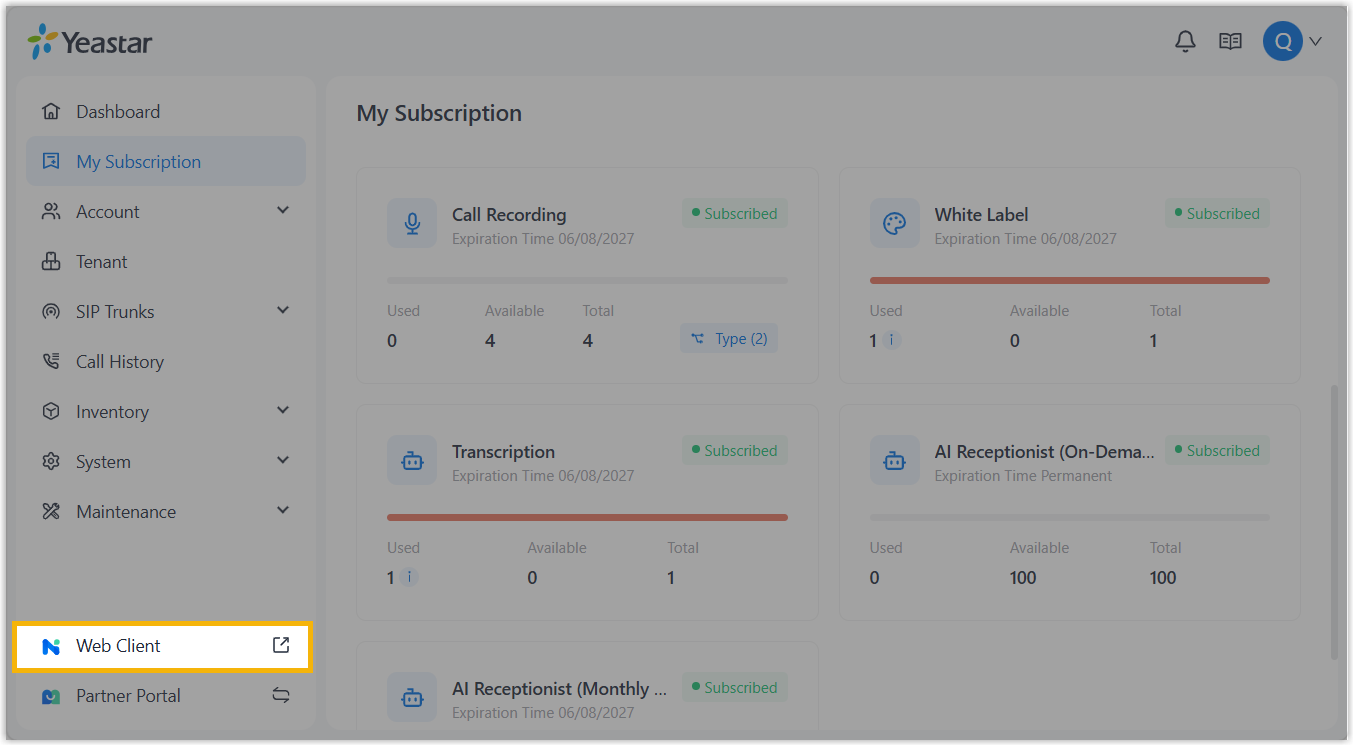
You can click the entrance to directly open NovoOne Web Client in
a new browser tab and automatically log in to the client with the account of linked
tenant user.
Note: If login fails, the Web Client for the
tenant user might be disabled. You can access the
corresponding
tenant from Tenant list, and go to Users > Users >  > NovoOne Clients > Web Clients to enable Web Client for the user.
> NovoOne Clients > Web Clients to enable Web Client for the user.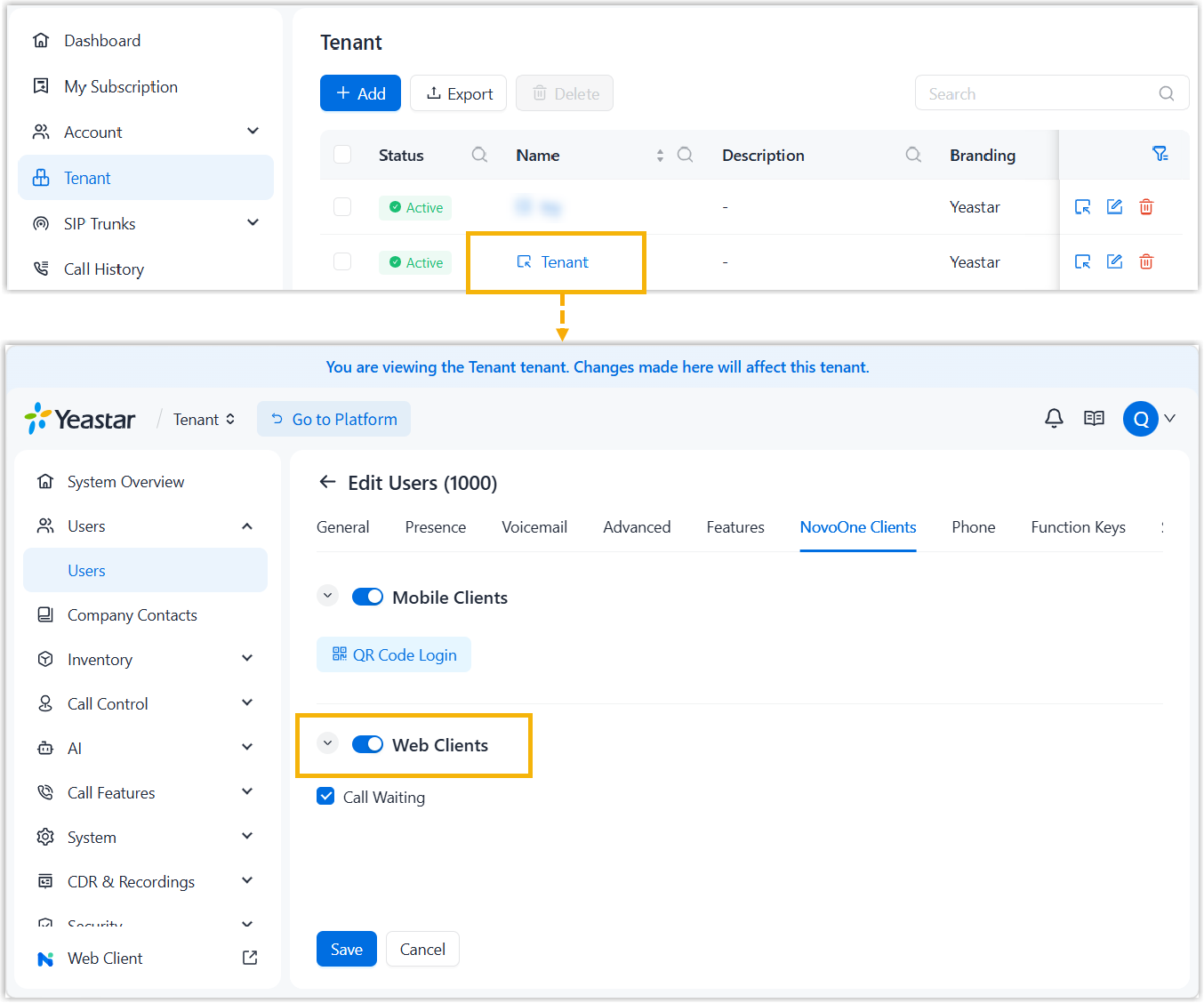
What to do next
If you want to link a tenant user in another region to your account, switch to the target region, remove the existing link first, then follow the steps in this topic to relink the desired tenant user in the target region.