Enable Outbound Call Signing for a Trunk
This topic describes how to enable outbound call signing for a trunk. Once enabled, the system will digitally sign all outbound calls routed through the trunk, excluding emergency and anonymous calls.
Prerequisites
- You have uploaded a valid SHAKEN certificate and a private key to NovoOne platform.
- Ensure that the trunk is a Register Trunk or Peer Trunk.Note: STIR/SHAKEN is not supported on Account Trunk.
Procedure
- Log in to NovoOne Platform portal, go to .
- Click
 beside the desired trunk.
 - In the Advanced tab, scroll down to the STIR/SHAKEN section.
- In the STIR/SHAKEN Mode drop-down list, select either of
the following methods:
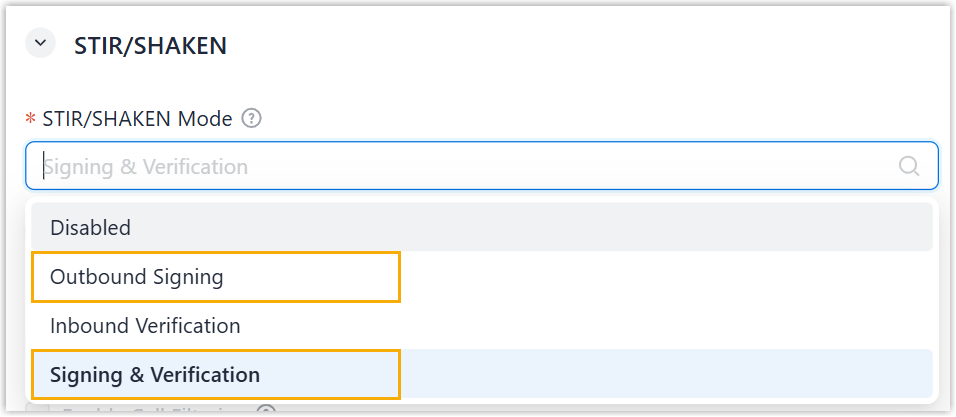
- Outbound Signing: Sign all outbound calls routed through the trunk, excluding emergency and anonymous calls.
- Signing & Verification: Sign outbound calls and verify inbound calls routed through the trunk.
- Click Save.
Result
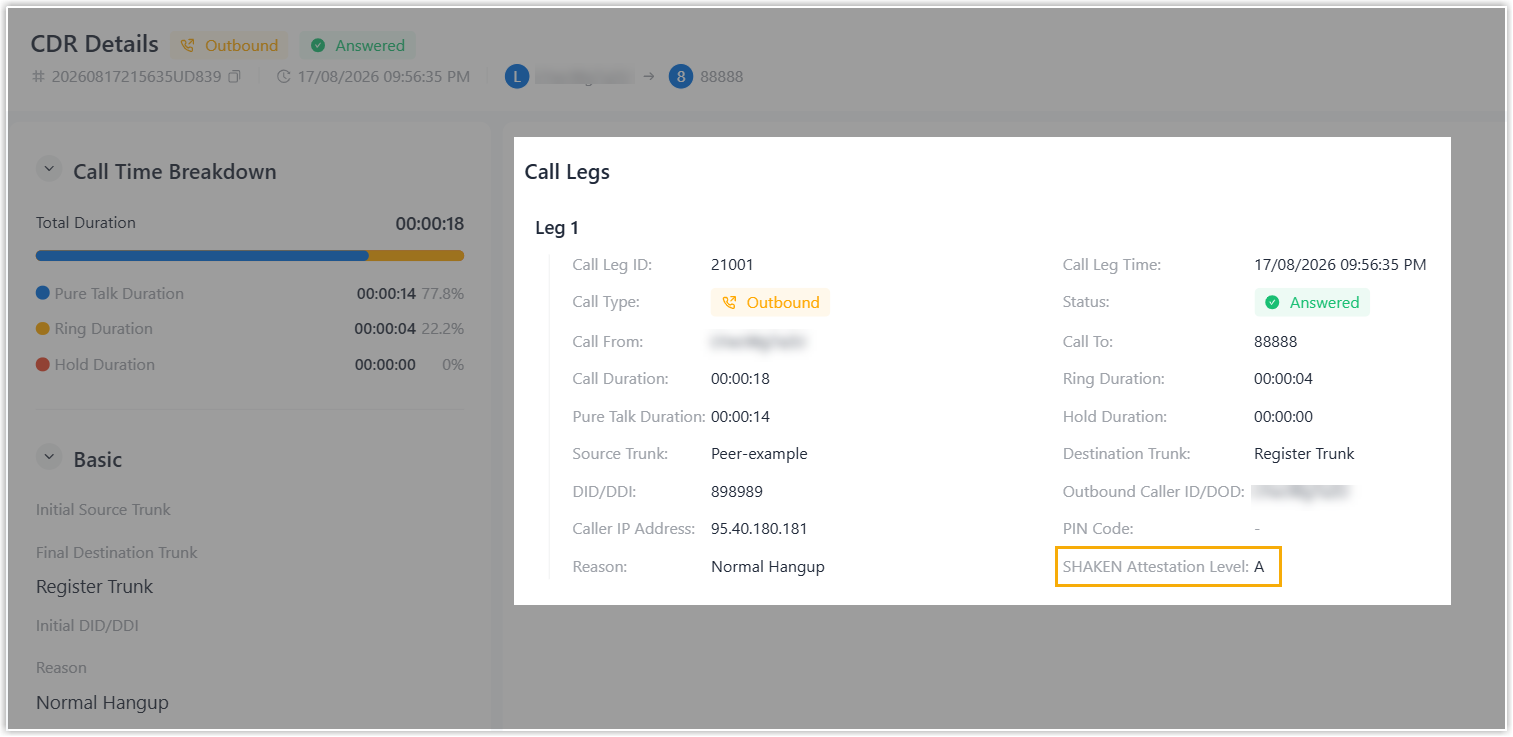
- The system signs all outbound calls (excluding emergency and anonymous
calls) routed through the trunk. Each call is signed with an
Aattestation level, included in theIdentityheader of the SIP INVITE message. - The signing status of each outbound call is recorded in the Call Detailed
Records (CDR) within the associated tenant (Path: CDR & Recordings > CDR >
 on
the
tenant portal).
on
the
tenant portal).