Configure Inbound Call Verification Policy
This topic describes how to configure inbound call verification policy on NovoOne platform, including signature valid time, certificate download timeout and rejection criteria.
Introduction
When an inbound call is routed through a trunk with inbound call verification enabled, the system performs direct verification and obtains a verification status. If the status matches the pre-defined rejection criteria in the Inbound Call Verification Policy, the system will reject the call.
The following diagram illustrates the key steps of how inbound calls are verified.
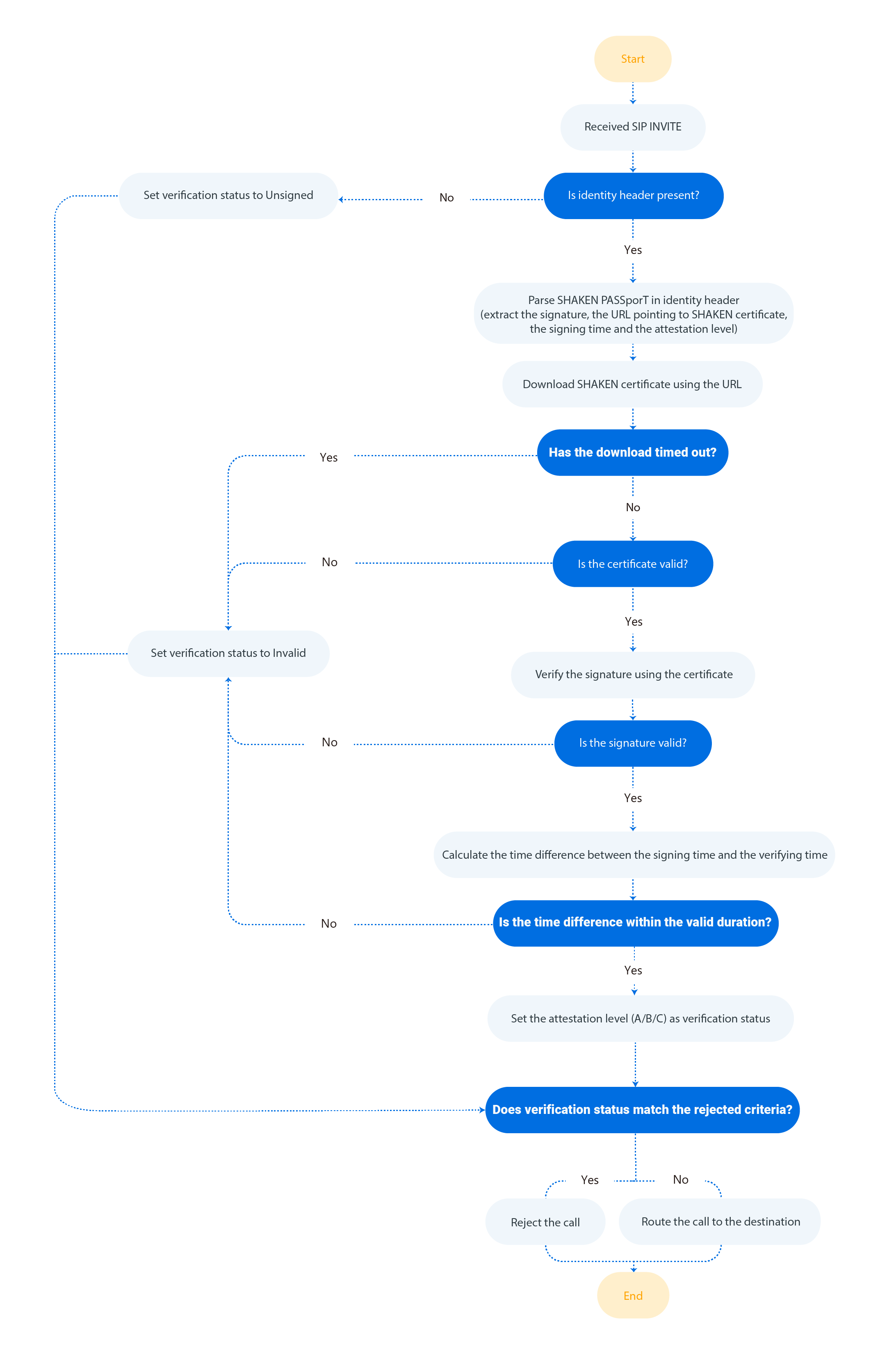
Procedure
- Log in to NovoOne Platform portal, go to .
- In the Verification Settings section, complete the
following settings.

Setting Description Signature Valid Time (s) Set the valid duration (in seconds) for a signature. If the time difference between the signing time and verifying time exceeds this value, the signature is considered invalid.
Note: The supported value is 1 to 300.Certificate Download Timeout (s) Set the maximum wait time (in seconds) for downloading the SHAKEN certificate. If the download exceeds this time limit, the signature verification fails. Note: The supported value is 1 to 30.Drop Calls by Verification Status Select one or more verification statuses that will trigger call rejection. - Unsigned: The SIP
Identityheader is missing. - Invalid: The signature is invalid (e.g., a call with invalid signature or revoked certificate).
- Attestation-C: The call comes from a legitimate gateway, but it cannot be confirmed whether the number belongs to a legitimate user and the number is authentic (e.g., a call routed through legacy PSTN or from international transfer).
- Unsigned: The SIP
- Click Save.
Result
The inbound call verification policy has been saved and is applied to all your trunks in the system.