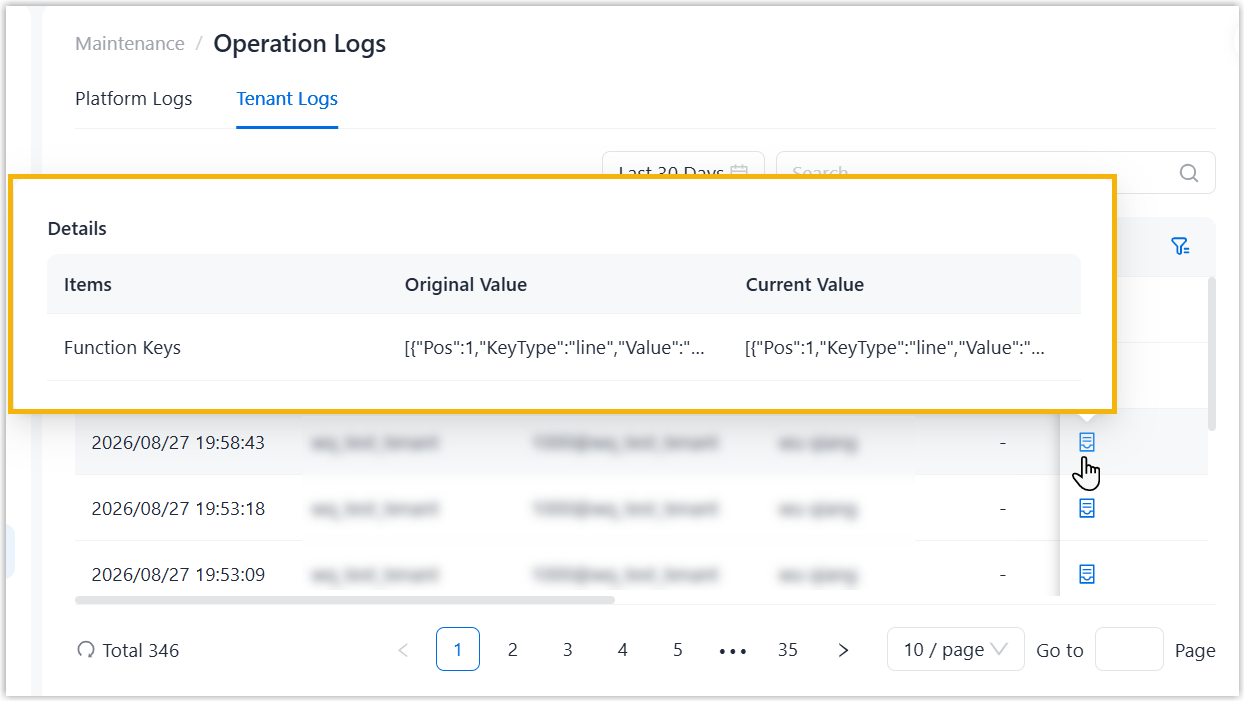
View Operation Logs
You can view operation logs recorded from operations performed on NovoOne Platform and tenants that you own to monitor and analyze the causes of systems errors or other types of problems.
View platform operation logs
- Log in to NovoOne Platform, go to .
- Optional: Search or filter operation logs.
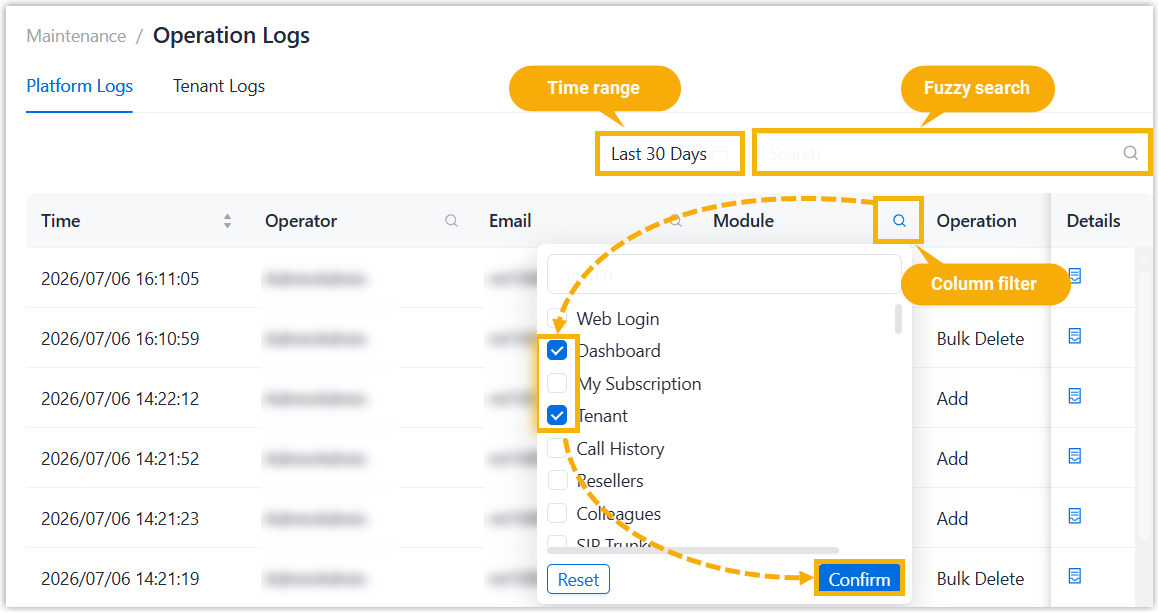
- Time range: Select a time range from the drop-down list to search the logs generated within the time range.
- Fuzzy search: Enter a text to perform a fuzzy search.
- Column filter: Filter by column value.
- Click
 beside a desired column.
 - Enter a desired value or select desired values.
- Click Confirm.Note: To clear the filter, click again, then click
Reset.
- Click
- Hover over
 beside the desired log to check operation
details.
beside the desired log to check operation
details.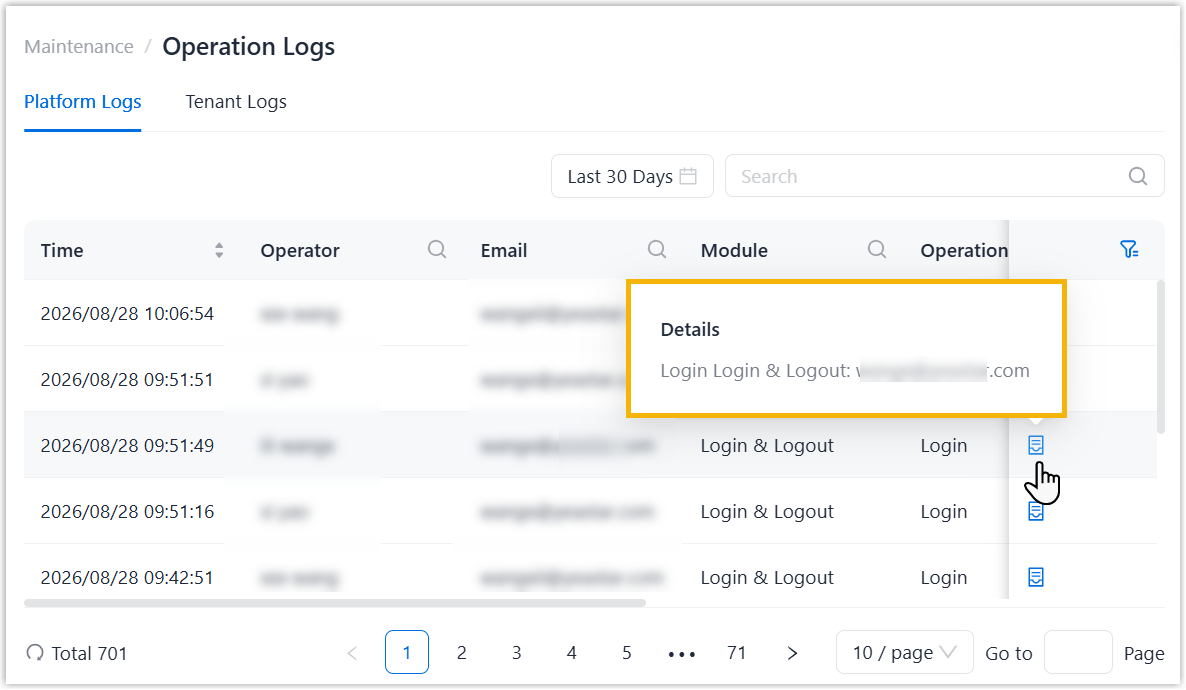
View tenant operation logs
- Log in to NovoOne Platform, go to .
- Optional: Search or filter operation logs.
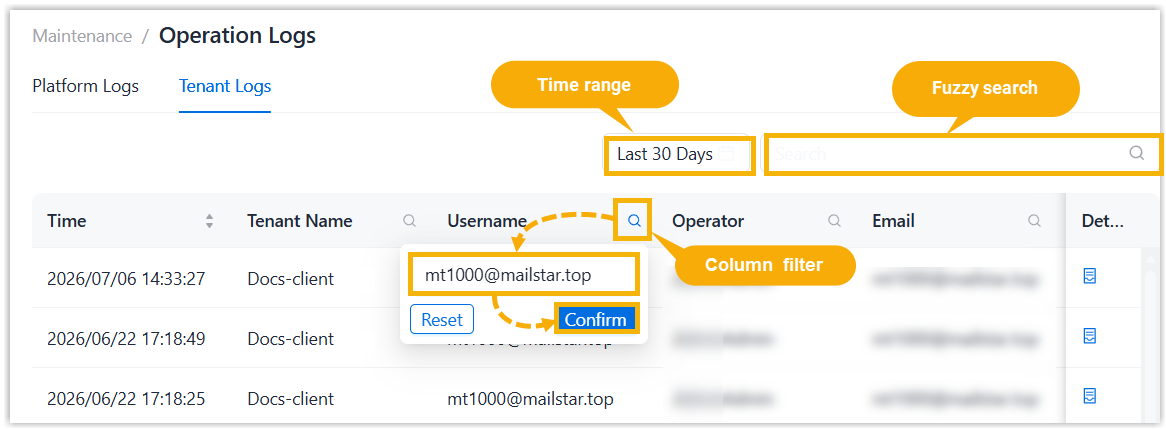
- Time range: Select a time range from the drop-down list to search the logs generated within the time range.
- Fuzzy search: Enter a text to perform a fuzzy search.
- Column filter: Filter by column value.
- Click beside a desired column.
- Enter a desired value or select desired values.
- Click Confirm.Note: To clear the filter, click again, then click
Reset.
- Click
- Hover over beside the desired log to check operation
details.