Yeastar Central Management 87.20.0.37
Release Date: October 12, 2026
New feature
- White Label for Software PBX
- Added support for customizing white label templates for software PBXs and applying the templates to remotely connected software PBXs in Yeastar Central Management, so as to showcase your own brand.
Improvements and bug fixes
- Remote Management
-
- Optimized the connection logic: When an on-premises P-Series PBX is subscribed to Remote Management Connection service, the PBX uses its own connection quota instead of consuming your account's quota when connecting to Yeastar Central Management.
- Added support for switching the RM (Remote Management) mode of an
on-premises P-Series PBX that was connected to Yeastar Central
Management before subscribing to Remote Management
Connection service, allowing the PBX to use its own
connection quota.
For more information, see Switch the RM Mode of P-Series Appliance / Software Edition.
- Cloud PBX
-
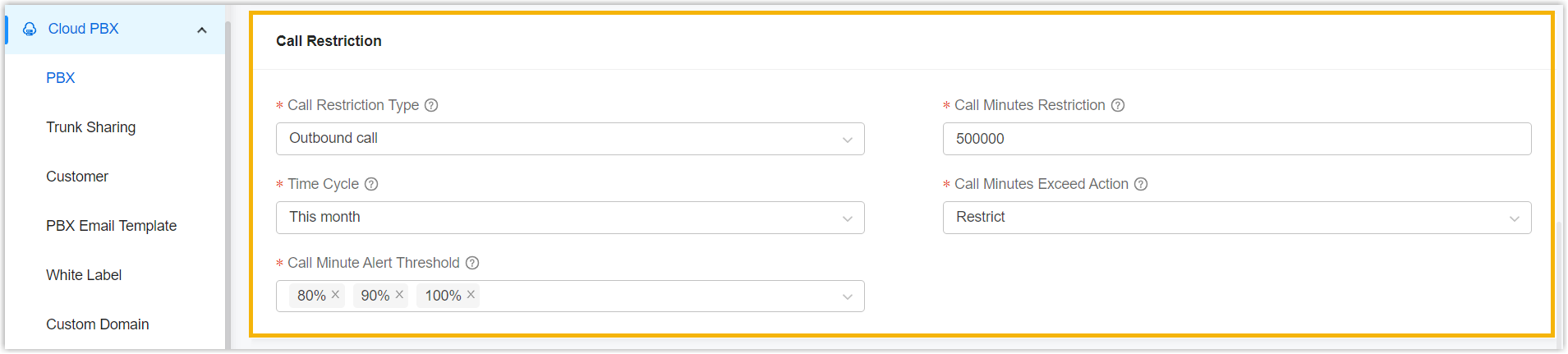
- Added configuration items for Call
Restriction when creating or updating Cloud PBXs
(Path: ), allowing you to configure the maximum call
minutes allowed for a single PBX within a specific time period,
the call handling strategy when the limit is reached, and the
call-minute threshold for triggering the Call Minutes Alert
event.
For more information, see Create a P-Series Cloud PBX.
- Optimized the White Label settings (Path: ):
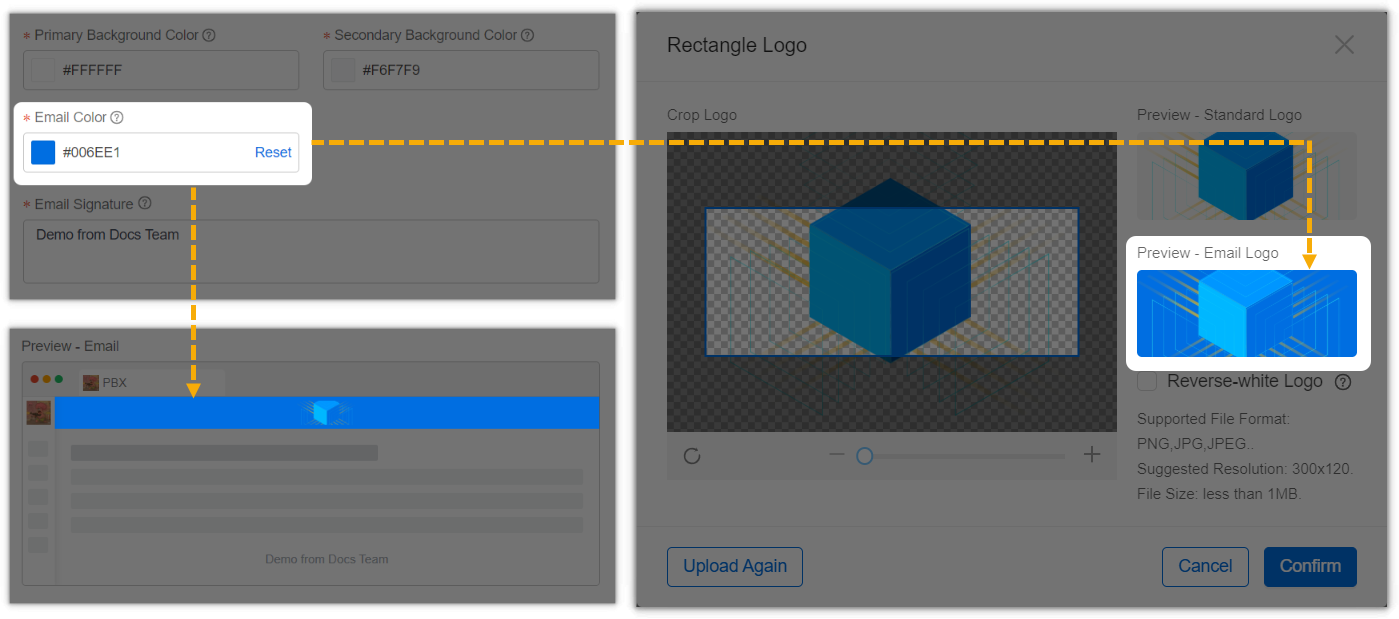
- Added the Email Color setting,
allowing you to customize the color of the email header
bar and preview the effect in Preview -
Email and Rectangle Logo
(Preview - Email Logo).
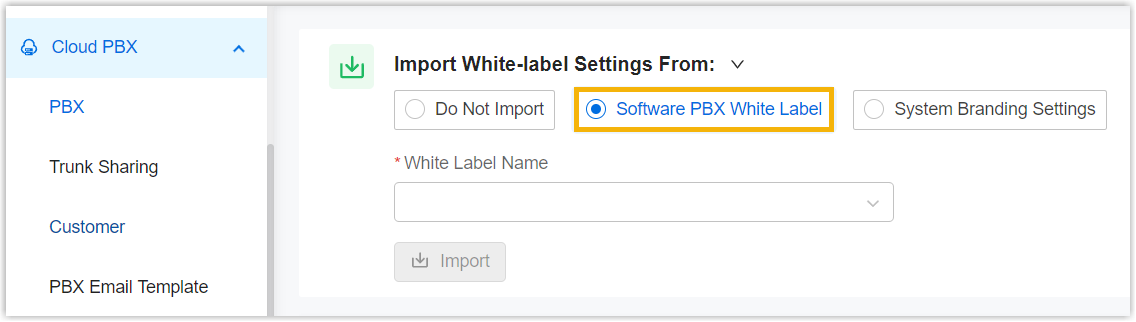
- Added the Software PBX White
Label option when importing a white
label template, allowing you to import white label
settings configured for software PBX into Cloud PBX
white label template for quick configuration.
- Added the Email Color setting,
allowing you to customize the color of the email header
bar and preview the effect in Preview -
Email and Rectangle Logo
(Preview - Email Logo).
- Fixed the trunk sharing issue: A DID number was assigned to a Cloud PBX, but the associated Cloud PBX was not displayed for the DID number in the DID list.
- Added configuration items for Call
Restriction when creating or updating Cloud PBXs
(Path: ), allowing you to configure the maximum call
minutes allowed for a single PBX within a specific time period,
the call handling strategy when the limit is reached, and the
call-minute threshold for triggering the Call Minutes Alert
event.
- Alarm
- Added a Call Minutes Alert alarm dedicated to
P-Series Cloud Edition (Path: ). When the call minutes of a Cloud PBX reach the
configured threshold, the PBX reports the event to Yeastar Central
Management, which then triggers the alarm and notifies the configured
contacts.Note: To implement this, ensure that Cloud PBX is running version 84.24.0.122 or later.
- Branding
- Optimized the Email Color setting (Path: ): When customizing the color of the email header bar, you can preview the effect in Preview - Email and Rectangle Logo (Preview - Email Logo).
-
- User
-
- Added support for customizing the template of the welcome email
sent to colleagues or hosting users (Path: System > User > My Colleague/Hosing User >
 ).
).
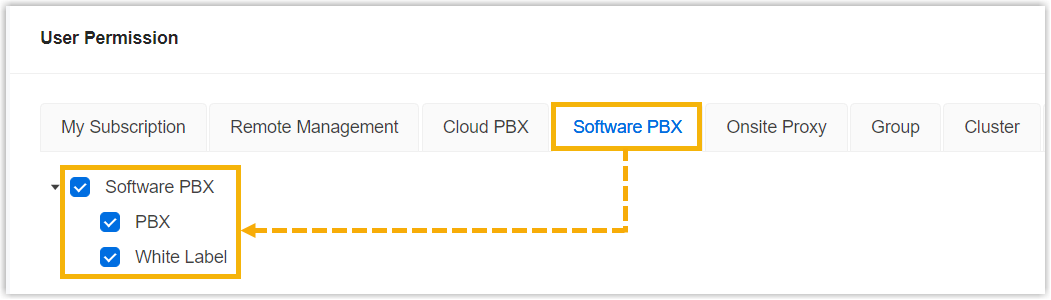
- Added support for granting colleagues permission to access,
manage, and apply white label templates to software PBXs (Path: ).
- Added support for customizing the template of the welcome email
sent to colleagues or hosting users (Path: System > User > My Colleague/Hosing User >
- Preferences
- Added support for the system language of Polski (Polish), which can be applied to the system email templates.
- Provisioning Template
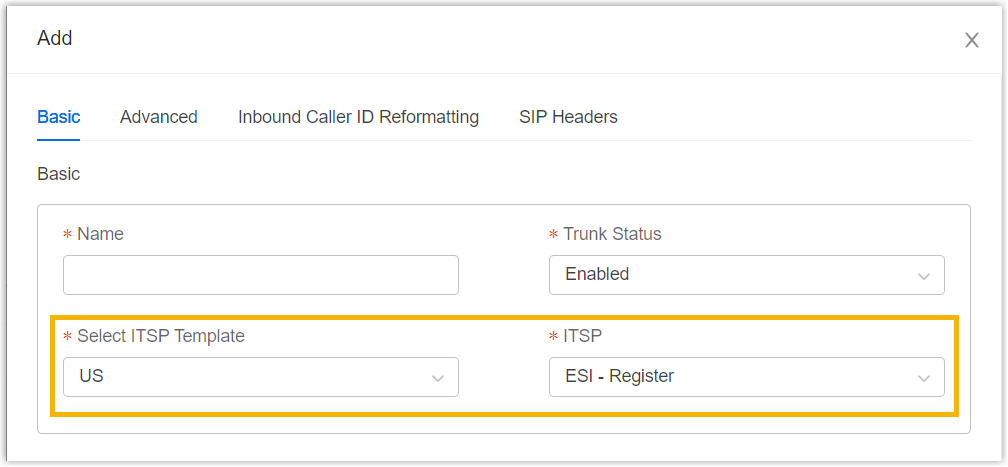
- Added support for selecting an ITSP when creating a trunk in a provisioning template (Path: ).
- API
-
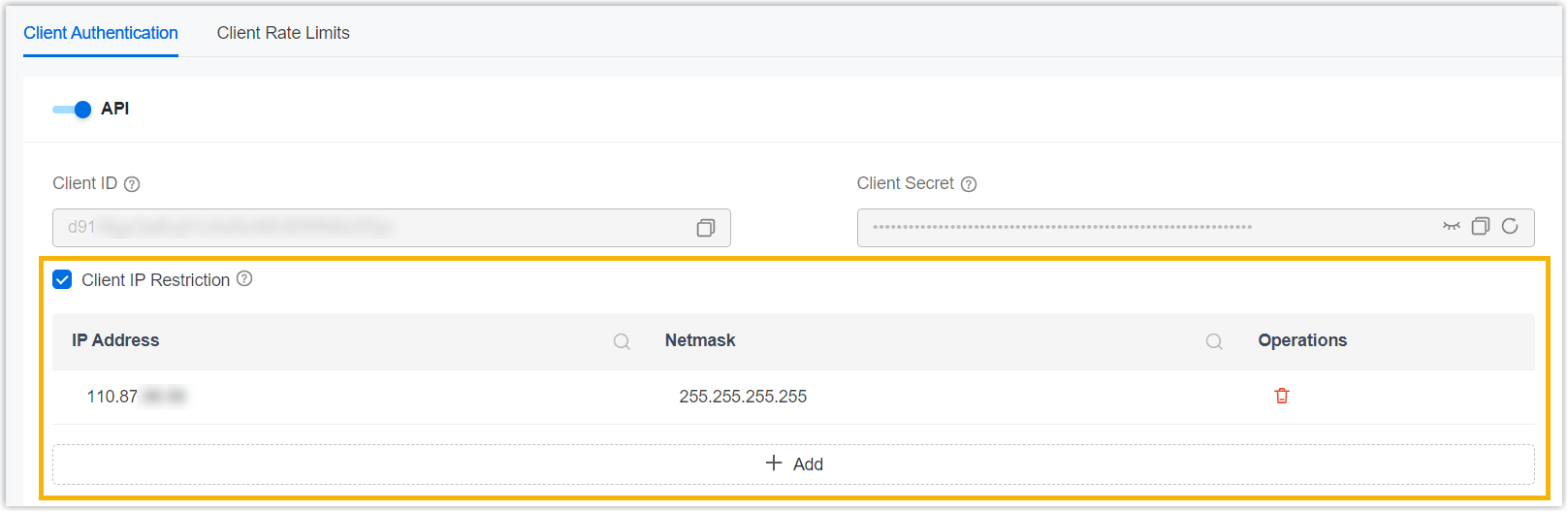
- Increased the limit of allowed IP addresses for API access from
5 to 15.
- Optimized the API for the following features:
Feature Description Email Server Added Added the interface dm/open_api/v1/emails/statusfor checking the connection status of Microsoft SMTP Server.For more information, see Query SMTP Server Status.
Cloud PBX -
Added
Added the interface
/dm/open_api/v1/cloud_pbx/instances/{cloudPbxId}/change_call_restrictionfor setting the call minutes of a Cloud PBX. -
Optimized
Optimized the
/dm/open_api/v1/cloud_pbx/instances,/dm/open_api/v2/cloud_pbx/instances/dm/open_api/v1/cloud_pbx/instances/{cloudPbxId}, and/dm/open_api/v1/cloud_pbx/instances/getinterfaces: Added thechangeCallRestrictionConfigobject to query or set call minutes for a Cloud PBX.
For more information, see API Interface Summary List - Cloud PBX.
-
Added
Added the interface
- Increased the limit of allowed IP addresses for API access from
5 to 15.