Yeastar Central Management 87.19.0.27
New features
- Onsite Proxy
- Added support for Onsite Proxy feature, which
allows you to centrally monitor all Onsite Proxy instances of P-Series
Cloud PBXs and remotely connected P-Series Software Editions, and check
their details (connection status, associated PBX, connected IP phones,
etc.).Note: Onsite Proxy instance data is only reported to Yeastar Central Management from P-Series PBX systems running the following firmware versions:
- P-Series Software Edition: 83.23.0.23 or later
- P-Series Cloud PBX: 84.23.0.23 or later
For more information, see Onsite Proxy Overview.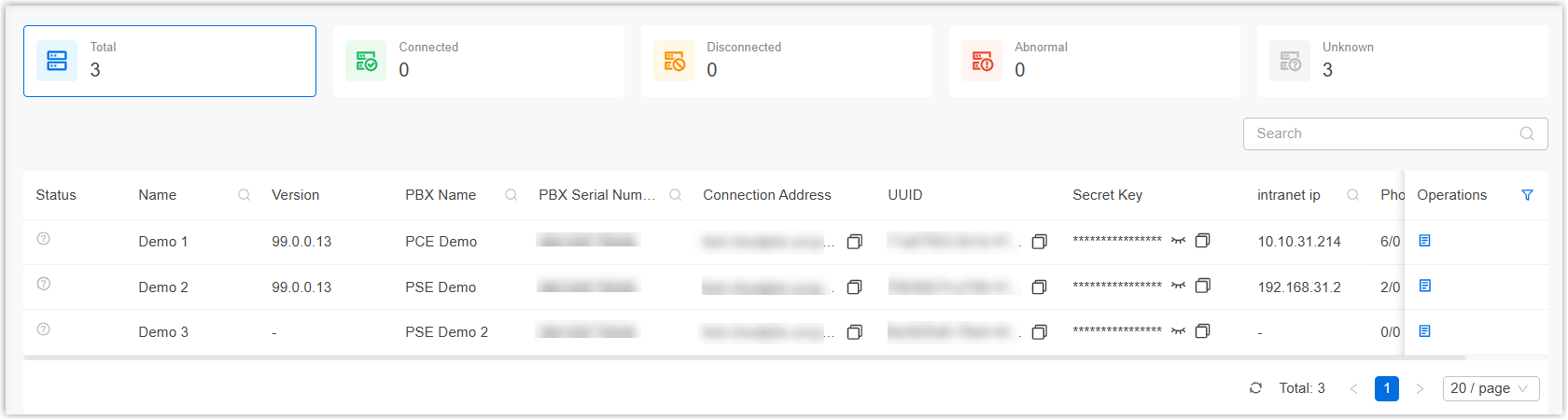
- In addition, the following related updates are introduced:
- Added support for viewing the information about Onsite Proxy
instances of a specific P-Series Cloud PBX on the PBX's details
page (Path: ).
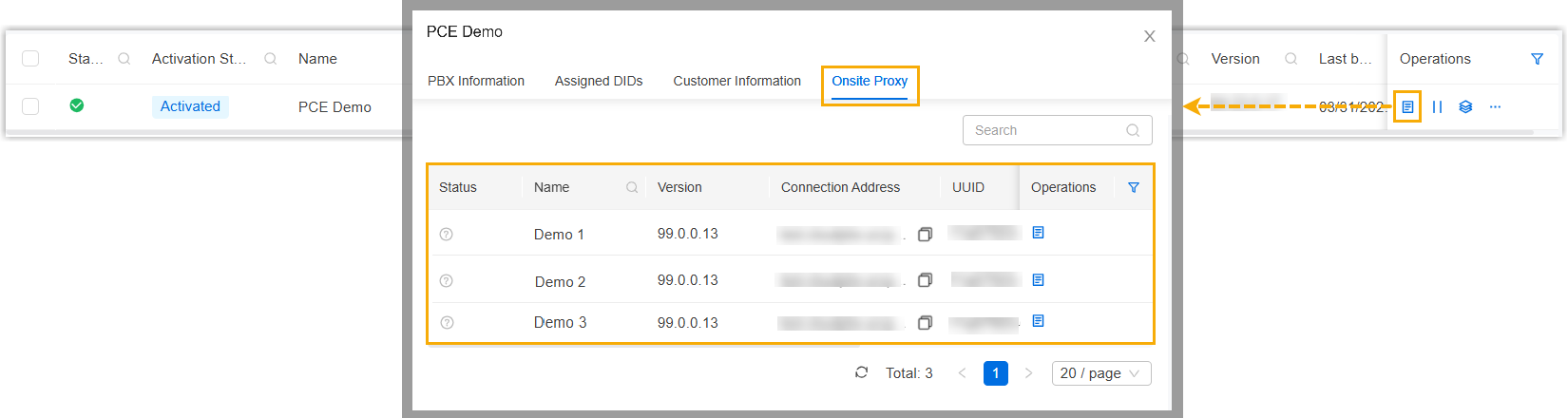
For more information, see Check Onsite Proxy Instances of a P-Series Cloud PBX.
- Added support for viewing the information about Onsite Proxy
instances of a remotely connected P-Series Software Edition on
the device's details page (Path: ).
For more information, see Check Onsite Proxy Instances of a P-Series Software Edition.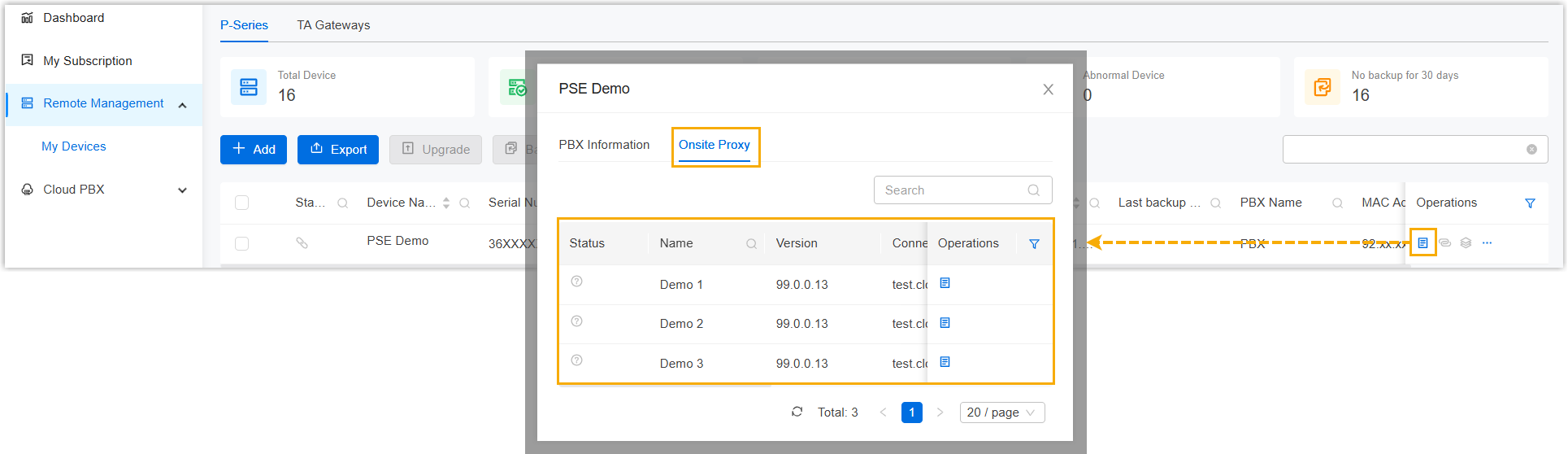
- Added a PBX reported alarm Onsite Proxy Abnormal (Path: ), which is triggered when the connection between a P-Series PBX system and its Onsite Proxy is lost, or when the CPU, memory, or disk utilization of the Onsite Proxy exceeds the defined thresholds.
- Added support for viewing the information about Onsite Proxy
instances of a specific P-Series Cloud PBX on the PBX's details
page (Path: ).
Improvements and bug fix
- Web Interface
- Optimized user experience of web interface.
- Remote Management
-
Added support for deleting one or multiple user devices (Path: ).
To assist your subordinate users with device cleanup, you can delete user devices that are no longer in use directly from the monitoring list. This unbinds the devices from the user's account and also removes them from the user's remote device list.
For more information, see Manage User Devices.
- User
- Added a user permission setting for Onsite Proxy
(Path: ), which allows the authorized users to access the Onsite
Proxy feature to monitor instance status and information, including the
following:
- The overall Onsite Proxy instance list
- Onsite Proxy information on the P-Series Cloud PBX details page
- Onsite Proxy information on remotely connected P-Series Software Edition details pages

- API
- Optimized the API for the following features:
Feature Description Group Added Added the Group API interfaces, which can achieve the followings: - Query the information of all groups
- Query the information of a specific group
- Create, update, or delete groups
For more information, see Developer Guide - Group.
Cloud PBX Optimized Optimized the Cloud PBX APIs: Added a parameter
groupIdsfor the API interface used to create a Cloud PBX, which can be used to specify the ID(s) of the group(s) to which the PBX belongs.For more information, see Developer Guide - Create a Cloud PBX.
- Domain
- Fixed the domain certificate issue: Failed to apply for a custom domain certificate using the Route 53 DNS provider.