Yeastar Central Management 87.19.0.76
New features
- Phone Management
-
Added support for centrally managing IP phone firmwares on Yeastar Central Management.
- Added support for uploading IP phone firmwares to the repository
on Yeastar Central Management (Path: ).
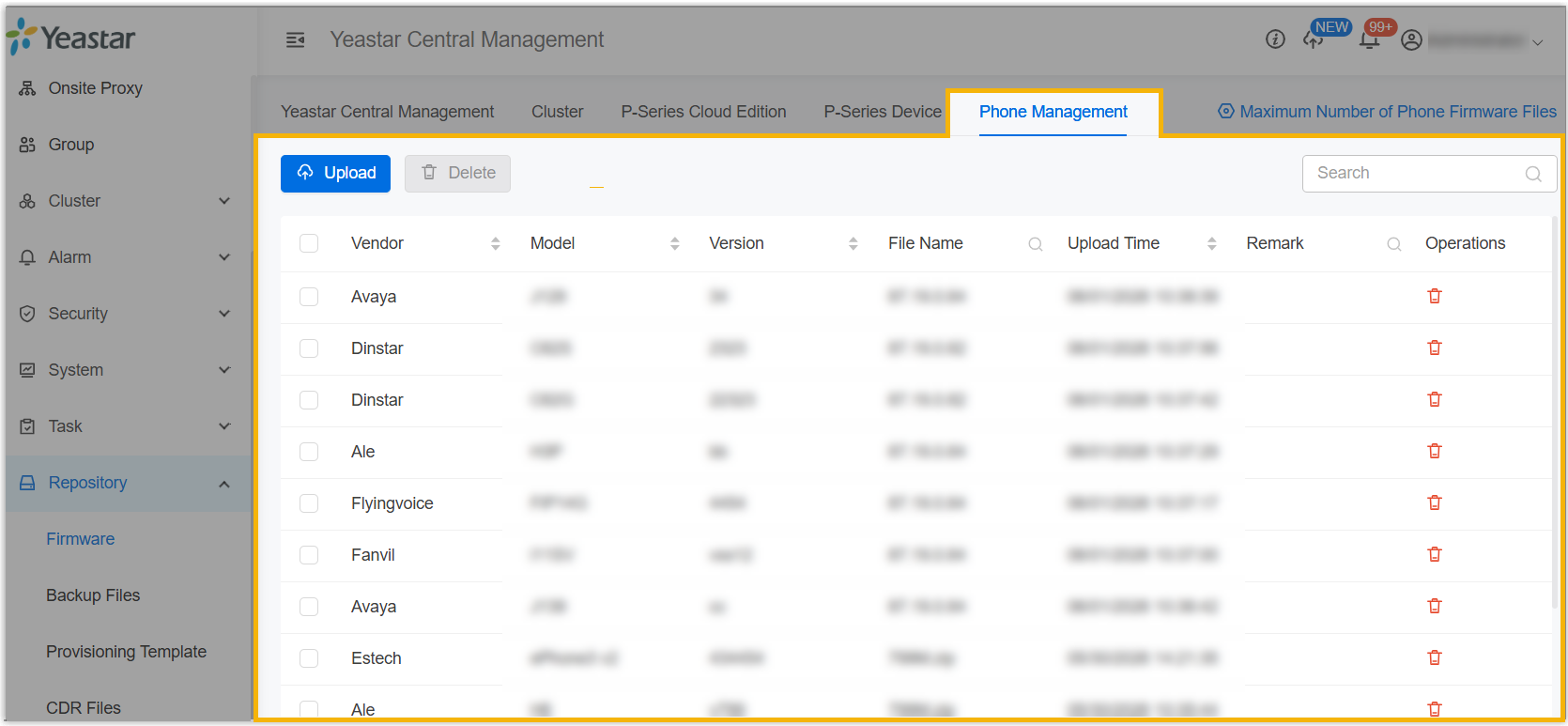
For more information, see Upload IP Phone Firmware.
- Added a task type Phone Management. You
can schedule an automated phone firmware upgrade task for
P-Series PBX systems to upgrade the firmware on IP phones that
are provisioned by the PBXs at a specified time (Path: ).Note: The task only takes effect on P-Series PBX systems running the following firmware versions:For more information, see Schedule an Automated Phone Firmware Upgrade Task.
- P-Series Appliance PBX: Version 37.23.0.123 or later.
- P-Series Software Edition: Version 83.23.0.123 or later.
- P-Series Cloud PBX: Version 84.23.0.123 or later.
- Added support for uploading IP phone firmwares to the repository
on Yeastar Central Management (Path: ).
- Microsoft SSO Login
-
- Added support for integrating Yeastar Central Management with
Microsoft SSO (Path: ). After integrating, all users (you, your
colleagues, and your subordinate users) can log in to Yeastar
Central Management using Microsoft account.
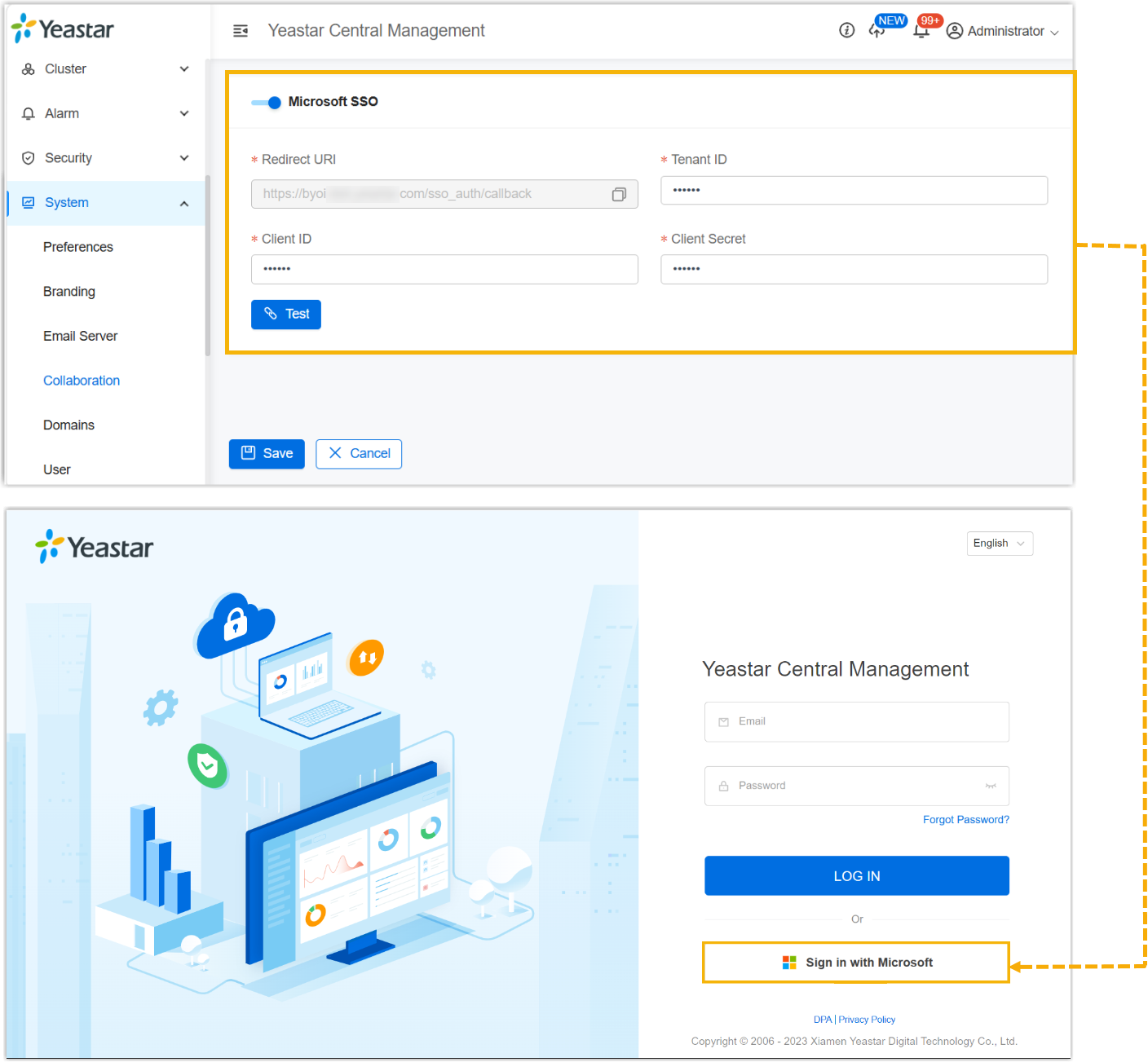
For more information, see Integrate with Microsoft SSO.
- Added support for configuring login methods for colleague
accounts (Path: ). This setting controls whether they are
restricted to logging in to Yeastar Central Management via
Microsoft SSO only.
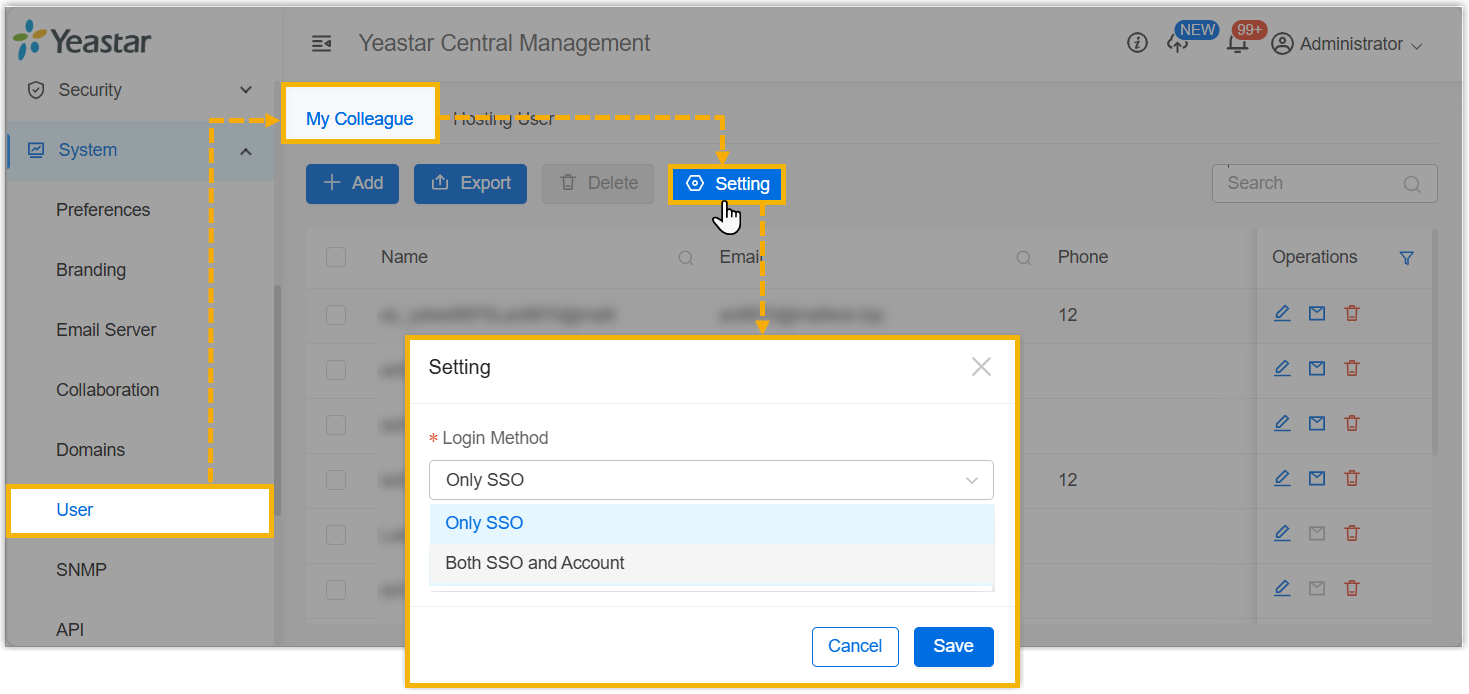
For more information, see Configure Login Method for Colleagues.
- Added support for integrating Yeastar Central Management with
Microsoft SSO (Path: ). After integrating, all users (you, your
colleagues, and your subordinate users) can log in to Yeastar
Central Management using Microsoft account.
- Shared Trunk
-
Added support to configure concurrent call limits for Cloud PBXs and subordinate users on shared trunks.
- Added support for setting a concurrent call limit for a Cloud
PBX on a shared trunk when assigning DID numbers to the
PBX.Note: This setting only takes effect on P-Series Cloud PBX with firmware version 84.23.0.123 or later.
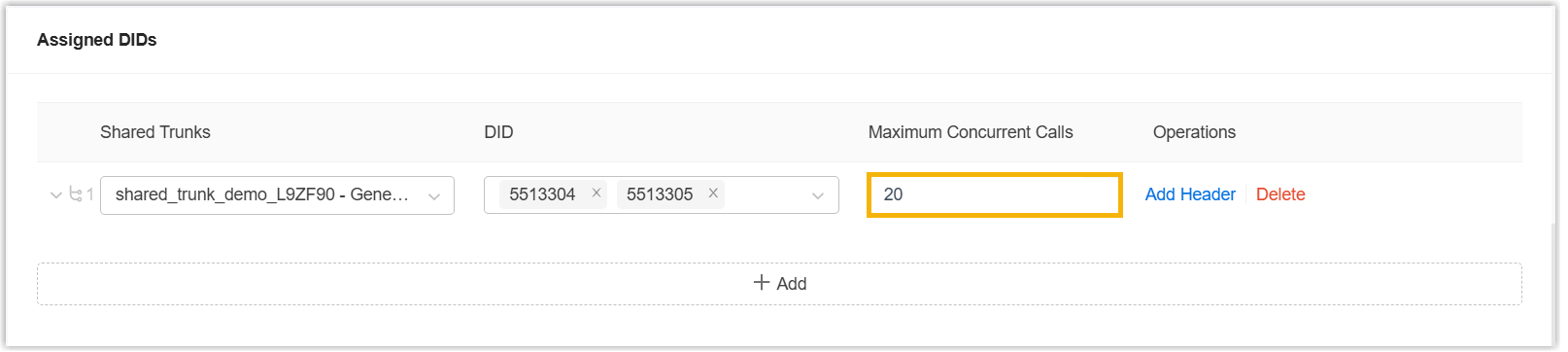
For more information, see Create a P-Series Cloud PBX and Create a P-Series Cloud PBX for a Hosting User.
- Added support for setting a concurrent call limit for a
subordinate user on a shared trunk when granting the trunk
access permission (Path: ).
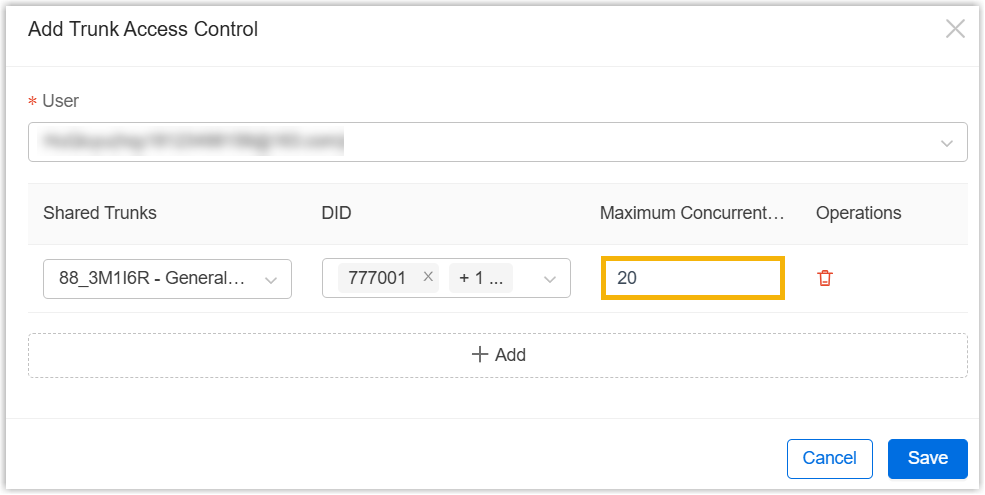
For more information, see Assign Trunk Access Permission to Users.
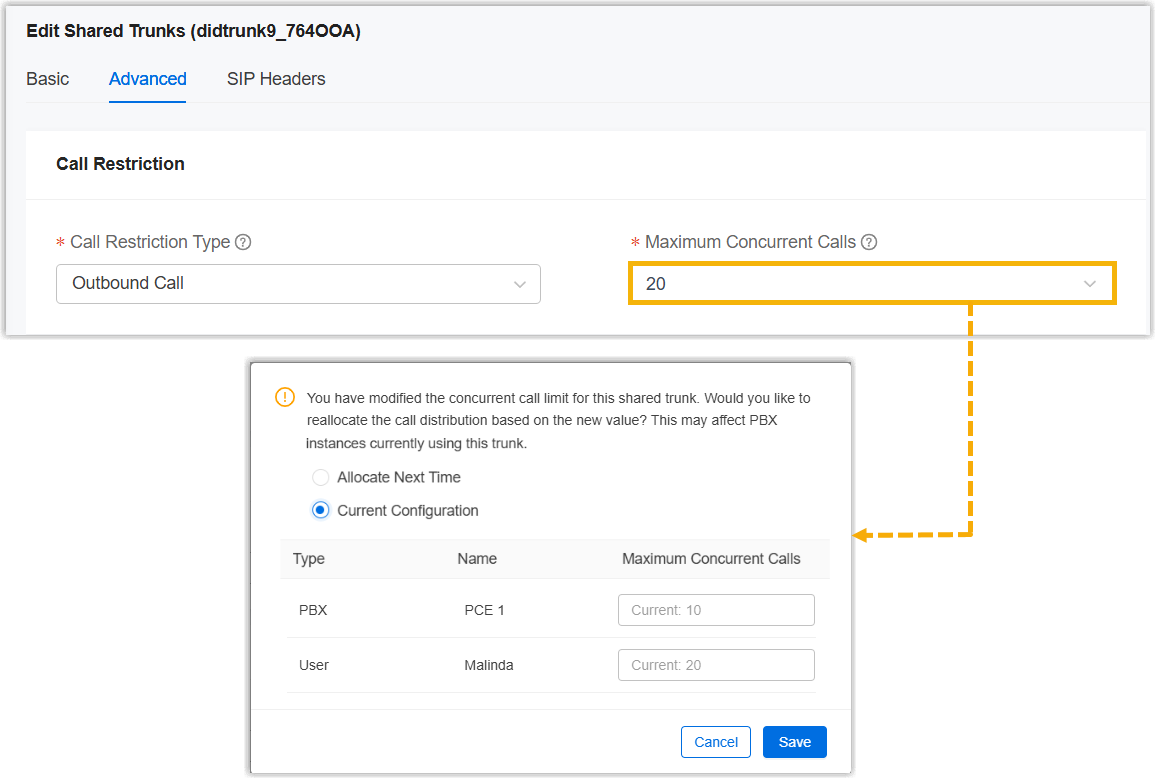
- Added support for quickly reallocating concurrent call limit for
associated Cloud PBXs and subordinate users when modifying the
Maximum Concurrent Calls setting for
a shared trunk (Path: Cloud PBX > Trunk Sharing >
 > Advanced > Call Restriction).
Once you edit and save the configuration, the system will pop up a prompt, allowing you to immediately reallocate concurrent call limits for associated Cloud PBXs and subordinate users.
- Added support for monitoring concurrent call usage and limits
for shared trunks within a specified scope (by region, Cloud
PBX, subordinate user, or individual trunk) on
Dashboard, including the following
widgets:
Widget Description Shared Trunk Resource Overview Display the current concurrent calls and limits over the past 1, 3, 6, 12, or 24 hours. 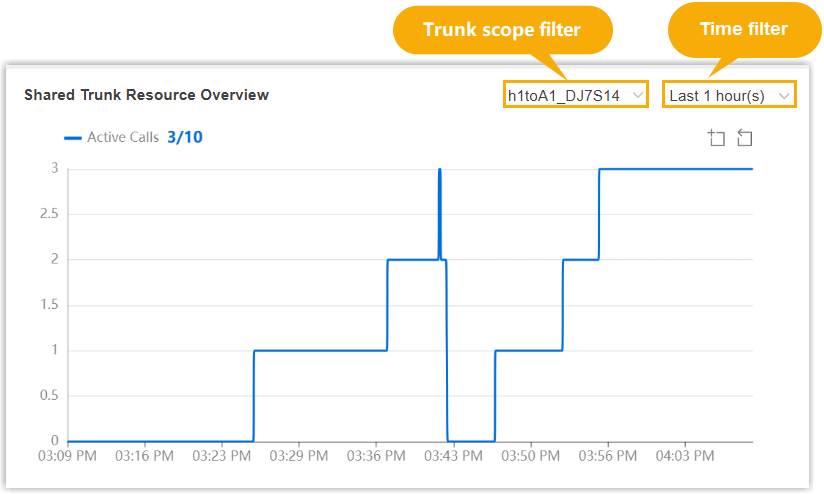
For more information, see Shared Trunk Resource Overview.
Shared Trunk Resource Usage History Display the historical concurrent call limits and peak concurrent calls over the last one week, 24 weeks or 12 months. 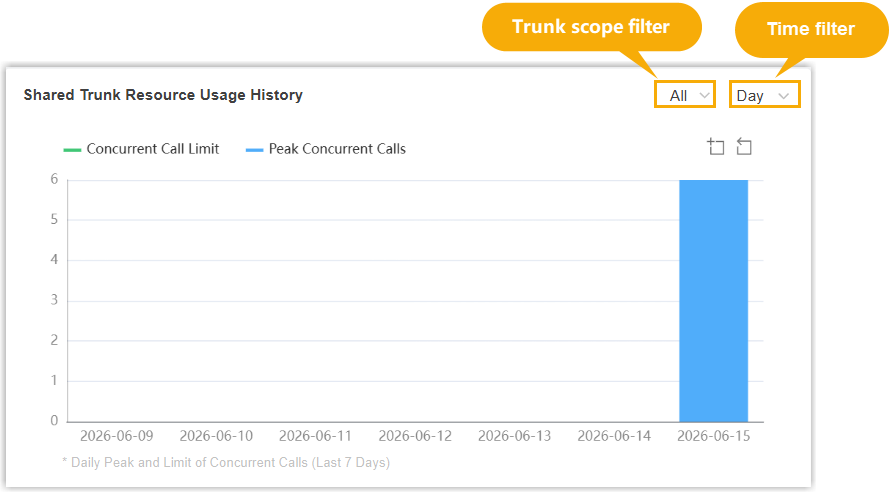
For more information, see Shared Trunk Resource Usage History.
- Added a Shared Trunk Concurrent Calls Usage Alert alarm,
which will be triggered when the concurrent call usage of a
shared trunk reaches the pre-defined thresholds.Note: You can customize the trigger thresholds for this alarm (Path: Alarm > Alarm Settings > Event > Shared Trunk Concurrent Calls Usage Alert >
 > Event Threshold).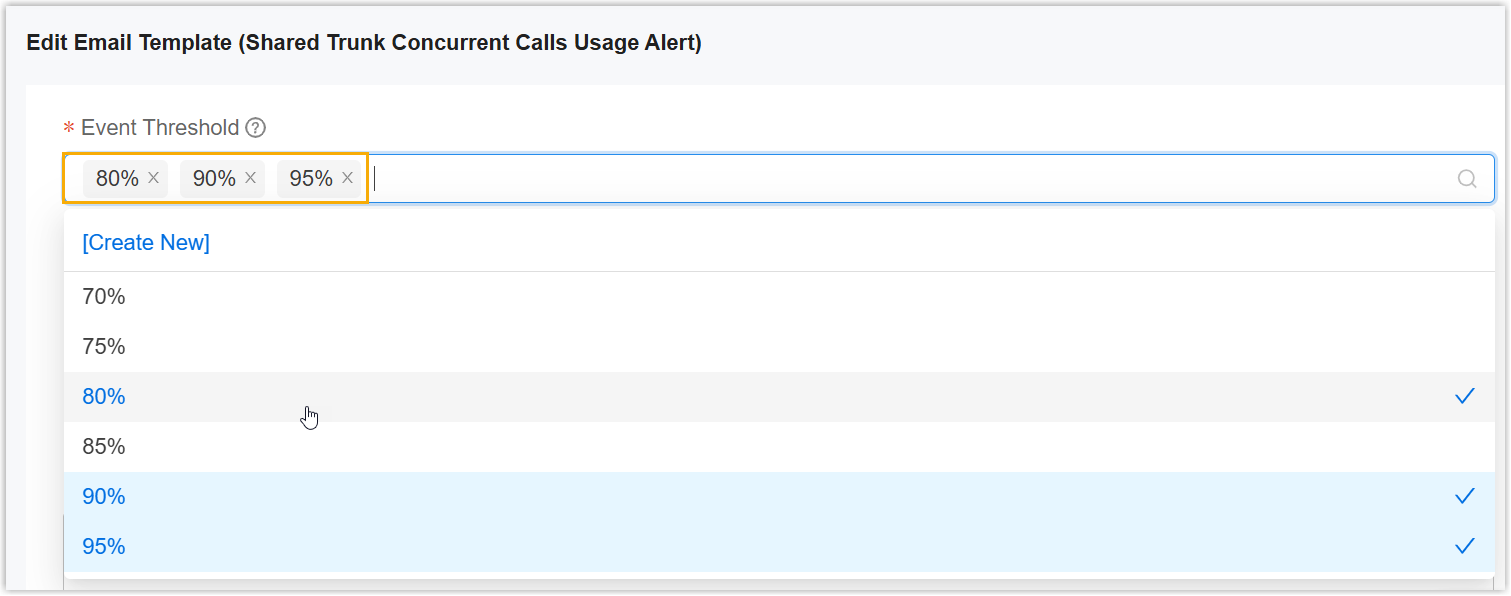
- Added support for setting a concurrent call limit for a Cloud
PBX on a shared trunk when assigning DID numbers to the
PBX.
- Domain
-
Added support for DNS Alias mode for the SSL certificate management of Cluster Domain Name and Yeastar Central Management Domain Name, eliminating the need of DNS API credentials.
You can add a dedicated DNS provider (
acme-dns-alias), then obtain the target domain from the system and configure a static CNAME record on your DNS platform to delegate SSL verification authority. Once setup, the system automatically handles certificate issuance and renewal through delegated verification.Note: To use this feature, contact Yeastar Support to enable DNS Alias delegation for your environment first.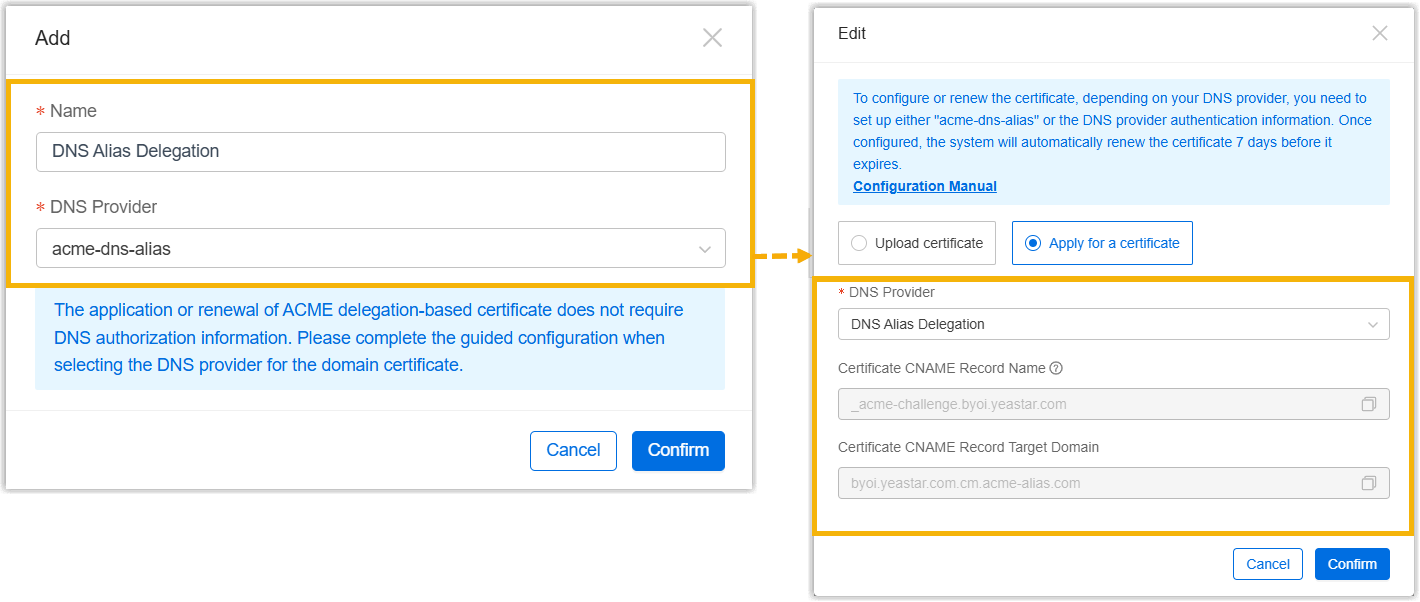 For more information, see the following topics:
Improvements
- Web Interface
- Added support for the web interface language of Catalan.
- Alarm
- Added a Load Balancing Failover alarm for High Availability Load
Balancing, which is triggered when the active Load Balancer (LB) in a Hot
Standby pair fails and the standby Load Balancer takes over the
service.Note: This alarm is dedicated to the Yeastar Load Balancer. For the Hot Standby deployment assistance, contact Yeastar Support.
- User
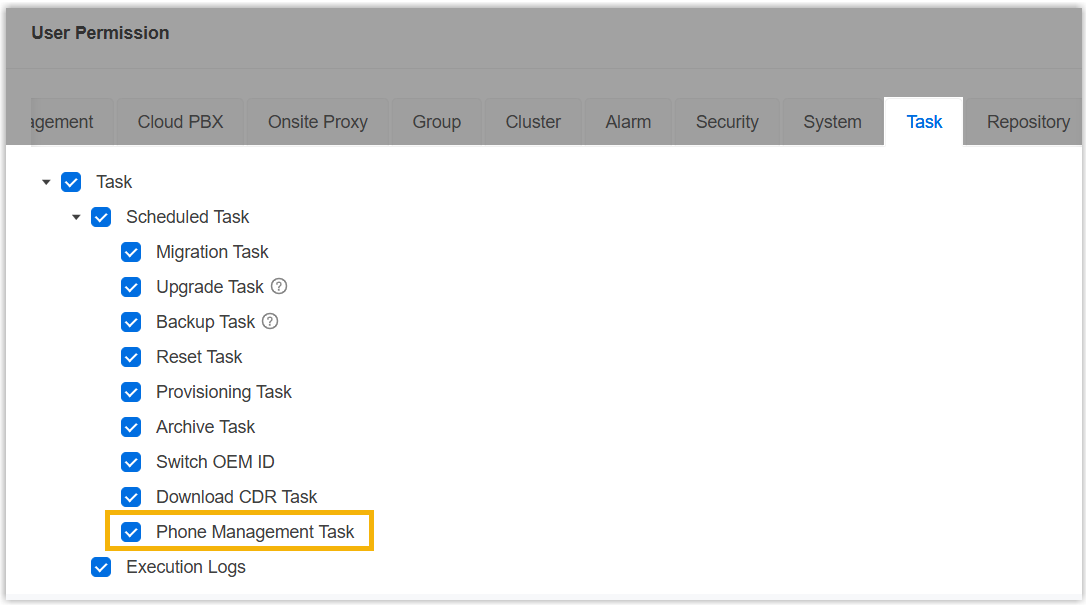
- Added a permission option Phone Management Task for
Task feature. Once grant the permission to a
colleague or a hosting user, the user can schedule an automated phone
firmware upgrade task for P-Series PBX systems.
- API
- Optimized the API for the following features:
Feature Description Cloud PBX Optimized Optimized the Cloud PBX APIs: Added a parameter
allocatedMaxConcurrentCalls, which can be used to set the concurrent call limit for the PBX on a shared trunk.For more information, see the following topics:Shared Trunk Added Added an API interface /dm/open_api/v1/shared_trunk/{trunkId}/cc-info, which can be used to query the concurrent call information of a specific shared trunk, including total limit, remaining capacity, and the allocation details to Cloud PBXs and subordinate users.For more information, see Developer Guide - Query Concurrent Call Information for a Shared Trunk.
Trunk Access Permission Optimized Optimized the Trunk Access Permission APIs: - Added a parameter
maxConcurrentCalls, which can be used to query the concurrent call limits for the specified users on a shared trunk. -
Added a parameter
allocatedMaxConcurrentCalls, which can be used to set the concurrent call limits for the specified users on a shared trunk.For more information, see the following topics:
- Added a parameter