Hotel General Settings
Enable the Hotel App and set the hotel information, currency unit, and Value Added Tax (VAT).
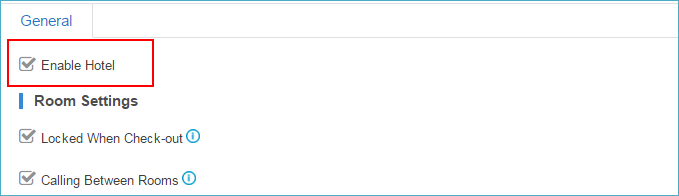
Enable Hotel App
- Log in to the PBX web interface, go to Hotel app,
select the checkbox of Enable Hotel.
- Click Save.
Hotel General Settings
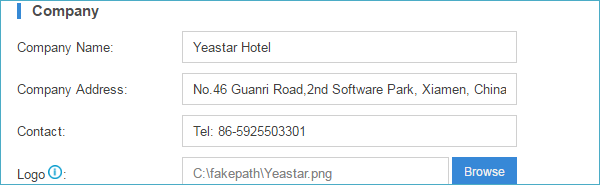
- Set the hotel information.
Go to , enter your hotel name, address, contact and upload the hotel logo. The hotel information will be displayed on the billing report.
- Set the currency unit and Value Added Tax (VAT).
Go to , set the hotel currency unit and VAT.
The currency unit and the name of Tax will be displayed on the billing report.
