How will I be notified if there is network anomaly during a Linkus call?
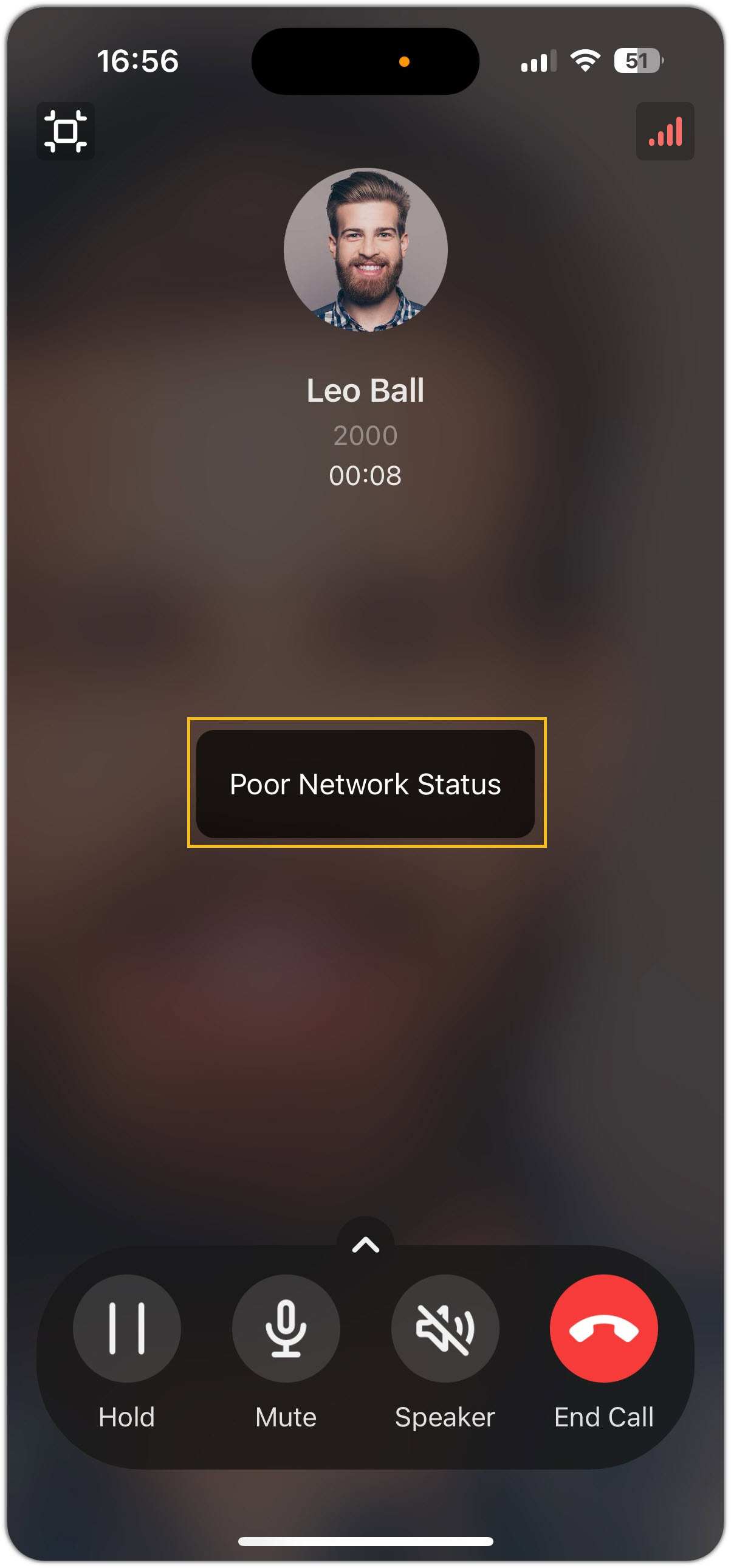
By default, you will be notified via a pop-up message on the call screen, as shown below:
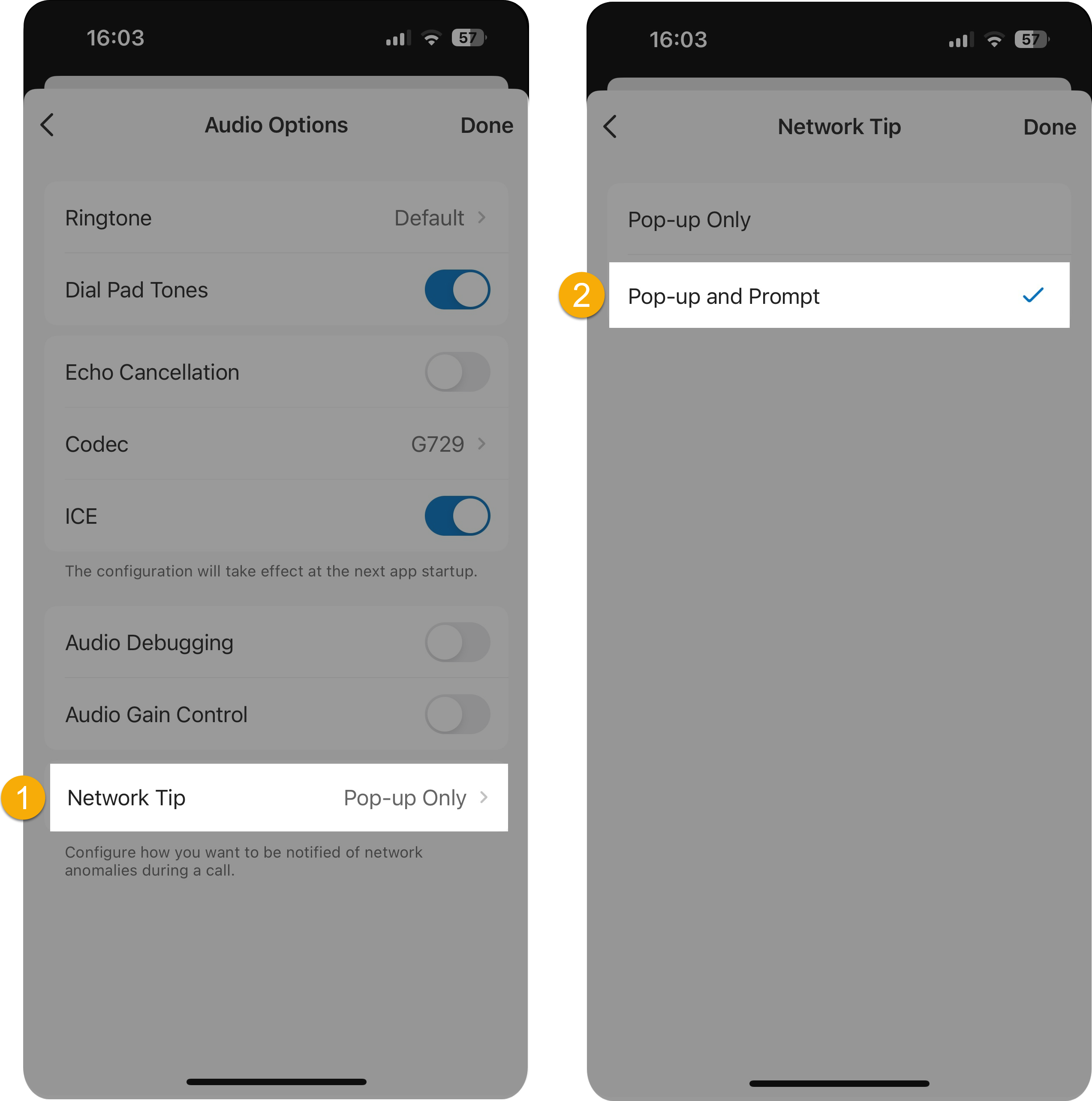
If you want to receive notifications via beep tone, you need to change the notification method as follows:
- At the top-left corner of Call page, tap your account.
- Go to .
- Tap Network Tip and select Pop-up and
Prompt.