Delete Fax Cover Pages
For fax cover pages that are not in use, you can delete them at any time.
Introduction
Both administrator and extension users can delete fax cover pages.
- As an administrator, you can remove system-wide cover pages from PBX
web portal.
Once deleted, these cover pages will no longer be available to extension users.
- For extension users, they can delete their own custom cover pages directly from their Linkus Desktop or Web Client.
The following instructions describe how administrator can delete fax cover page(s) from PBX web portal. For more information about how extension users can proceed from their Linkus clients, see Delete Fax Cover Pages from Linkus Desktop Client and Delete Fax Cover Pages from Linkus Web Client.
Procedure
- Log in to PBX web portal, go to .
All system-wide cover pages are displayed in the list.
- Delete cover pages as needed.
Scenario Instruction Delete a cover page 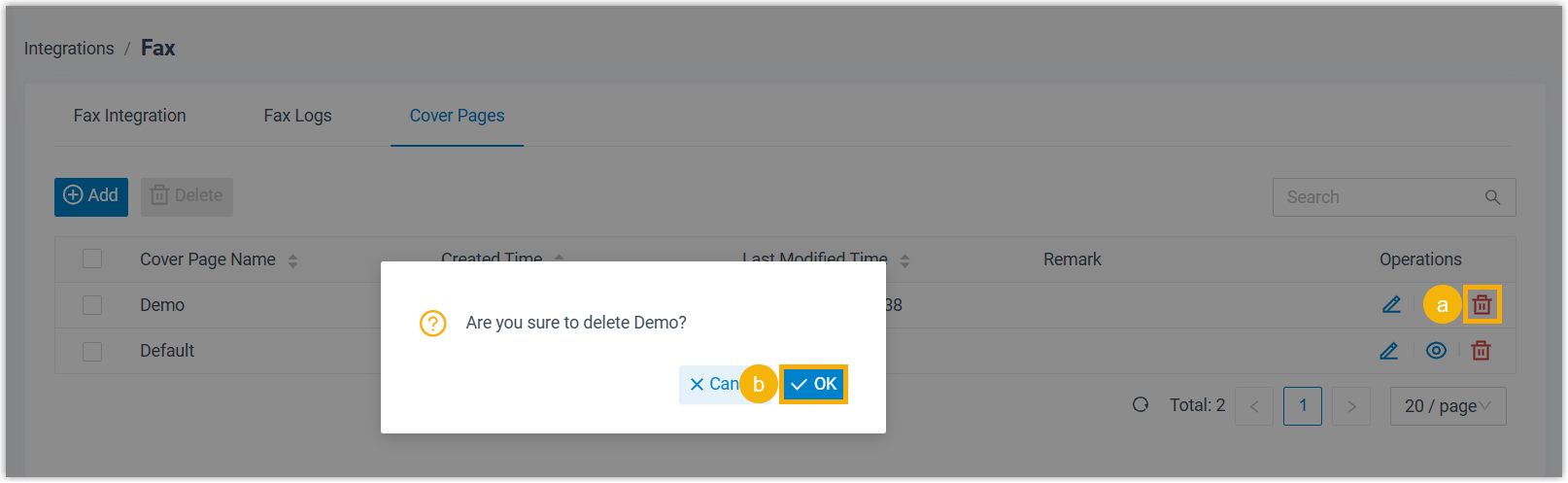
- On the right of the desired cover page, click
 .
. - In the pop-up window, click OK.
Delete multiple cover pages 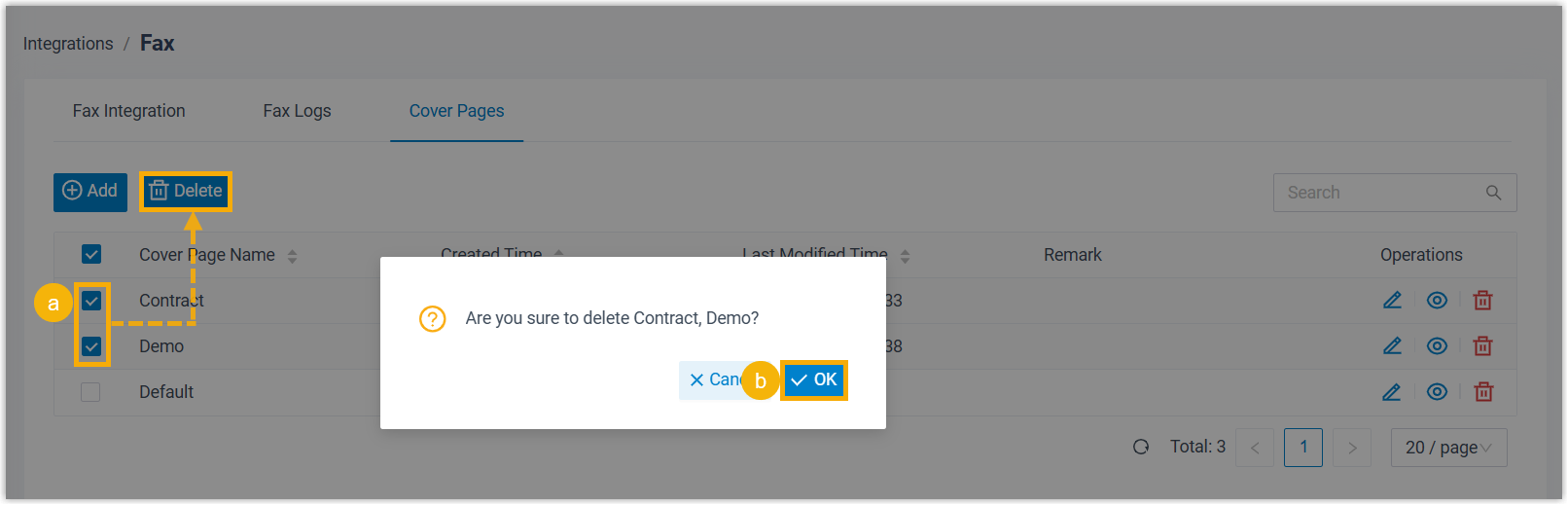
- Select the checkboxes of multiple cover pages, click Delete.
- In the pop-up window, click OK.
- On the right of the desired cover page, click
Result
The fax cover page(s) are removed from the PBX, and are no longer accessible to extension users.