Yeastar P-Series Appliance Edition 37.24.0.30-beta1
Release date:July 28, 2026
Release version:V25.1-Beta
This topic introduces the new features and improvements included in the first beta release of firmware 37.24.0.30.
- To try out the new updates, check for firmware updates from PBX admin portal or download the firmware from Yeastar Official Website , and upgrade your phone system.
- For details on the new features and improvements in Linkus UC Clients and 'Yeastar Linkus for Google' Chrome extension, see Linkus Release Notes.
- If you found something that doesn't work as expected, you can submit feedback directly from here.
Improvements and bug fixes
- Extension / Organization
-
- Optimized the export feature for extension and organization
(Path: ): You can select a specific export scope and
export only the corresponding data, instead of all
data.
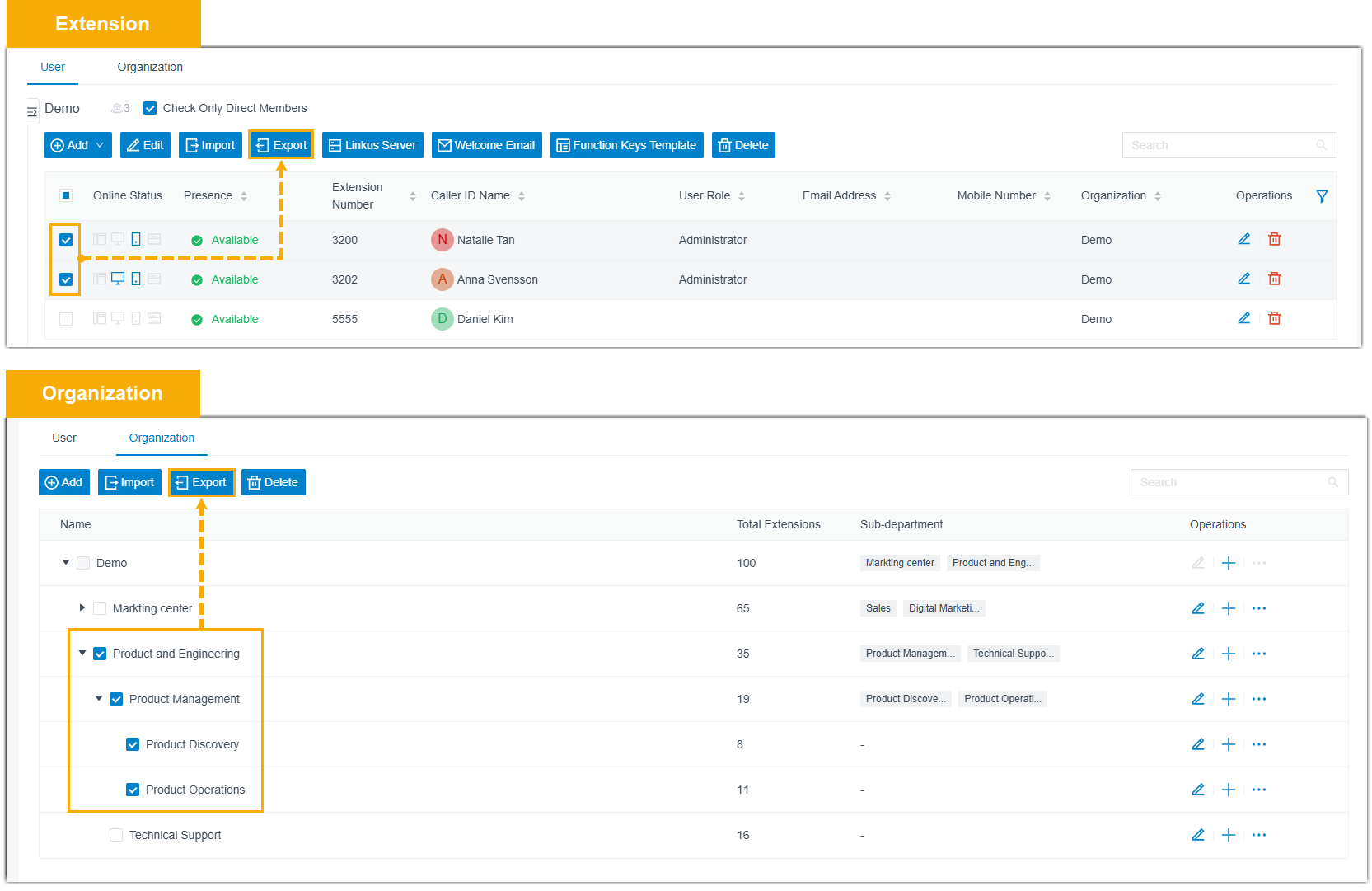
- Optimized the function key feature: When updating an extension's BLF function key settings on the administrator portal, the change takes effect on the associated IP phone immediately.
- Fixed the following voicemail-to-email issues:
- When AI Voicemail Transcription was enabled, the transcribed text was missing from the email even though the audio attachment was included.
- When Display DID/DDI Name was enabled in the Distinctive Caller ID Name setting, the emails displayed the source trunk's DID name instead of the caller's actual name.
- Optimized the export feature for extension and organization
(Path: ): You can select a specific export scope and
export only the corresponding data, instead of all
data.
- SIP Trunk
- Added a configuration item Use
Registered Target IP for SIP Requests for Register Trunk
(Path: Trunk >
 > Advanced > VoIP Settings). When enabled, after the trunk is successfully
registered, the PBX will send subsequent SIP requests directly to the IP
address used during registration, rather than resolving the domain
again. This prevents call failures that may occur if the DNS record
changes after registration.
> Advanced > VoIP Settings). When enabled, after the trunk is successfully
registered, the PBX will send subsequent SIP requests directly to the IP
address used during registration, rather than resolving the domain
again. This prevents call failures that may occur if the DNS record
changes after registration. - Contacts
- Fixed the LDAP integration issue: After enabling Synchronize Contacts and configuring LDAP Integration, if an incoming call number was not matched on the LDAP server, the PBX stopped querying local PBX contacts, resulting in caller names not being displayed for incoming calls.
- Auto Provisioning
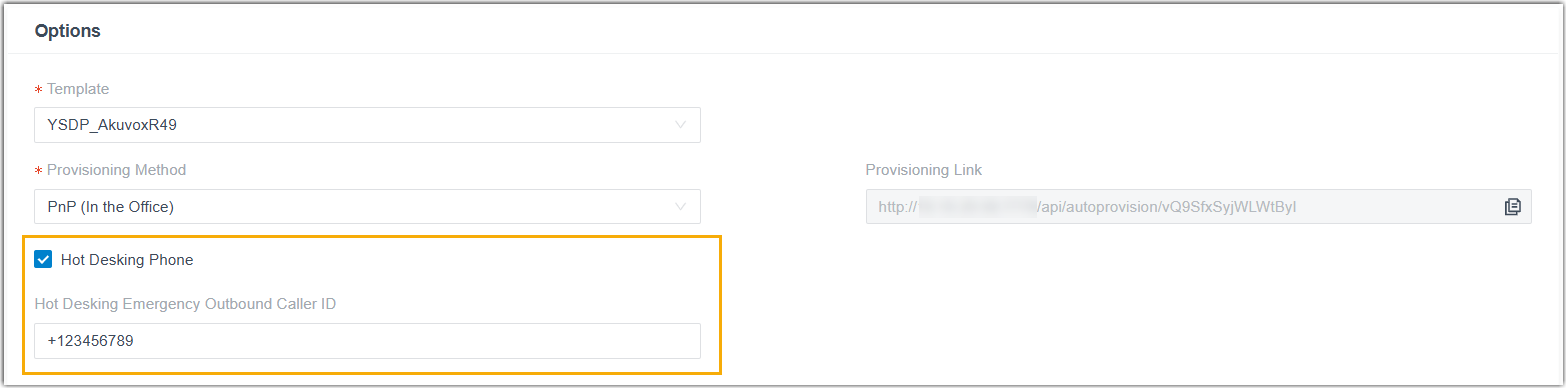
- Added a configuration item Hot Desking Emergency Outbound
Caller ID (Path: Auto Provisioning > Phones > > Options), which allows you to set an emergency outbound caller ID
for a Hot Desking phone. This caller ID will be sent to the Public
Safety Answering Point (PSAP) for location information when making
emergency calls from that phone.Note: To ensure this caller ID is used for emergency calls, set the Emergency Outbound Caller ID Priority to Extension's Emergency Outbound Caller ID in the emergency number.
- Call Flow
- Fixed the call flow issue: After copying an existing call flow, modifying the Text to Speech (TTS) prompt in the copied flow also changed the corresponding TTS prompt in the original flow.
- Ring Group / Queue
-
- Added a global configuration item Allow Members to
Forward Incoming Calls to Voicemail for ring
groups and queues (Path: ).
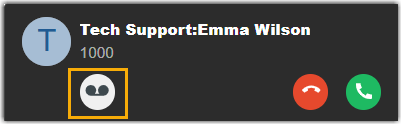
When enabled, group members or queue agents with extension voicemail enabled can forward incoming ring group / queue calls to their own extension voicemail directly from the incoming call window.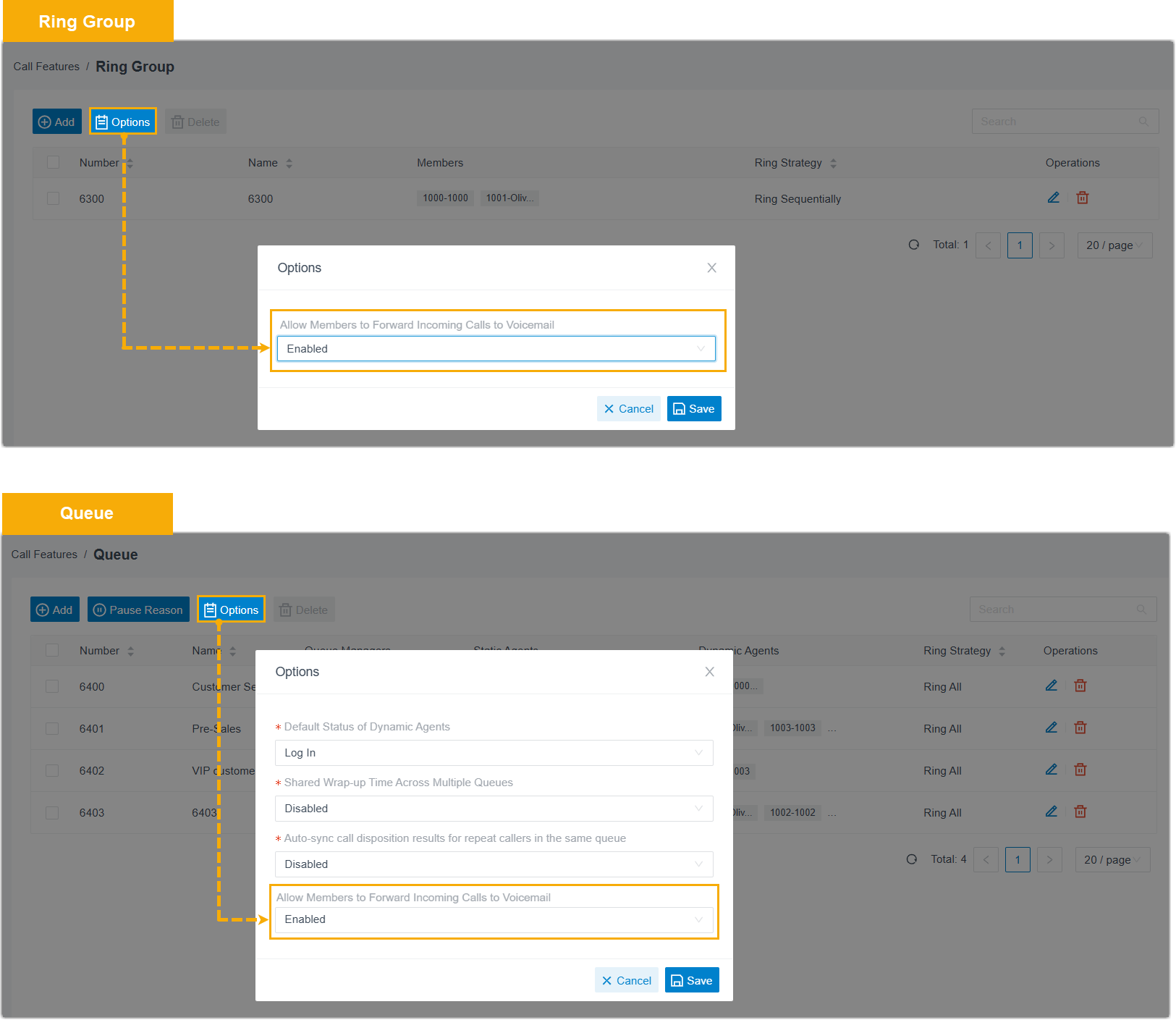
- Fixed the ring strategy issue: When a ring group member or queue agent had configured call forwarding on their IP phone and a ring group / queue call was forwarded, other members in the same group or queue would not continue ringing as expected according to the ring strategy.
- Added a global configuration item Allow Members to
Forward Incoming Calls to Voicemail for ring
groups and queues (Path: ).
- Message Channel
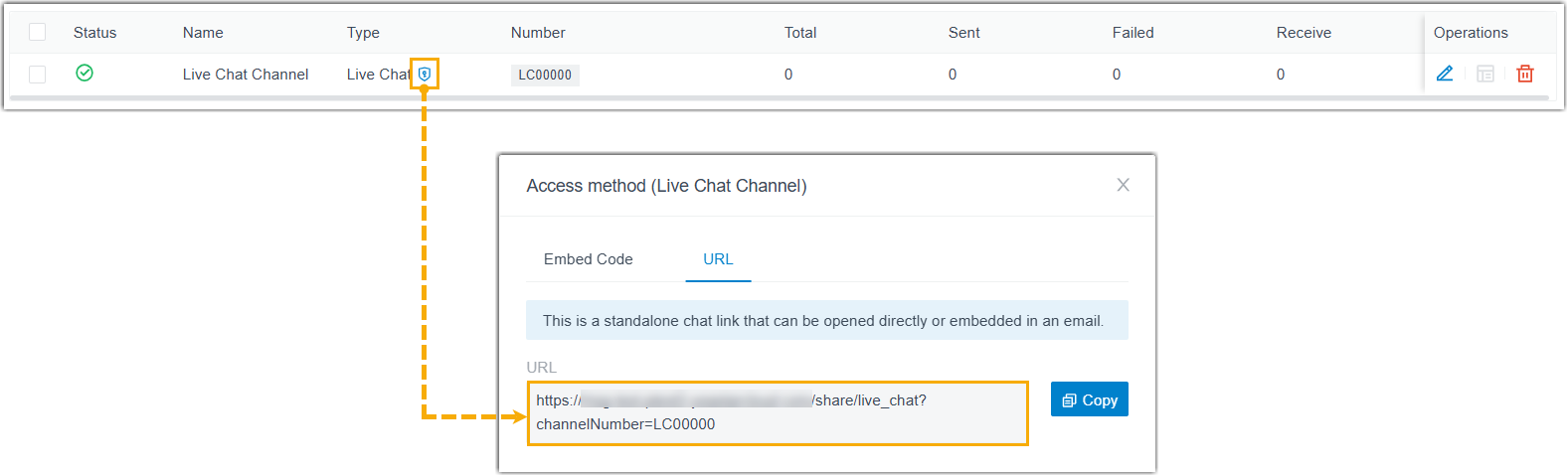
- Added an access method URL to the Live Chat
message channel (Path: ). In addition to the embedded code, you can obtain a
standalone URL for a Live Chat channel, which can be accessed directly
or embedded into external
platforms
(e.g., emails).
- Voice Prompt
- Fixed the custom prompt issue: After uploading an MP3 file as a holiday prompt, the Prompt field displayed as None instead of the converted WAV file.
- Hot Standby
- Fixed the following hot standby issues:
- After failover, clicking the Repair Completed button on Primary Server did not take over the system from Secondary Server.
- An unexpected failover caused IP phones to be disconnected.
- Microsoft Entra ID (Azure Active Directory) Integration
- Optimized the contact synchronization to address performance issues when syncing a large number of contacts.
- CRM Integration Template
- Fixed the authentication issue: When the authentication method of an integration template was set to Bearer Token, the access token was obtained successfully but the token refreshing failed.
- Zendesk Integration
- Fixed the integration issue: After a synced contact was merged with an existing contact in Zendesk, call pop-up and automatic ticket creation failed when the contact called into the PBX.
- API
- Optimized the API interfaces for the following features:
- CDR
- Fixed the CDR issue: Historical CDR records were lost after upgrading.
- Call Report
- Fixed the following call report issues:
- The number of queue calls showed in Queue Performance call report was fewer than the number of actual CDRs for the specified queues.
- Emails for scheduled reports were not sent successfully when the File Format was set to PDF.

Submit Feedback
Found something that doesn't work as expected?
Let us know - Your feedback will help make the final release even better.