Yeastar P-Series Appliance Edition 37.21.0.16
New features
- Red Hat SSO Integration
- Yeastar P-Series PBX System supports the integration with Red Hat Single
Sign-On (SSO), allowing Red Hat users to log in to Linkus Desktop Client
and Web Client using their Red Hat credentials.
For more information, see Red Hat SSO Integration Guide.
- Feature Code for DOD
- Yeastar P-Series PBX System allows quick access and status monitoring of
outbound caller ID (DOD) through feature codes, thereby improving
operational efficiency. The related features are as follows:
Key Feature Description DOD short code Added support for assigning a unique short code to each outbound caller ID (DOD) in a trunk (Path: ). This short code is used with the DOD feature code for rapid selection. Note: Only available for outbound caller IDs added via Shared Outbound Caller ID mode.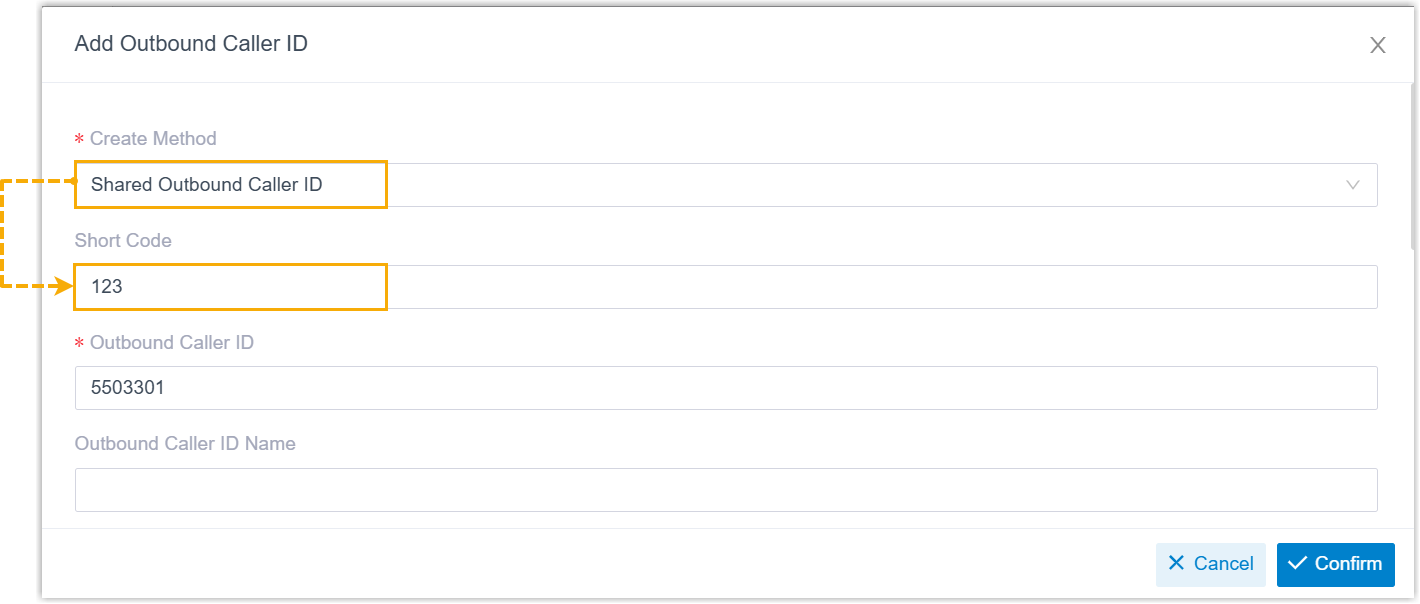
DOD feature code Added a new feature code DOD Prefix (Path: ) for DOD management. The default code is *085.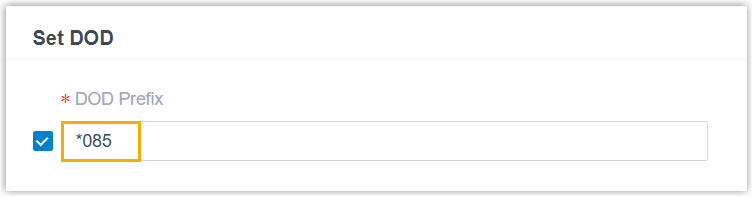
Extension users can use this feature code together with a specific DOD number or its assigned short code to quickly select a DOD for operations such as setting it as default or making an outbound call.
For more information, see Feature Code - Set DOD.
BLF status indication Added support for provisioning the DOD feature code to a BLF key on IP phones. Once configured, the BLF will provide a visual indicator of whether a specific DOD is currently set as the default for a specified an extension. For more information, see Auto Provision Function Keys for Phones.
Improvements and bug fixes
- Extension
-
- Added support for using the following variables in the custom
popup URL (Path: ):
- .{{.DIDNumber}}: Pass the DID Number (available for inbound calls only).
- .{{.DIDName}}: Pass the DID Name (available for inbound calls only).
- .{{.StartTime}}: Pass the call initiation time.
- Fixed the language setting issue: Failed to change the notification email language for an extension.
- Added support for using the following variables in the custom
popup URL (Path: ):
- Trunk
- Added the following configuration items for SIP trunks:
Configuration Item Description For advanced settings (Path: ) Force SIP URI Scheme When enabled, the PBX will use sip:URI scheme instead ofsips:in registration requests.Note: This setting is only available for register trunks using TLS or DNS-NAPTR transport.For SIP header settings (Path: ) Force Using Selected DOD in From Header When enabled, if an extension user selects a DOD to make an outbound call, the PBX will forcibly use the selected DOD in the Fromheader, overriding the From User Part setting configured in the trunk.Return 302 on External Forward When enabled, if an inbound call routed through the trunk is forwarded to an external number, the PBX will send a 302 Moved Temporarilyresponse to the caller, allowing the carrier to handle the call redirection directly.Note: The PBX is also capable of processing an incoming SIP 302 responses by initiating a new call to the designated destination, subject to the original caller's permission. - Auto Provisioning
- Fixed the custom template issue: After adding a custom template based on
phone model
YSDP_CiscoSPA5XX30X, the template was not displayed in the list. - Emergency Number
- Added a configuration item Strip in
Outbound Rules for emergency numbers (Path: ), which can be used to specify the number of digits to
remove from the beginning of a dialed emergency number before placing
the call.

For example, if Strip is set to
1, when a user dials8911, the PBX will remove the first digit (8) from the emergency number and call out911. - Voicemail
- Fixed the voicemail issue: When pressing
6in the voicemail menu to forward a voicemail to another extension, the system simultaneously initiated a call to the voicemail number. - Queue
- Fixed the queue call record issue: The Display Missed Call Records in Agent IP Phone option was disabled for a queue, but the queue agent's IP phone still displayed a missed queue call record after the agent had answered the queue call using Linkus client.
- Recording
- Added a configuration item Enable Recording for
Paging/Intercom (Path: ). If enabled, all the paging and intercom calls will be
recorded automatically.Note: During the call, no prompt will be played to notify participants that the call is being recorded, and participants can NOT pause or stop the recording, even if they have the recording control permission.
- SIP Settings
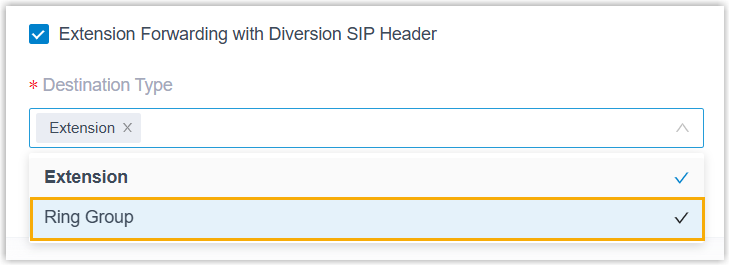
- Optimized the advanced SIP settings: Added a destination type
Ring Group for the Extension
Forwarding with Diversion SIP Header setting (Path: ).
- Event Notification
- Optimized the email server event notification: Optimized the
New System Firmware Detected event
notification: Added a template variable
{{.PBXCautiousUpgrade}}, which will display a notification prompting you to back up data and perform a manual upgrade if the detected new version is a caution upgrade version.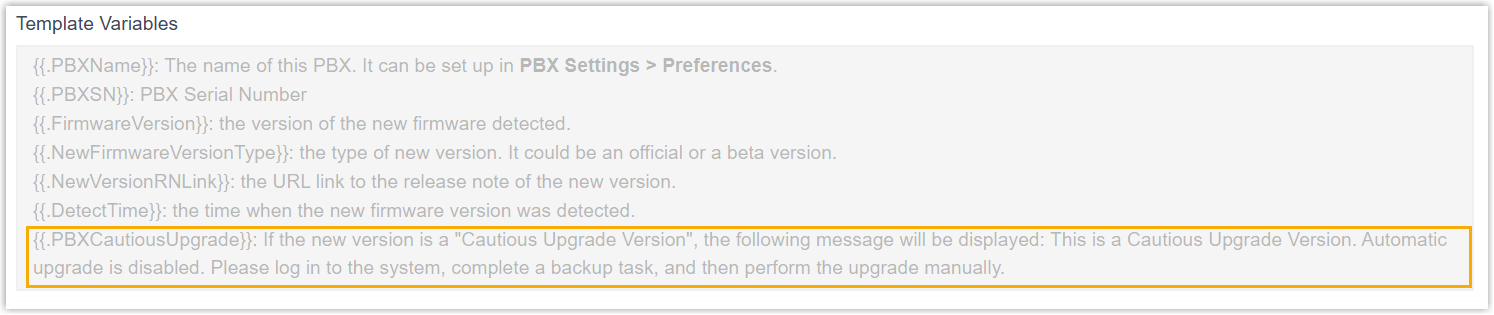
- CRM / Helpdesk Integration
-
- Optimized the custom CRM / Helpdesk integration template:
- Added support for pagination in user association
settings, which allows the PBX to retrieve complete user
lists from CRM / Helpdesk by sending multiple requests
based on pagination patterns such as page-based,
offset-based, or using a next page link.
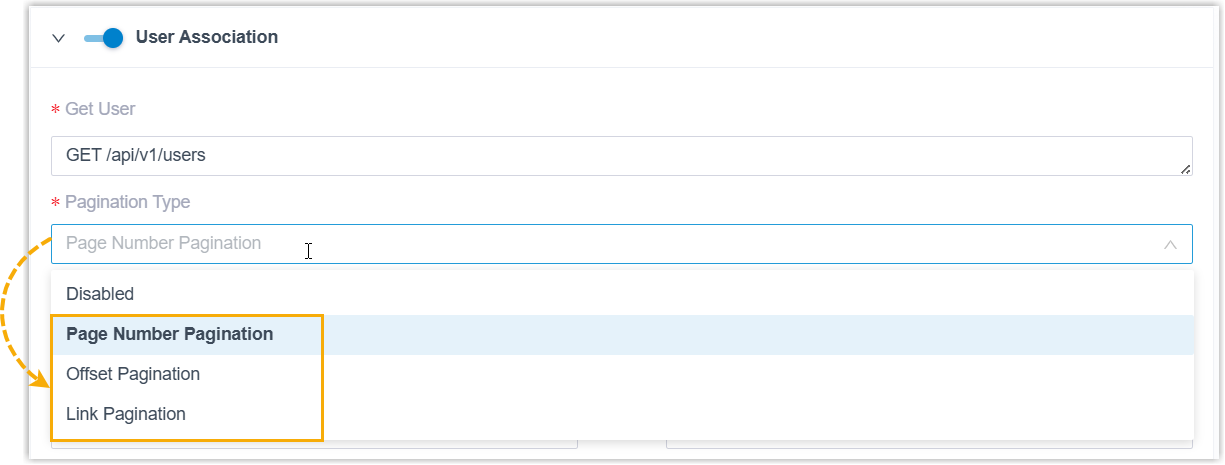
For more information, see Add a CRM Integration Template and Add a Helpdesk Integration Template.
- Optimized the template management: Custom configurations in integration templates can be retained when saving changes through the PBX web portal, preventing accidental loss of settings.
- Added support for pagination in user association
settings, which allows the PBX to retrieve complete user
lists from CRM / Helpdesk by sending multiple requests
based on pagination patterns such as page-based,
offset-based, or using a next page link.
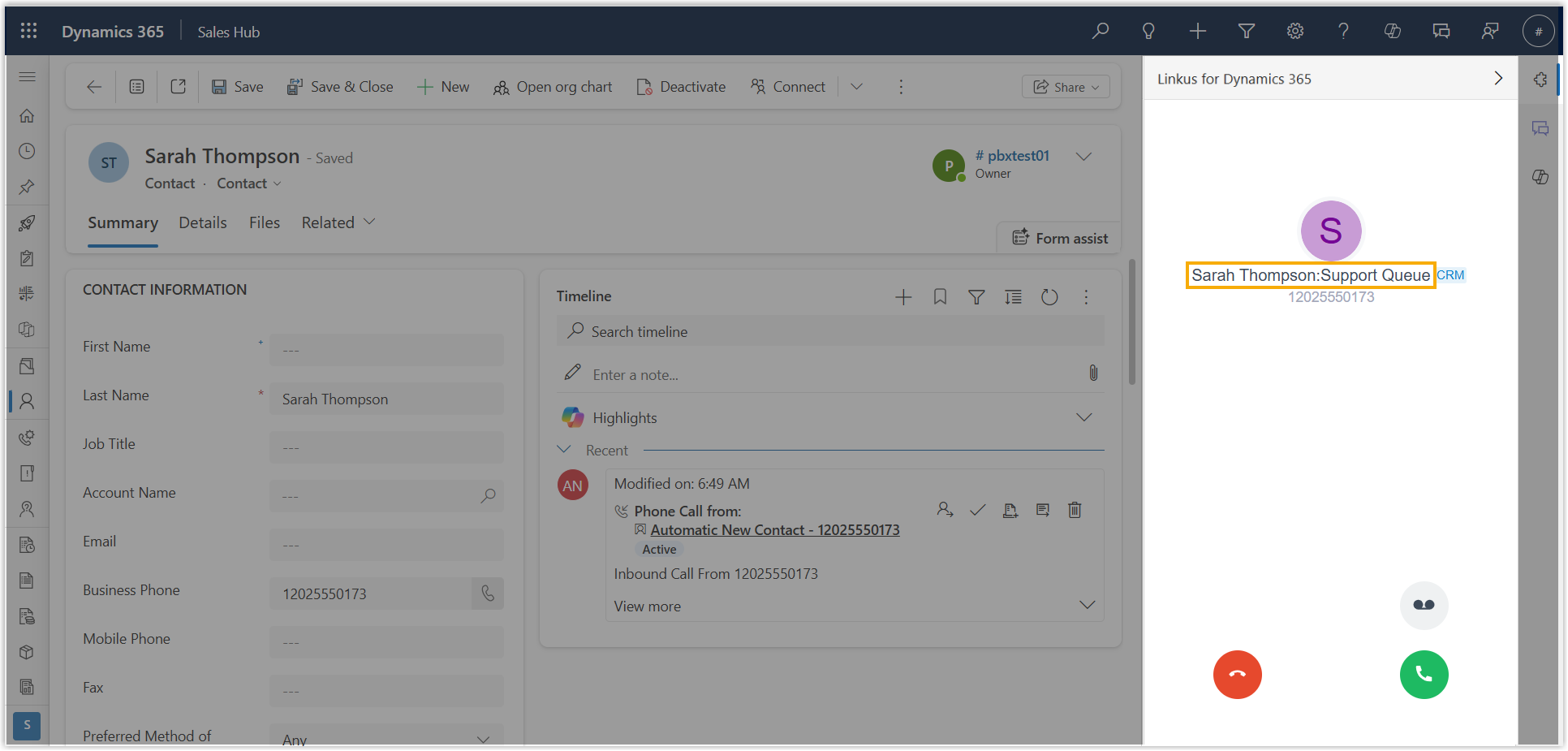
- Optimized the caller ID display for Dynamics 365 CRM
integration: For calls from a CRM contact routed through the PBX
call features (queue, ring group, call flow, etc.), the caller
ID displays both the contact's name and the specific call
feature name, allowing users to instantly identify the call
source.
- Optimized the custom CRM / Helpdesk integration template:
- API
-
- Optimized the API interfaces for the following features:
Feature Description Added Recording Feature Settings Added the following API interfaces for the recording feature settings: autorecord/get: This interface can be used to query the settings of recording feature.autorecord/update: This interface can be used to update the settings of recording feature.
For more information, see Developer Guide - Get Recording Setting and Developer Guide - Edit Recording Setting.
Optimized System Optimized the interface system/get_menuoptions: Added a request parameter valuecustom_prompt, which can be used to query the available custom prompts in the system.Optimized Trunk Added the following parameters for interfaces trunk/get,trunk/query,trunk/create, andtrunk/update:force_dod_from: This parameter can be used to query or specify whether PBX will ignore the trunk's From User Part setting and forcibly use the extension's selected DOD number in theFromheader when the extension selects a specific DOD to make an outbound call.force_sip_uri_scheme: This parameter can be used to query or specify whether PBX will forcibly usesip:URI scheme instead ofsips:in registration requests.enb_send_302_on_cf_external: This parameter can be used to query or specify whether PBX will return a "302 Moved Temporarily" response to the caller when forwarding an inbound call to an external number.outbound_cid_short_code: This parameter can be used to query or assign short code for an outbound caller ID (DOD).
- Fixed the API Webhook issue: Event notifications pushed by the
API Webhook did not include the
typefield. - Fixed the API event issue: The
30012event was not triggered after a call ended.
- Optimized the API interfaces for the following features:
- AI Text-to-speech
- Fixed the AI Text-to-speech issue: The system failed to generate audio files for the Czech language.
- Upgrade
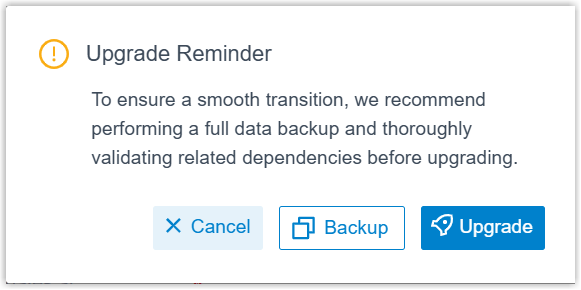
- Optimized user experience in firmware upgrade: When upgrading firmware
manually, the system will display a prompt, reminding you to back up
data before proceeding.
- Linkus Web Client
-
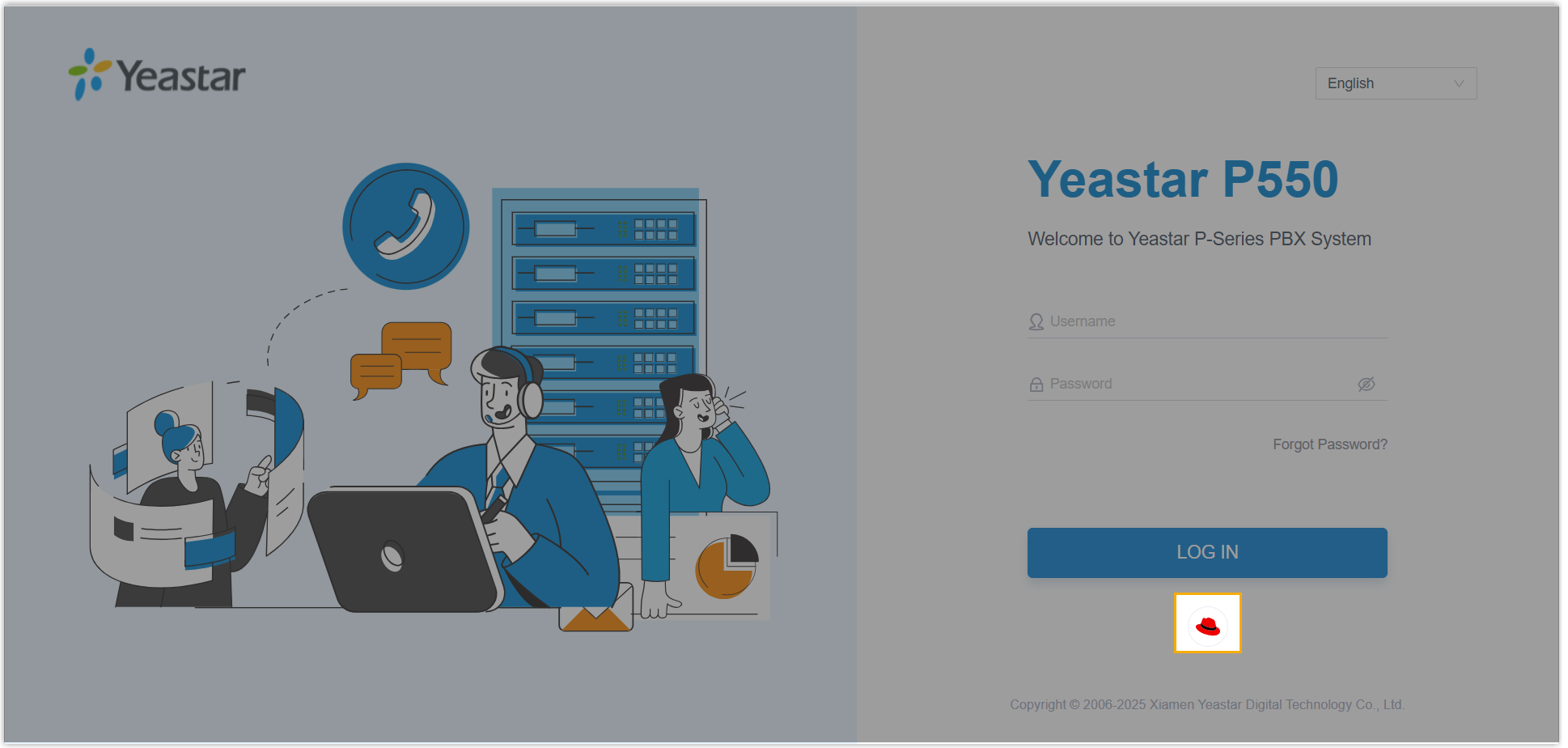
- Added support for Red Hat users to log in to Linkus Web Client
with their Red Hat account credential via SSO. Note: This feature is only available when you have integrated PBX with Red Hat SSO, and enabled Single Sign-on (SSO) feature.
- Optimized the Call Popup feature: Added support for using the
following variables in the custom popup URL (Path: ).
- .{{.DIDNumber}}: Pass the DID Number (available for inbound calls only).
- .{{.DIDName}}: Pass the DID Name (available for inbound calls only).
- .{{.StartTime}}: Pass the call initiation time.
- Fixed the AI call transcription issue: The AI call transcription button did not appear in call window for incoming calls when Linkus Web Client was operating in CTI mode.
- Added support for Red Hat users to log in to Linkus Web Client
with their Red Hat account credential via SSO.