Allow Agents to Forward Incoming Calls to Voicemail
This topic describes how to allow queue agents to forward incoming queue calls to their own extension voicemails.
Requirements
The firmware version of PBX server is 37.24.0.30 or later.
Procedure
- Log in to PBX web portal, go to .
- On the top of the page, click Options.
- In the pop-up window, complete the following settings.
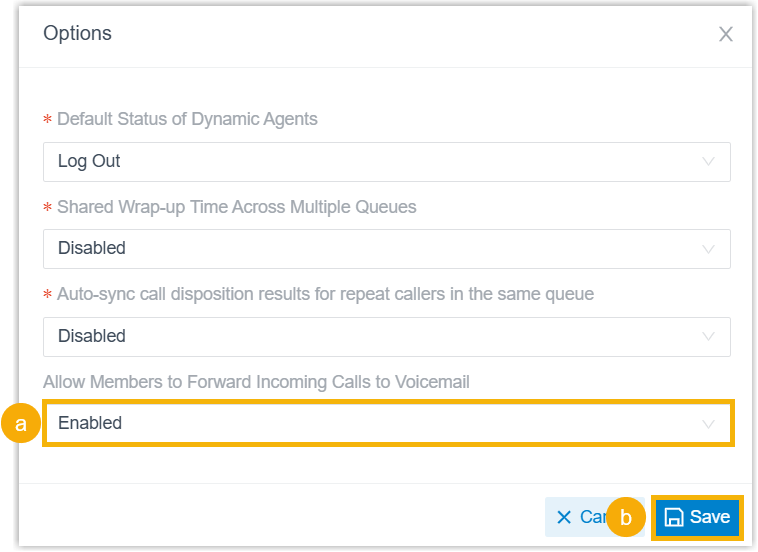
- In the Allow Members to Forward Incoming Calls to Voicemail drop-down list, select Enabled.
- Click Save.
Result
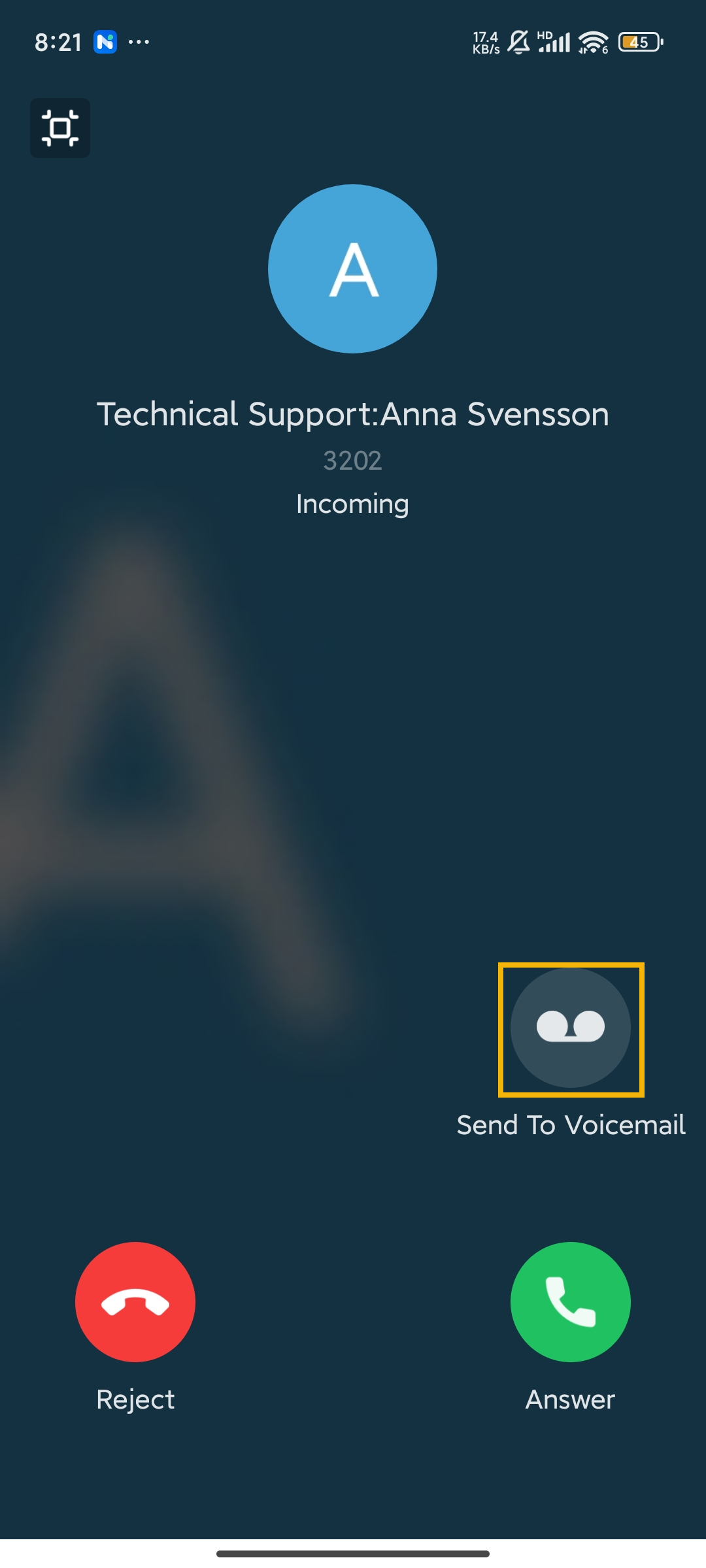
When a call is routed to a queue, the queue agents (with their extension
voicemail enabled) can forward the incoming call to their extension voicemails
directly from the incoming call window.
Note: This feature is
not supported on Linkus iOS Client.
| Linkus Web Client | Linkus Desktop Client | Linkus Mobile Client |
|---|---|---|
 |
 |
 |