Set Default Status for Dynamic Agents
By default, the initial status of dynamic agents is logout after being added to a queue. You can set the default login status for newly added dynamic agents as needed. This pre-set status will be applied globally to all dynamic agents newly added to queues, thus minimizing manual errors and improving management efficiency.
Requirements
The firmware version of PBX server is 37.19.0.110 or later.
Procedure
- Log in to PBX web portal, go to .
- On the top of the page, click Options.
- In the Default Status of Dynamic Agents drop-down
list, select the desired status.
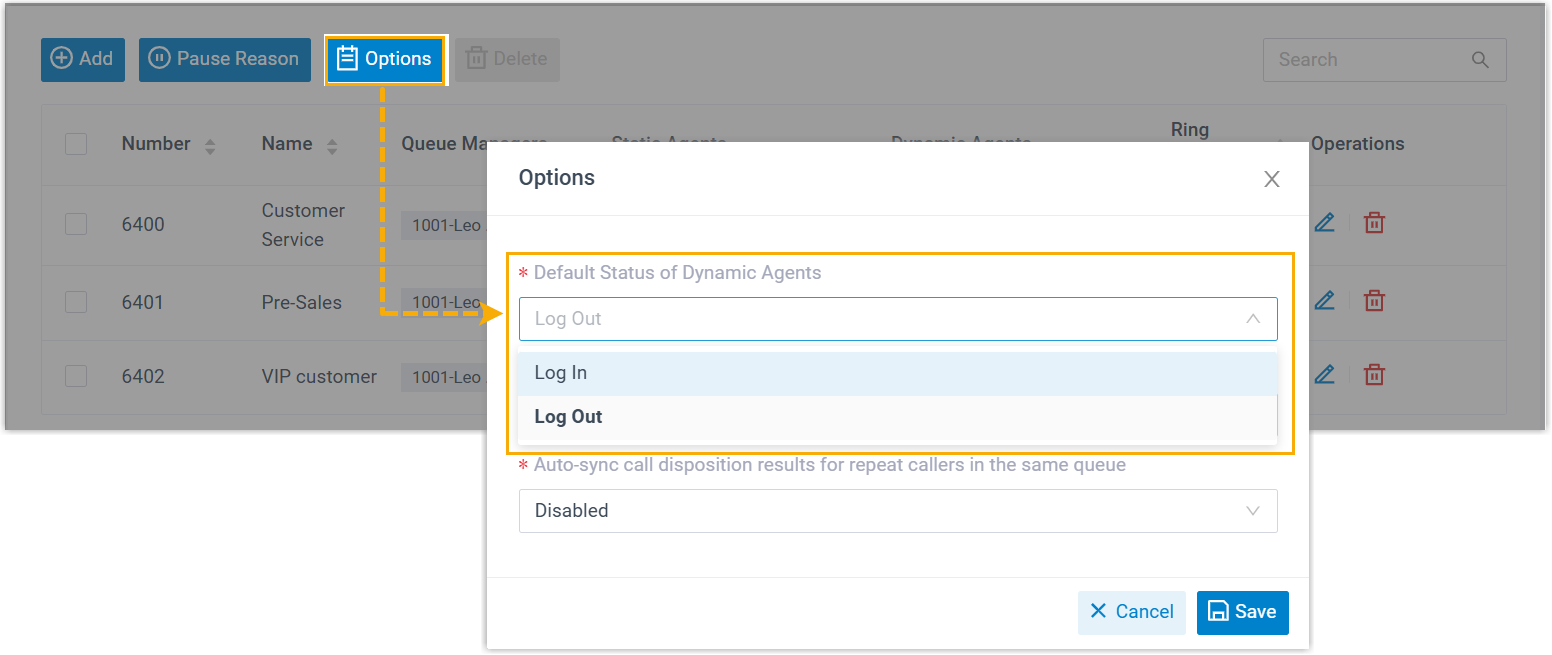
- Click Save.
Result
The selected default status will be automatically applied to all dynamic agents when
they are added to queues.
Note: Dynamic agents who are already
in queues will NOT be affected by this setting.