Export Reseller Accounts
This topic describes how to export reseller accounts.
Procedure
- Log in to NovoOne Platform portal, go to .
- Optional: Filter reseller accounts using one of the following
methods.
- Click
 beside a desired column, enter a desired value and
click Confirm.
beside a desired column, enter a desired value and
click Confirm.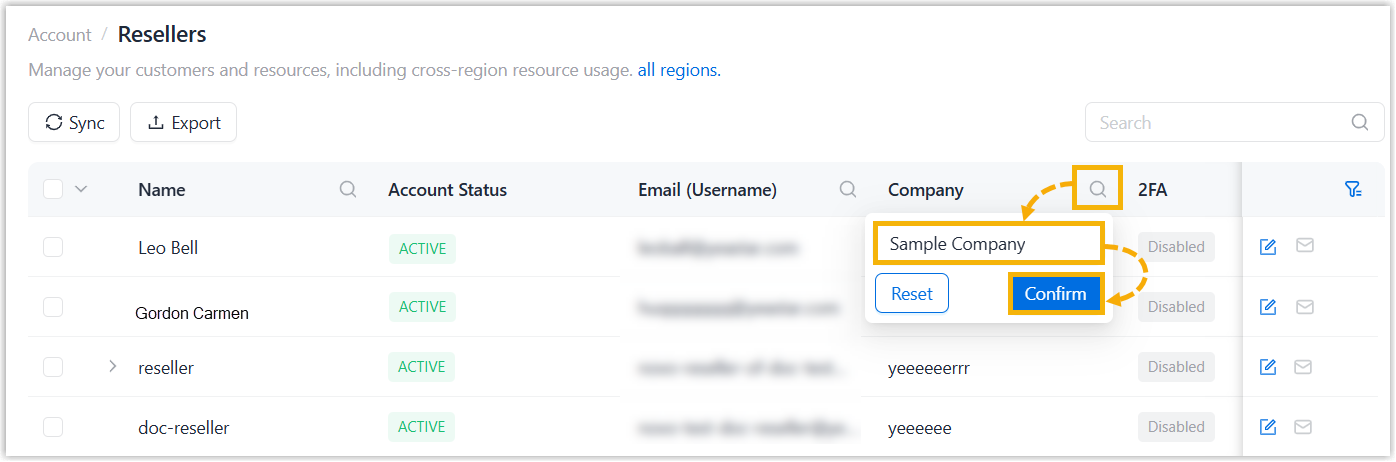
- At the top-right corner of the reseller list, enter a value in the
search box to perform a fuzzy search.
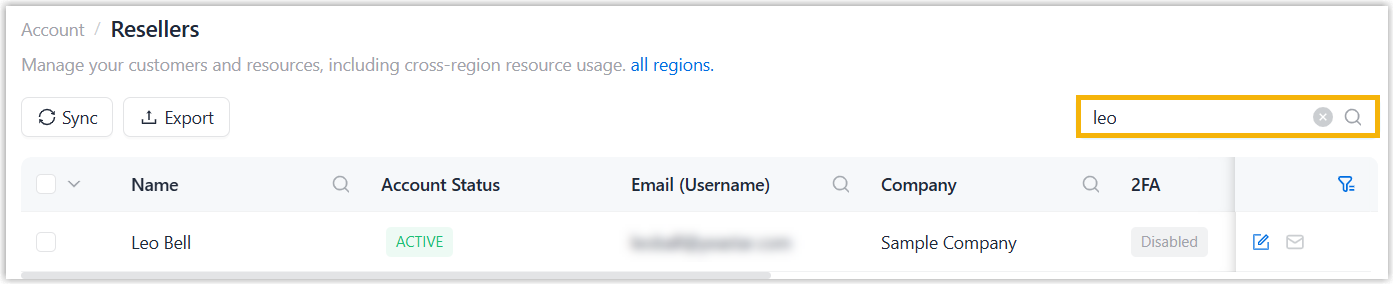
The matched reseller accounts are displayed.
- Click
- Optional: Select desired resellers in the list.
- Click Export.
The reseller accounts are exported to a
.xlsxfile.