Enable Call Waiting
By default, when you are on an active call using NovoOne Mobile Client, new incoming calls are forwarded directly to your extension's busy forwarding destination. With Call Waiting enabled, you are notified of new incoming calls and can answer another call without ending the active call.
Requirements
The version of NovoOne Mobile Client is 26.10.6 or later.
Procedure
- At the top-left corner of NovoOne
Mobile Client, tap your account.
You will enter the Profile & Settings page.
- In the FEATURES section, tap Call Features.
- Turn on the switch of Call Waiting.
Result
-
This setting takes effect immediately and is synchronized to your NovoOne Web Client.
-
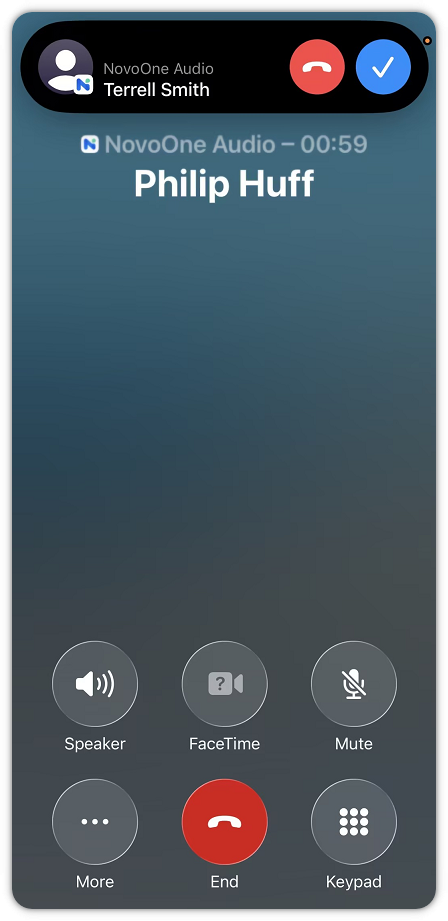
When your are on an active call, incoming calls are presented on the client.
 Note:
- NovoOne Mobile Client supports up to 2 concurrent calls. When the limit is reached, additional incoming calls are forwarded directly to your extension's busy forwarding destination.
- This feature does not apply to queue calls. Whether queue calls are delivered to the extension that is already on an active call depends on the queue's setting.