Add Another Account on Mobile Client
If you have more than one account for work, you can add them to the Mobile Client, so as to quickly switch between the accounts. This topic describes how to add additional accounts on NovoOne Mobile Client.
Procedure
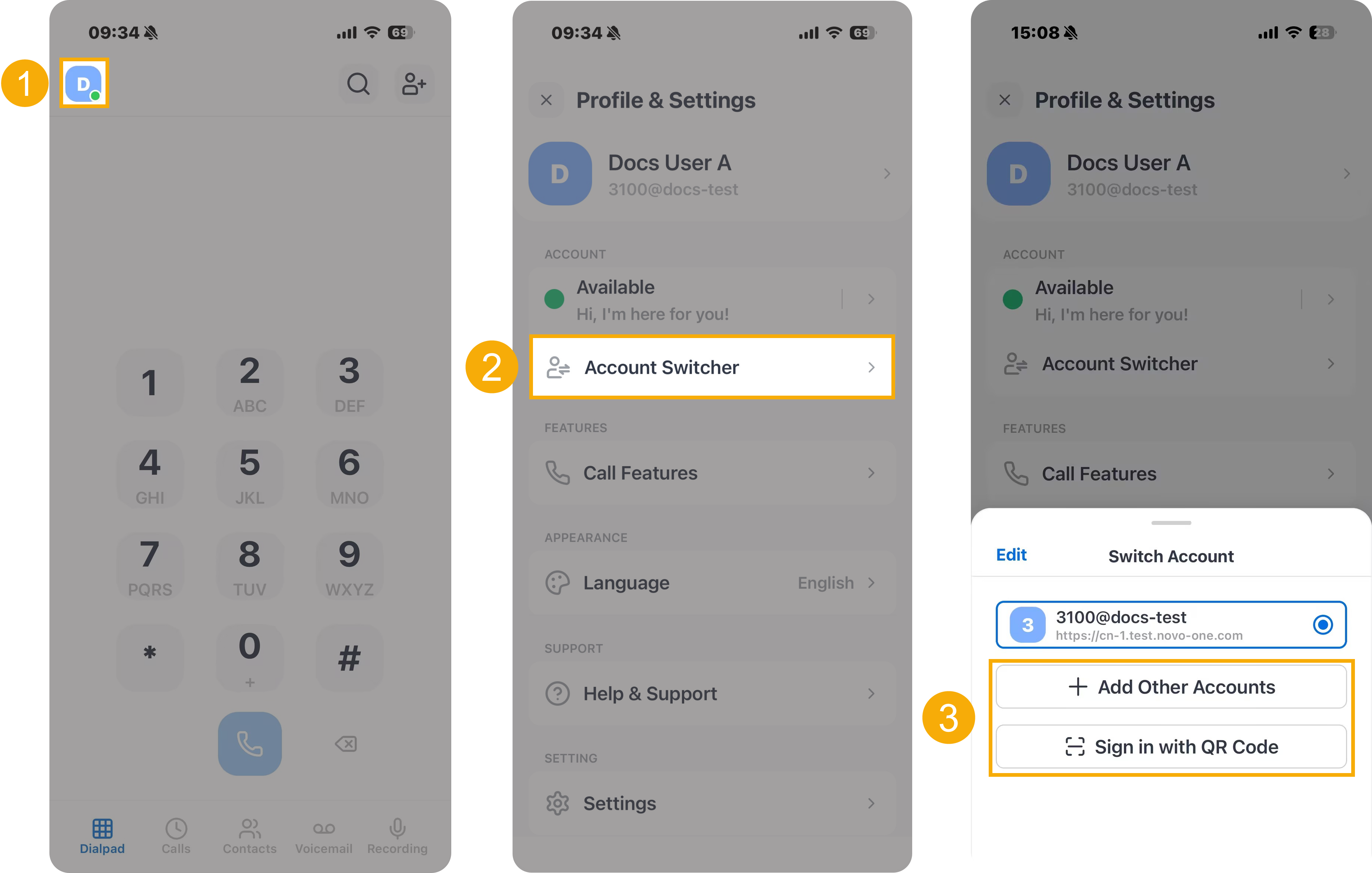
- At the top-left corner of NovoOne
Mobile Client, tap your account.
You will enter the Profile & Settings page.
- In the ACCOUNT section, tap Account Switcher.
- On the Switch Account panel, choose one of the
following methods to add an account.
- Tap Add Other Accounts, and manually enter the account credentials to log in.
- Tap Sign in with QR Code, and scan a QR code to log in.