Change Your Password
This topic describes how to change login password on NovoOne Mobile Client.
Procedure
- At the top-left corner of NovoOne
Mobile Client, tap your account.
You will enter the Profile & Settings page.
- Scroll down to the SETTING section, then go to .
- In the Password Management page, do as
follows:
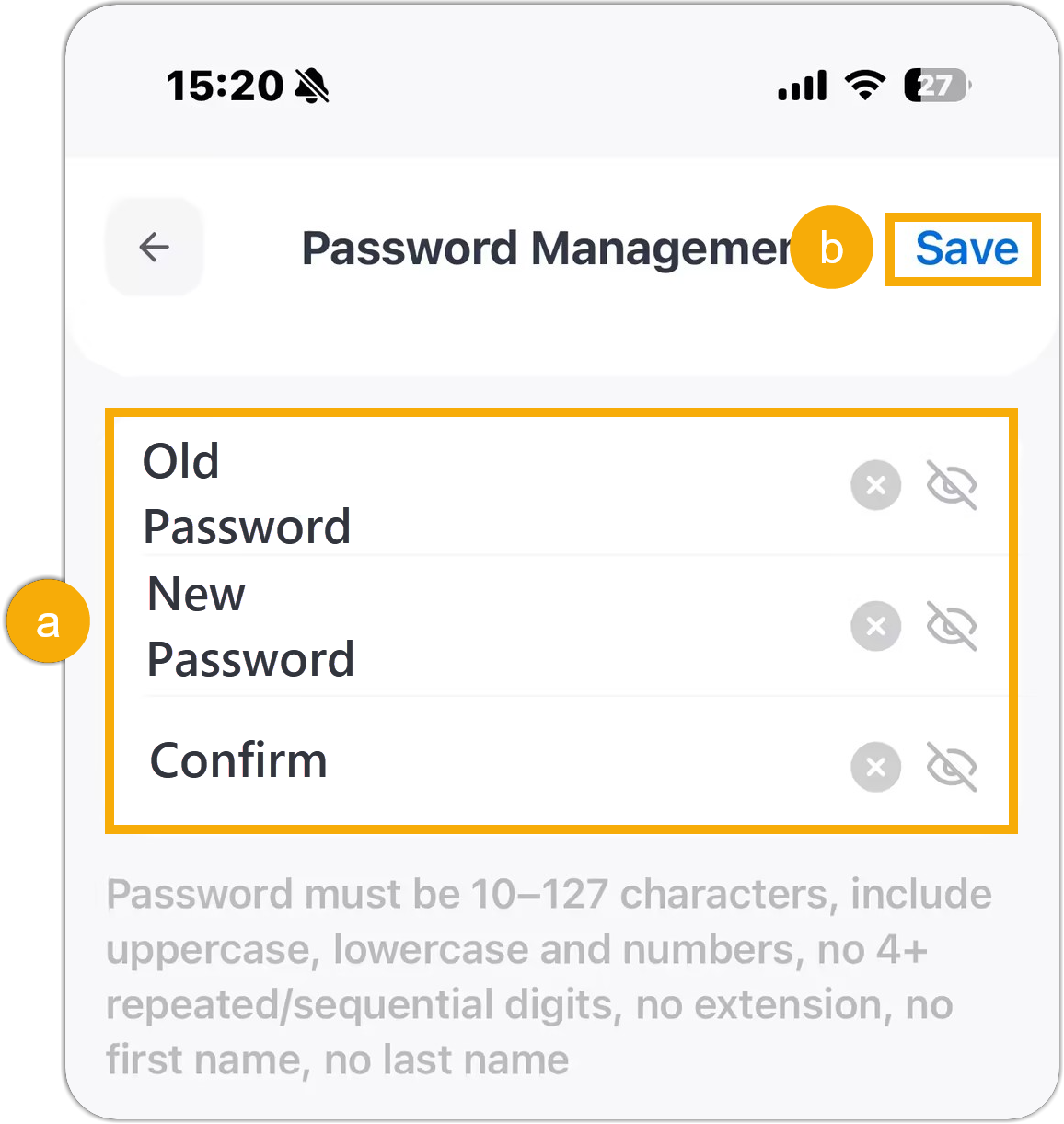
- Enter the old password and set a new one.Note:
- The password must be 10-127 characters.
- You can tap
 to show the password.
- At the top-right corner, tap Save.
- Enter the old password and set a new one.
Result
The login password is changed, and your account is automatically logged out of the NovoOne clients. The new password will be applied across the NovoOne clients.
What to do next
Log in to the Mobile Client with the new password.