Reset Your Password
You can reset your password on NovoOne Mobile Client if you forget it.
Requirement
Your account has been associated with a valid email address.
Procedure
- On the login page of Mobile Client , tap Forgot Password?.
- Complete the following settings:
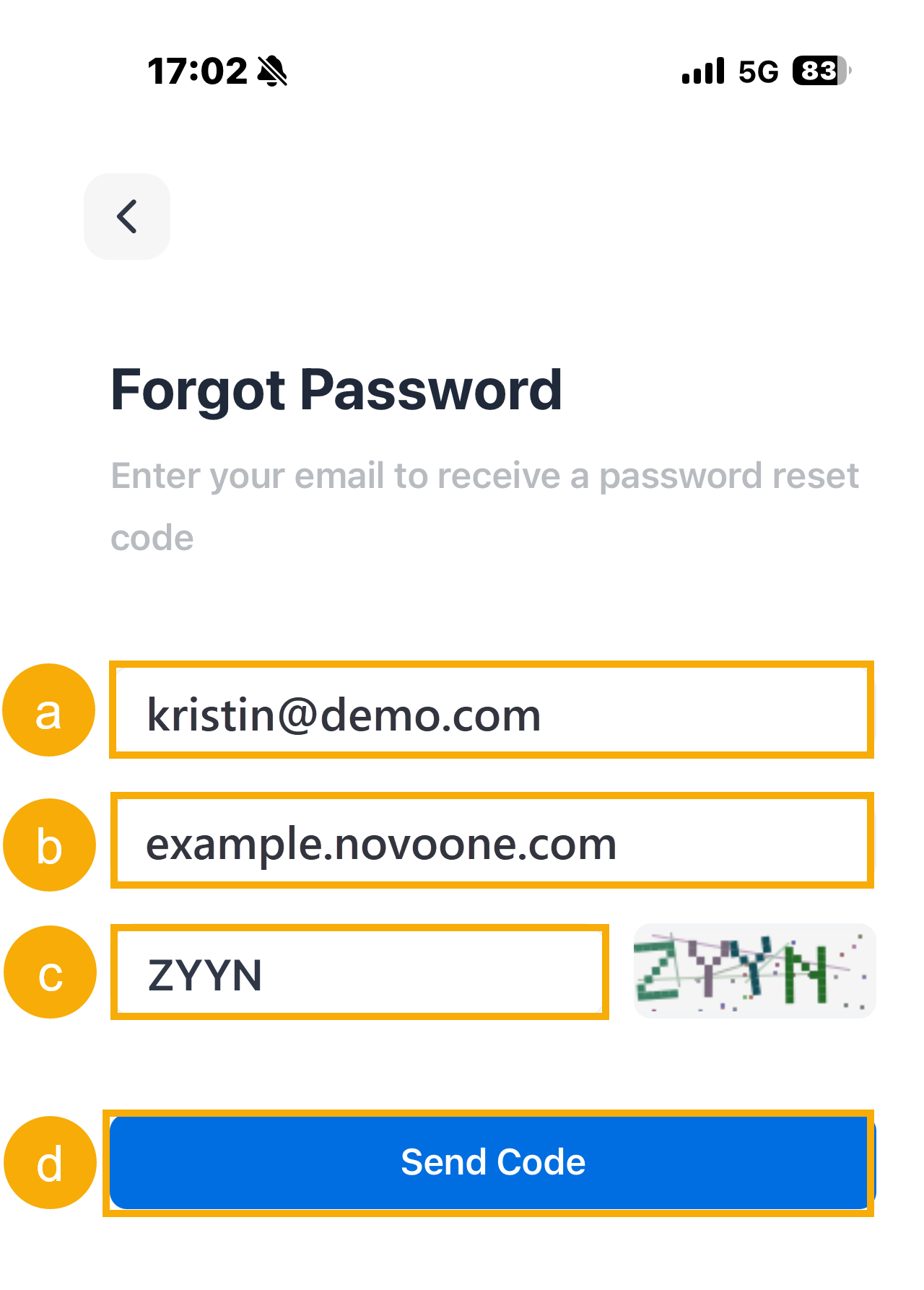
- Enter the email address that is associated with your account.
- Review and edit the server address if needed.
- Enter the captcha displayed on the screen.
- Tap Send Code.
A password reset email is sent to the email address, containing a password reset link.
- In your mailbox, open the email and tap the password reset link.Note: The link is valid for 30 minutes and can be used only once.
You are redirected to a Reset Password page.
- Enter your new password twice, then tap Reset.
Result
The login password is changed. The new password will be applied across the NovoOne clients.
What to do next
Log in to the Mobile Client with the new password.