Remove an Account from Mobile Client
This topic describes how to remove an account that you no longer use from NovoOne Mobile Client.
Procedure
- At the top-left corner of NovoOne
Mobile Client, tap your account.
You will enter the Profile & Settings page.
- In the ACCOUNT section, tap
Account Switcher.
A Switch Account panel appears, displaying the list of accounts you've added.
- Remove the desired account.
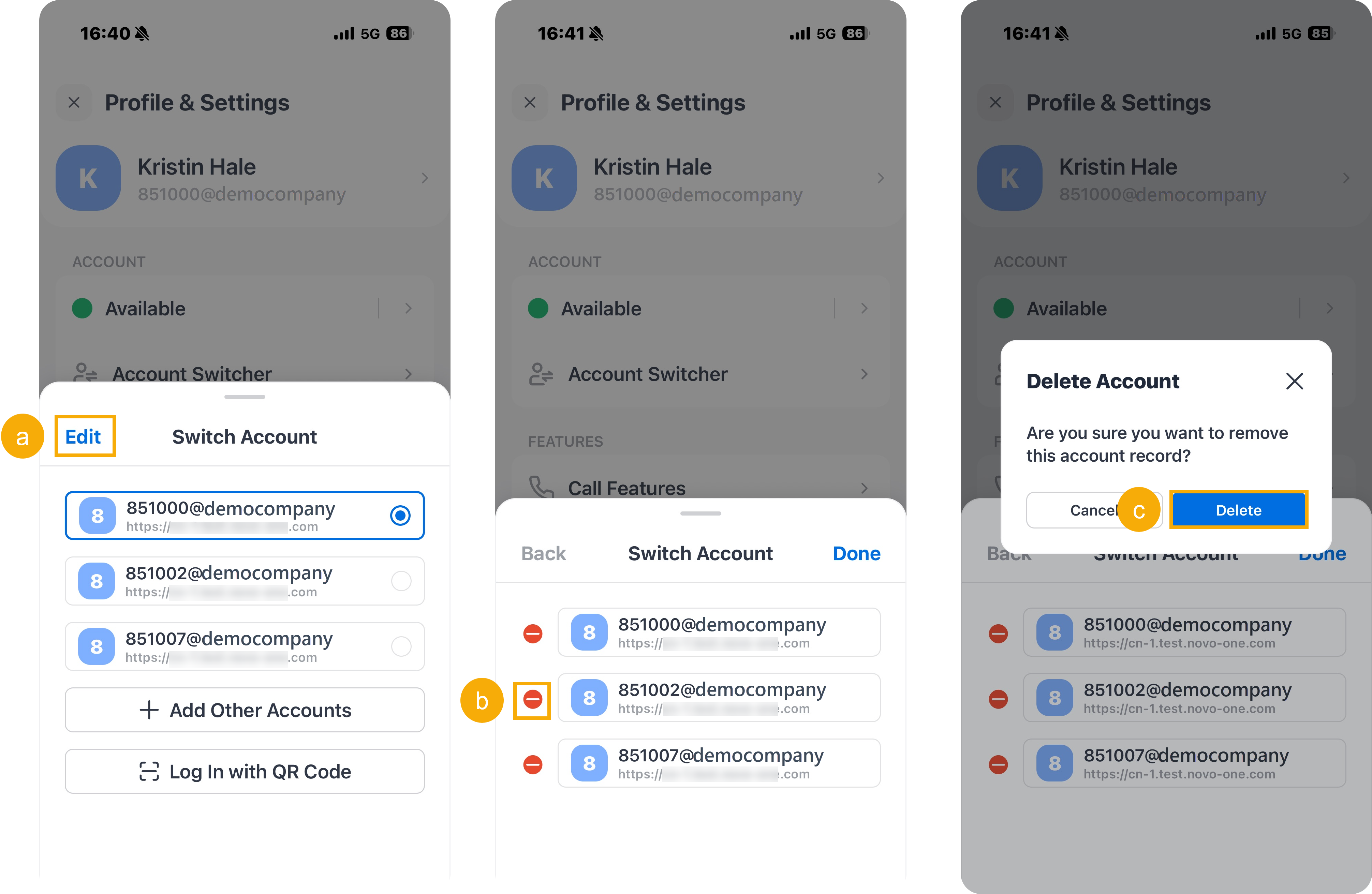
- At the top-left corner of the Switch Account panel, tap Edit.
- Tap
 in front of an account.
 - In the pop-up window, tap Delete to confirm.
- Tap Done to exit the edit mode.
Result
The account is removed from the account list.