Enforce SSO-only Login for Colleagues
Yeastar Partner Portal supports Single Sign-on (SSO) using Google or Microsoft accounts. By default, colleagues can sign in to the portal either via SSO or with their account credentials. You can enforce SSO to require them to log in exclusively through SSO.
Procedure
- Log in to Yeastar Partner Portal, go to .
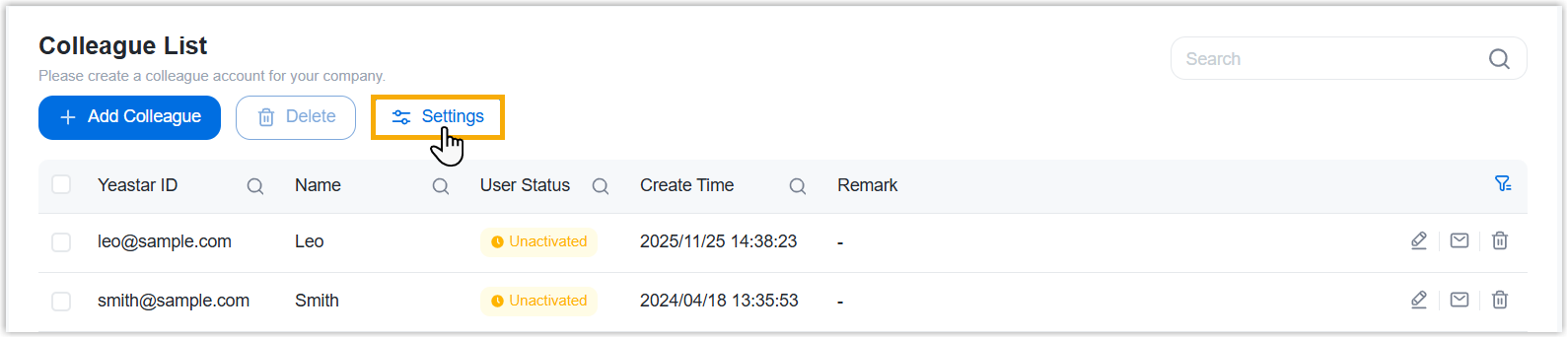
- At the top of the list, click Settings.
- In the pop-up window, complete the following settings.
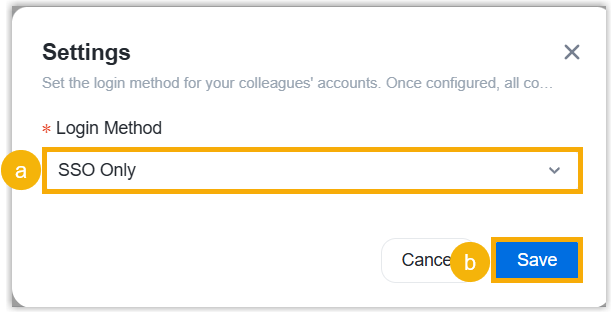
- In the Login Method drop-down list, select SSO Only.
- Click Save.
Result
All your colleagues can sign in to Yeastar Partner Portal only via SSO.