Manage Colleague Accounts
This topic describes how to modify and export colleague accounts.
Edit a colleague account
- Log in to NovoOne Platform portal, go to .
- Click
 beside a desired colleague account.
 - Under the Account Information tab, modify the system
language as needed.Note: Some grayed-out account information is synced from Yeastar Partner Portal and cannot be edited here. To edit, click Partner Portal at the bottom-right corner to go to Yeastar Partner Portal.
- Under the Account Permissions tab, select or deselect the permission checkboxes to control which features the colleague can access.
- Click Save.
Export colleague accounts
- Log in to NovoOne Platform portal, go to .
- Optional: Filter colleague accounts using one of the following
methods.
- Click
 beside a desired column, enter a desired value and
click Confirm.
beside a desired column, enter a desired value and
click Confirm.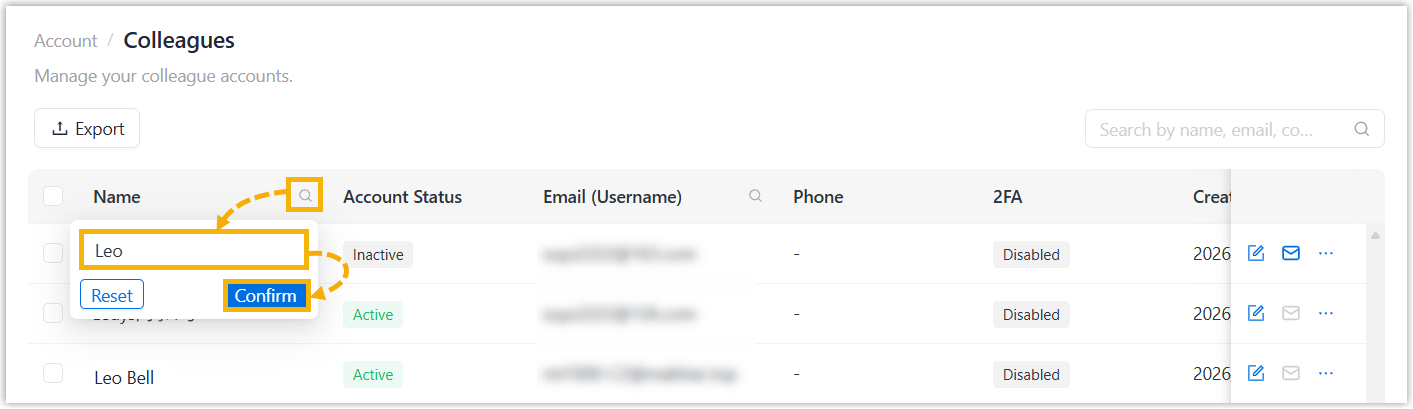
- At the top-right corner of the colleague list, enter a value in the
search box to perform a fuzzy search.
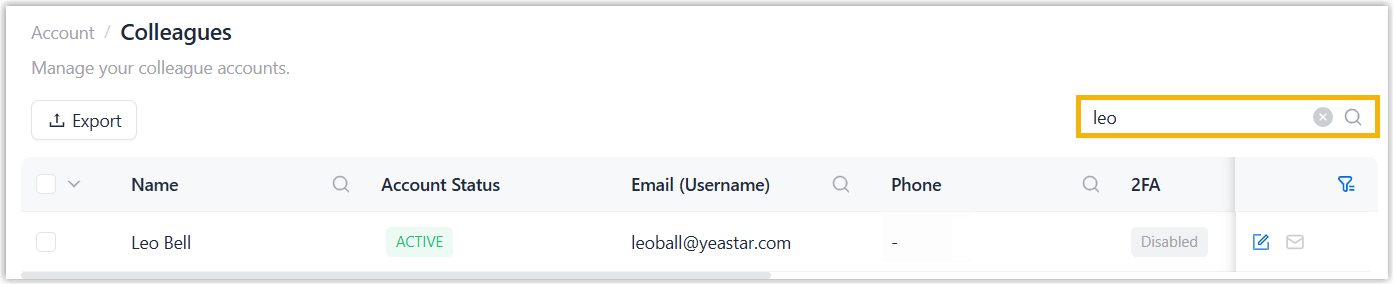
The matched colleague accounts are displayed on the web page.
- Click
- Optional: Select desired colleagues in the list.
- Click Export.
The colleague accounts are exported to a
.xlsxfile.