Auto Provision Yealink DECT Phones with Yeastar P-Series PBX System
This topic describes how to provision Yealink DECT base station and DECT handsets with Yeastar P-Series PBX System in the local network.
Requirements
The firmwares of Yealink base station and Yeastar PBX meet the
following requirements.
Note: For more information about the
compatible Yealink DECT handsets, see Compatibility between Yealink DECT
products.
| Base Station | Version Requirement | PBX Requirement | Supported Auto Provisioning Method |
|---|---|---|---|
| W60B | 77.83.0.85 or later |
37.2.0.7 or later |
|
| W70B | 146.85.0.20 or later |
37.2.0.7 or later |
|
| W80B | W80DM-103.83.0.80 or later |
37.2.0.7 or later |
|
This topic takes the following Yealink devices as an example:
| Device Model | Firmware Version |
|---|---|
| Yealink DECT base station | |
| Yealink W70B | 146.85.0.20 |
| Yealink DECT handset | |
| Yealink W73H | 116.85.254.20 |
Prerequisites
- Make sure that a DHCP Server is enabled in your local network to assign an IP address to the DECT base.
- Make sure that you have downloaded the template for the desired phone model (Path: ).
Procedure
Step1. Provision the DECT base station
- Power on PBX first, then power on the DECT base.
- Log in to PBX web portal, go to .
The DECT base is detected.

- Click
 to
edit the desired DECT base station.
to
edit the desired DECT base station.- In the Options section, select a desired template from the Template drop-down list.
- In the Assign Extension section, assign an
extension for the DECT handset.

- Configure other settings according to your needs.
- Click Save.
The handset is listed under the DECT base station.

Step2. Register the DECT handset
- Click on the IP address beside the DECT base station to log in to the web interface.
- Go to to register the handset.
- In the Register New Handsets section, click
Start Register Handset.
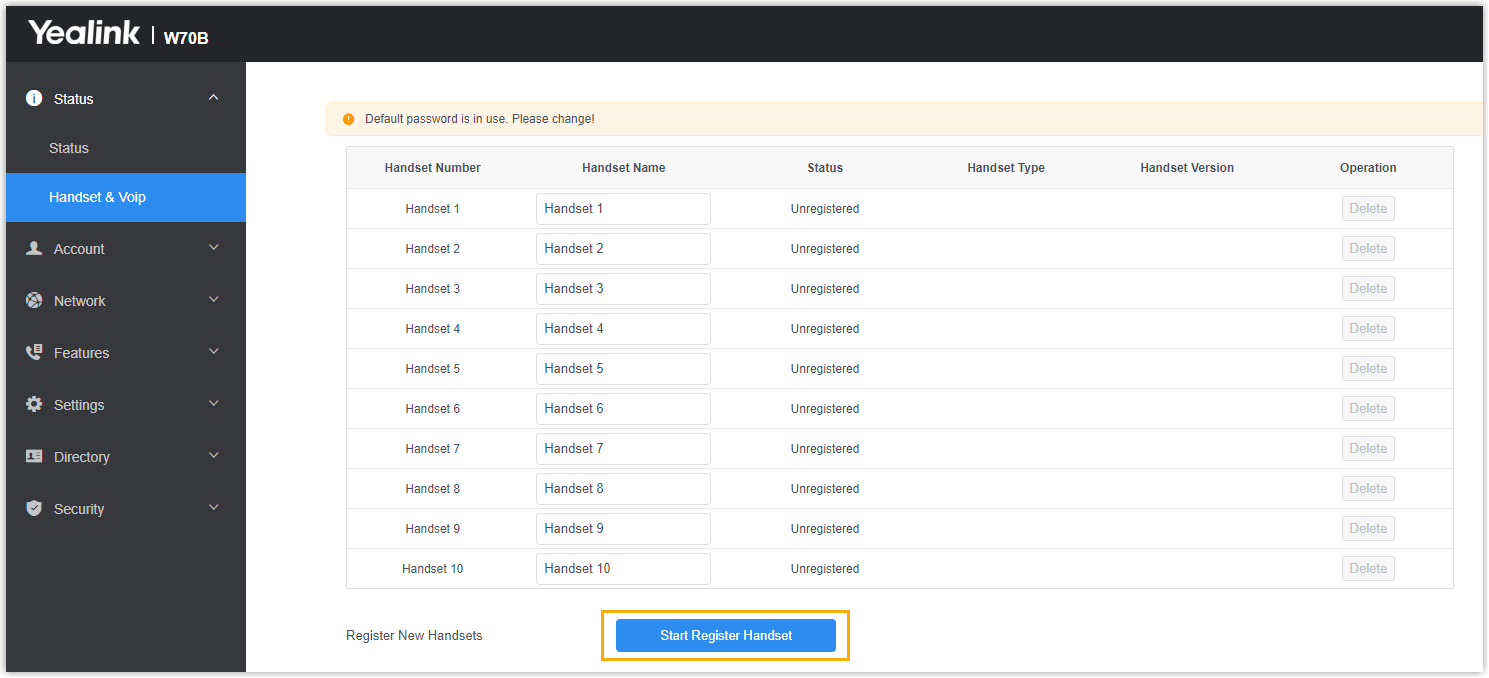
- Confirm registration on DECT handset.
- On the handset, press .
The handset starts to search for a DECT base, and displays the MAC address of the detected DECT base.
- Press OK.
You are requested to enter the PIN of the DECT base.
- Enter the PIN code, and press Done.Note: The default PIN is
0000. You can change the PIN on the DECT base web interface (Path: ).
- On the handset, press .
Result
- You can manage the handset on the DECT base station web interface.

- You can use the handset as an extension to make and receive calls.