Enable or Disable a Call Flow
Enable or disable a call flow to determine how incoming calls to the associated number are handled.
Enable a call flow
When a call flow is enabled, incoming calls to the call flow number or the associated DID number will be routed to the call flow.
To enable a call flow, perform the following operations.
- Log in to PBX web portal, go to .
- Enable the desired call flow.
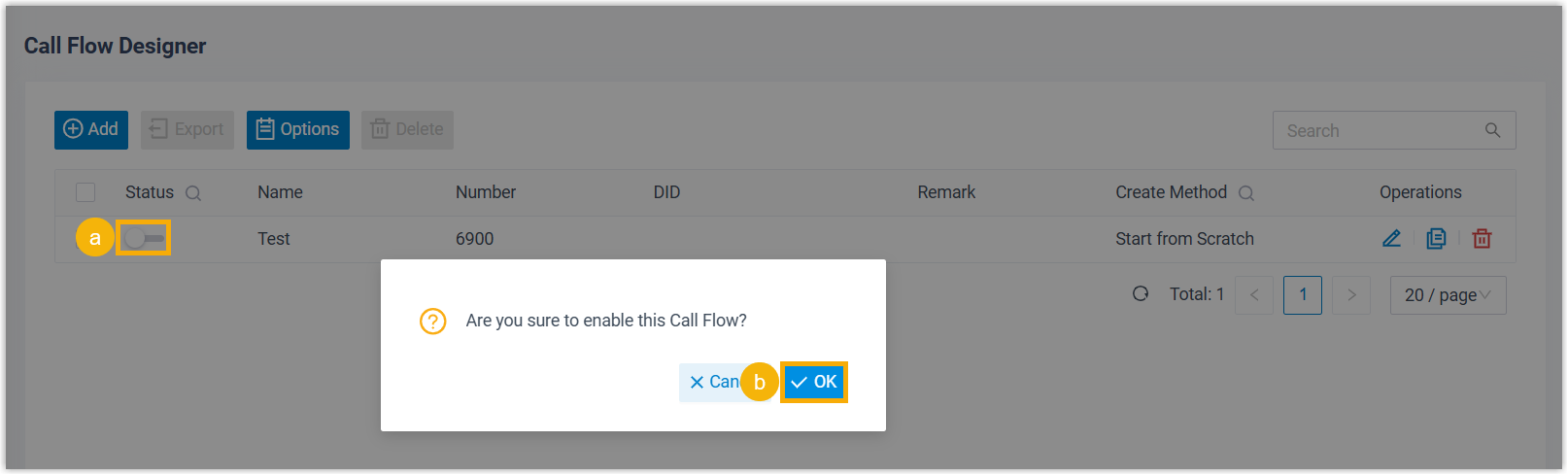
- On the call flow list, turn on the switch of the desired call flow.
- In the pop-up window, click OK.
Disable a call flow
When a call flow is disabled, incoming calls to the call flow number or the associated DID number will be automatically disconnected.
To disable a call flow, perform the following operations.
- Log in to PBX web portal, go to .
- Disable the desired call flow.
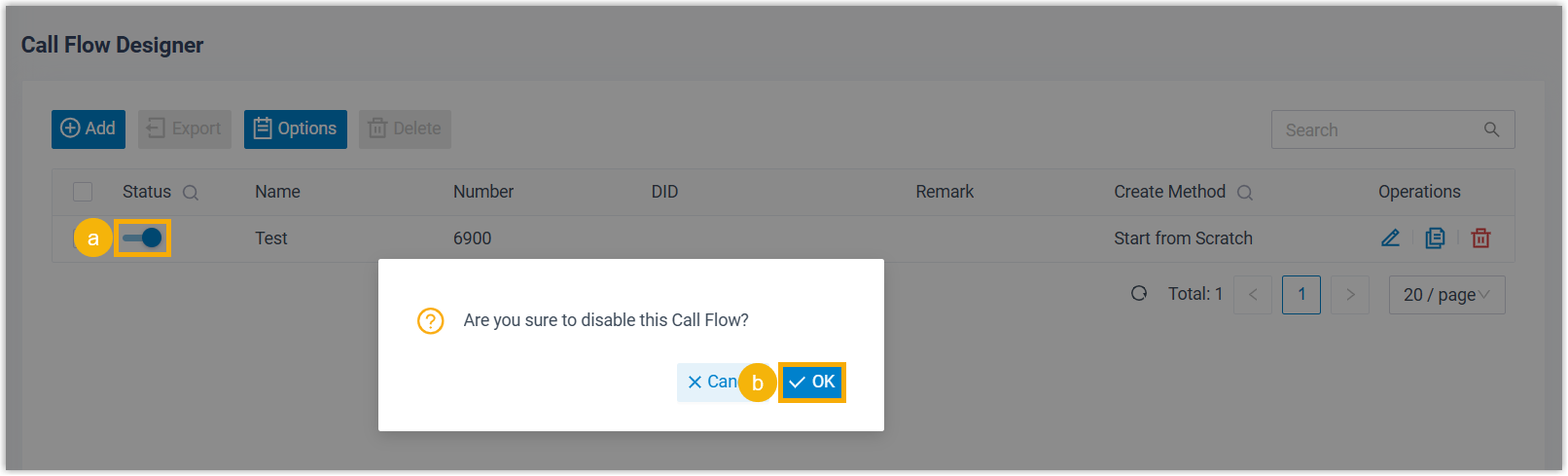
- On the call flow list, turn off the switch of the desired call flow.
- In the pop-up window, click OK.