Manage Holidays
After adding holidays, you can edit or delete them to keep the holiday schedule up to date.
Edit a holiday
- Log in to NovoOne Tenant portal, go to .
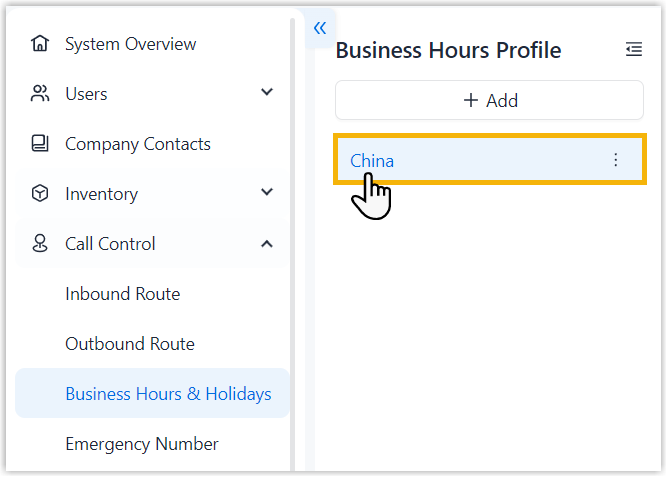
- In the left navigation pane, click the desired business hours
profile.
- In the Holidays tab, click
 beside the
desired holiday.
beside the
desired holiday. - Edit the holiday information as needed, then click Save.
Delete a holiday
- Log in to NovoOne Tenant portal, go to .
- In the left navigation pane, click the desired business hours
profile.
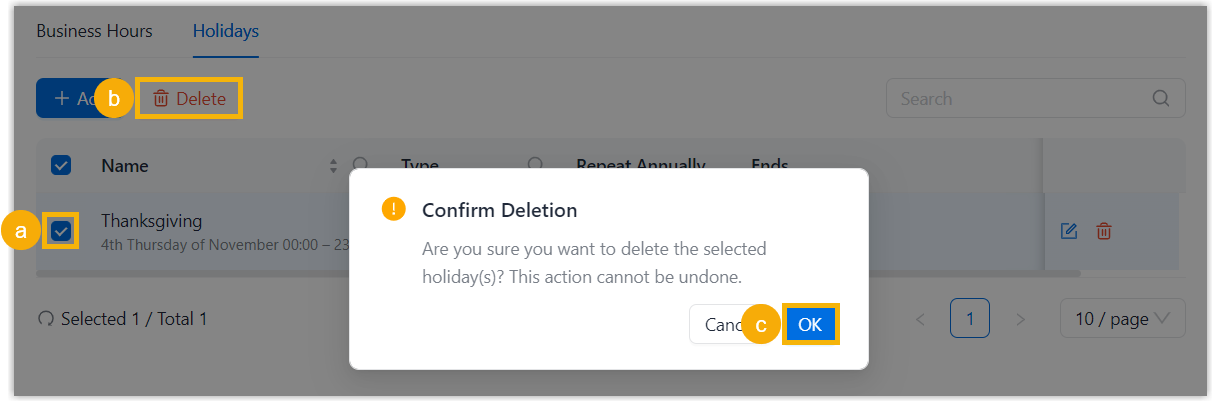
- In the Holidays tab, select the checkbox of the
desired holiday, then click Delete and confirm the
operation.