Add Holidays
Holidays are the time periods during which your company is closed. You can add holidays based on your holiday schedule.
Procedure
- Log in to NovoOne Tenant portal, go to .
- In the left navigation pane, click the desired business hours
profile.
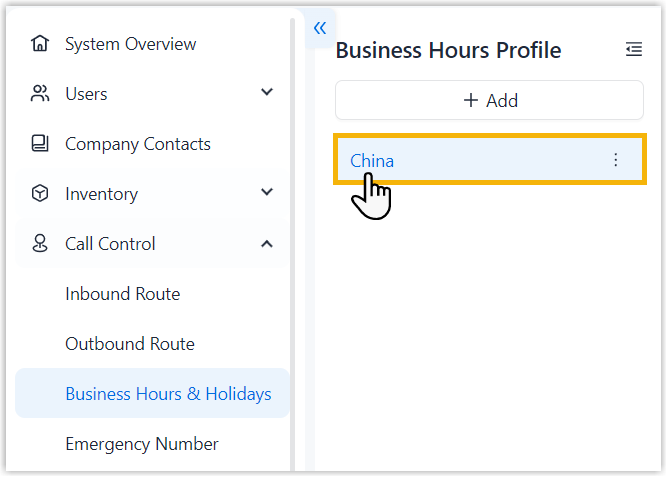
- In the Holidays tab, click Add.
- In the right pane, configure the holiday settings, then click
Save.
Setting Description Name Enter a name to help identify the holiday. Type Select a holiday type and specify the corresponding date or time period. - Fixed Date: Select this
type if the holiday falls on the same date every
year, such as Christmas.
If you choose this type, perform the following operations.
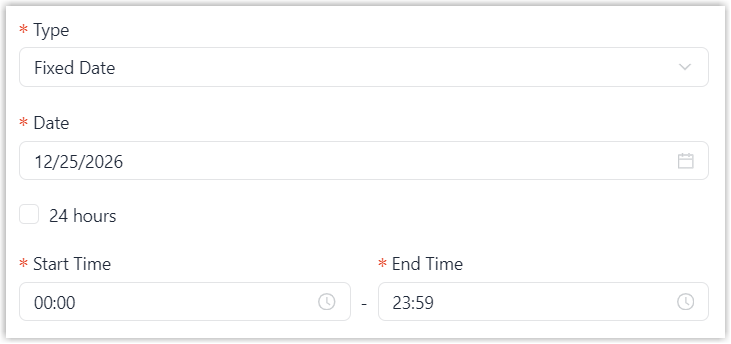
- In the Date field, select the holiday date.
- Specify the holiday time range.
- To set the holiday for the entire day, select the checkbox of 24 hours.
- To set the holiday for a specific time period, specify the time in Start Time and End Time fields.
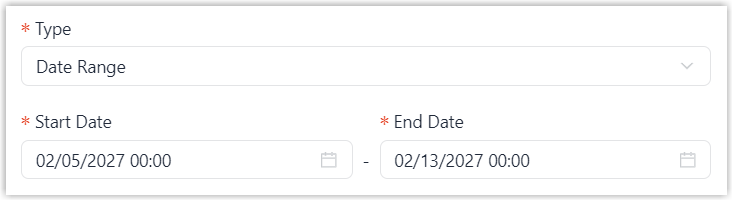
- Date Range: Select this
type if the holiday lasts for a consecutive
period, such as Chinese New Year.
If you choose this type, specify the holiday period in the Start Date and End Date fields.
- Relative Date: Select
this type if a holiday falls on a specific day of
a specific week, such as Thanksgiving Day.
If you choose this type, perform the following operations.
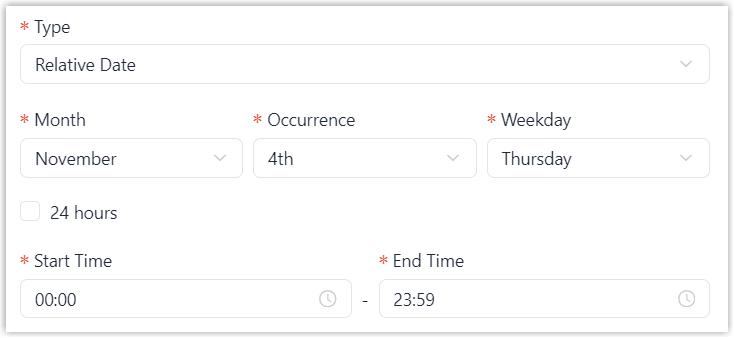
- Specify the month, week of the month, and day of the week for the holiday.
- Specify the holiday time range.
- To set the holiday for the entire day, select the checkbox of 24 hours.
- To set the holiday for a specific time period, specify the time in Start Time and End Time fields.
Repeat Annually Specify whether the holiday repeats every year. If enabled, select when the repetition ends from the Ends drop-down list.- Never: The holiday repeats every year without an end date.
- On Date: The holiday
repeats every year until the specified end
date.
You should select the end date in the End Date field.
- Fixed Date: Select this
type if the holiday falls on the same date every
year, such as Christmas.
Result
The holiday is added to the selected business hours profile.