View Colleague Extensions
This topic describes how to view colleague extensions and quickly reach your colleagues.
Procedure
- Log in to NovoOne Web Client.
- Go to .
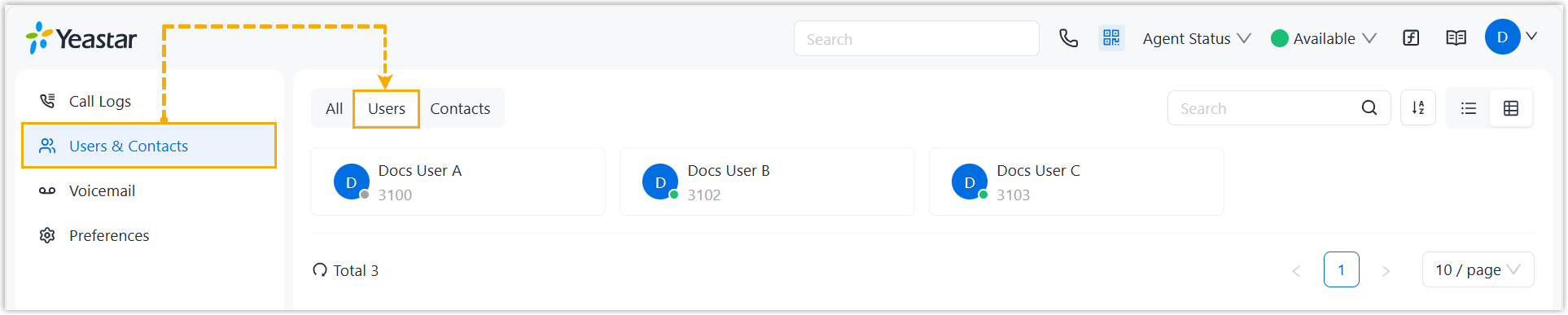
All your colleagues' extensions are displayed.
- Optional: Adjust the extension list display by searching, sorting, or
switching between List View and Grid View.

- Click a contact card to view detailed information about a
colleague.
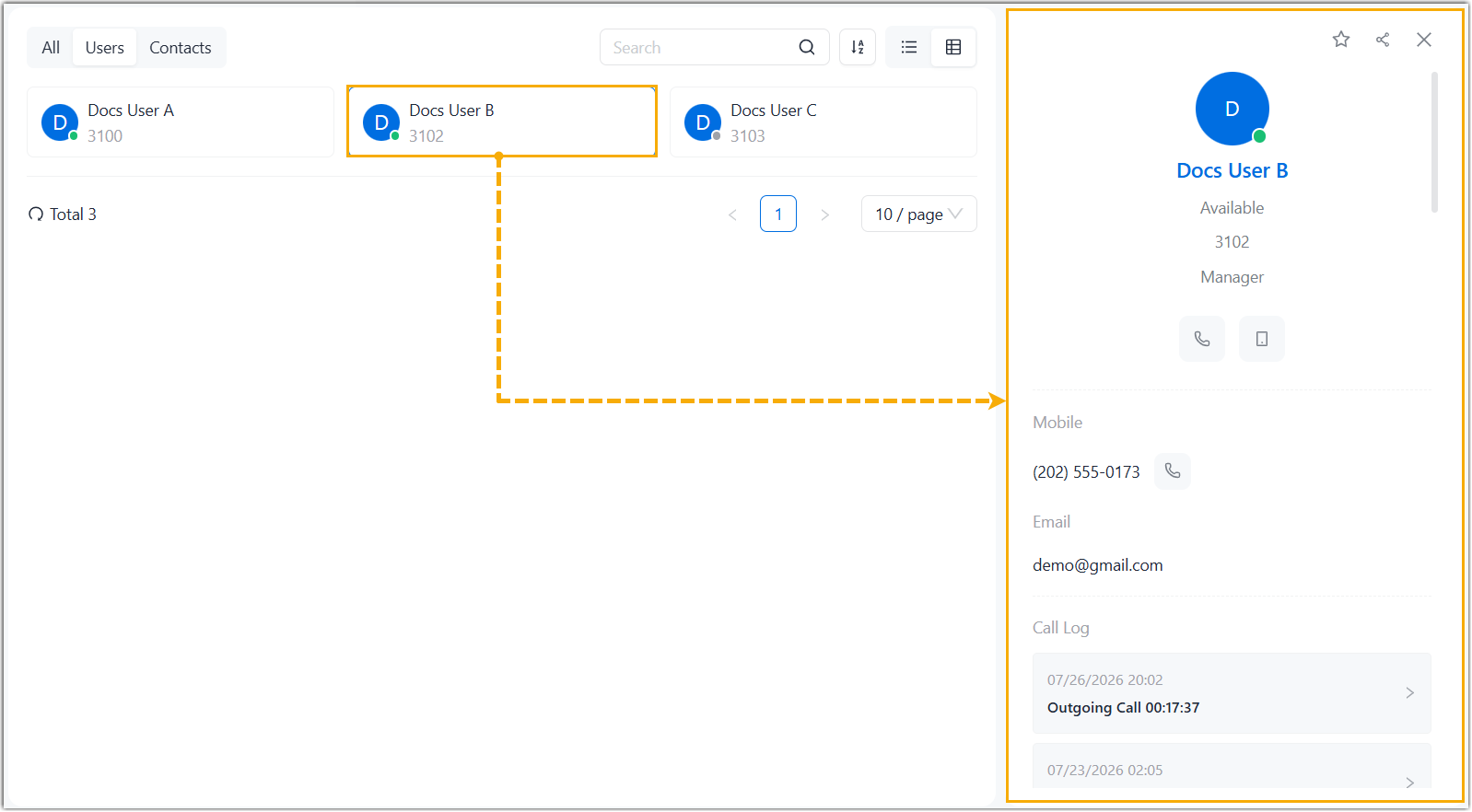
- Use the following icon for quick actions as needed.
Icon Description 
Place an audio call to the colleague's extension number. 
Call the colleague's mobile number. 
Add the colleague to your Favorites list. 
Quickly copy the colleague's information (name, extension number, mobile number, and email address) for sharing.