Check Operation Log
Operations on the YMP web interface will be recorded in Operation Log. You can check the operation logs to locate issues quickly.
-
Go to , set the filtering criteria.
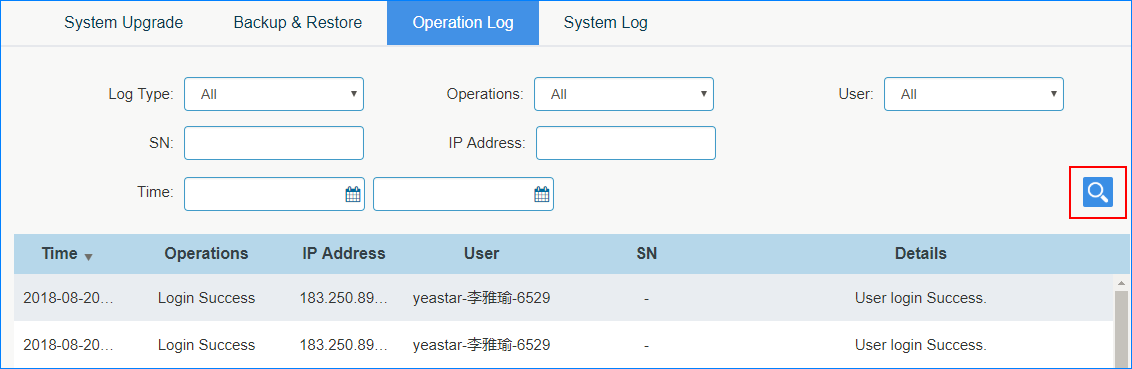
- Log Type: Select a log type to narrow your search.
- Operations: Select an operation type.
- User: Select a YMP user.
- SN: To search operation logs for a specific PBX, enter the PBX's SN.
- IP Address: Enter IP address that performed the operation.
- Time: Select the start time and end time.
-
Click
 .
.