Modify Password of YMP Web Login
We recommend that you set a strong password for the YMP web login.
-
Log in YMP web interface, hover your mouse over the login account, click
Settings.
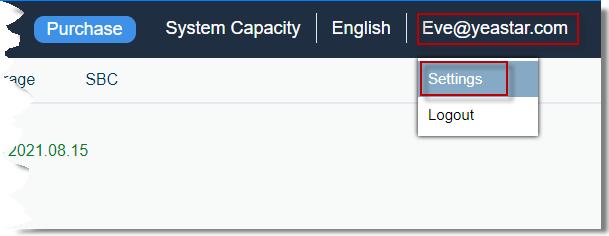
-
On the Settings page, enter the current login password,
then enter new password twice.
Note: A strong password must meet the following requirements:
- At least 8 characters
- At least 1 number
- At least 1 uppercase letter
- At least 1 lowercase letter
- Avoid word or name
For example, avoid word like
yeastar,password,caroletc. Use random password like8lsS*!08k_s922.
- Click Save.