Migrate Yeastar K2 IPPBX to P-Series PBX System
Yeastar K2 IPPBX supports migration to the P-Series PBX system, which allows you to seamlessly upgrade to the latest P-Series platforms while retaining your existing configurations. This topic describes how to migrate from K2 IPPBX system to the P-Series PBX system.
Requirements
| Platform | Requirement |
|---|---|
| K2 IPPBX | Version 80.14.0.176 or later |
| P-Series PBX System |
You can migrate the K2 IPPBX to any edition
of the P-Series PBX (Appliance, Software, or Cloud Edition)
that meets the following firmware requirements.
Note: The P-Series PBX system MUST be a
new installation or factory reset.
|
Procedure
Export a backup file from K2 IPPBX system
- Download the migration tool package.
A
.tarfile is downloaded to your computer. - Install the migration tool on K2 IPPBX system.
-
Log in to the PBX web interface, go to
 > App Center.
 -
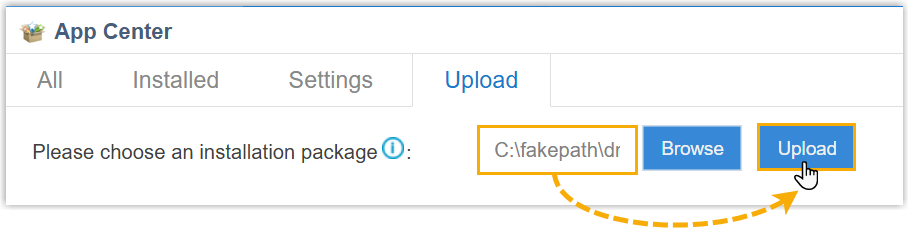
Click the Upload tab.
- Click Browse to select the downloaded
migration tool, then click Upload.
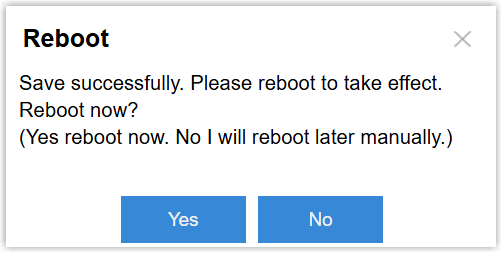
After uploading, a prompt window appears at the bottom-right corner, asking whether to reboot the system.
-
-
Click Yes to reboot the system.
-
Download the backup file.
-
On the PBX web interface, go to .
The backup file named
{sn}_pbxconfig.taris displayed in the system log list.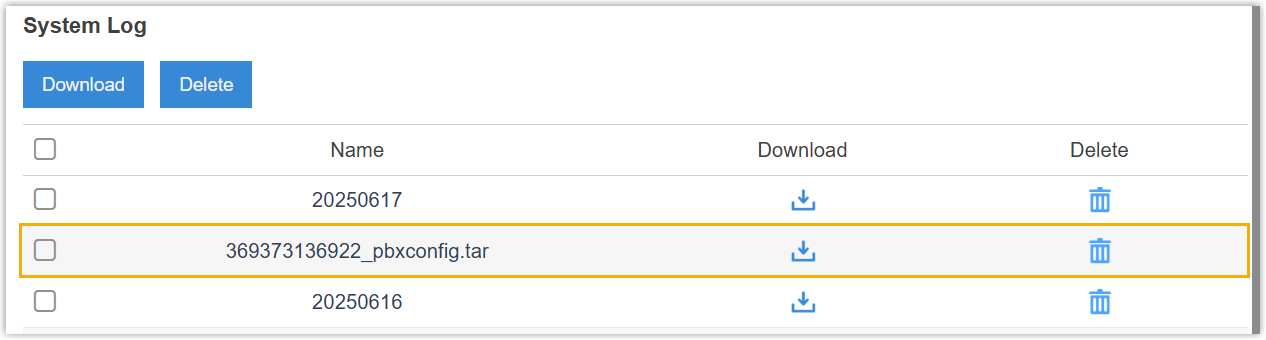
- Click
 beside the file.
The backup file is downloaded in a system log
.tarfile to your computer.
-
- Extracted the downloaded
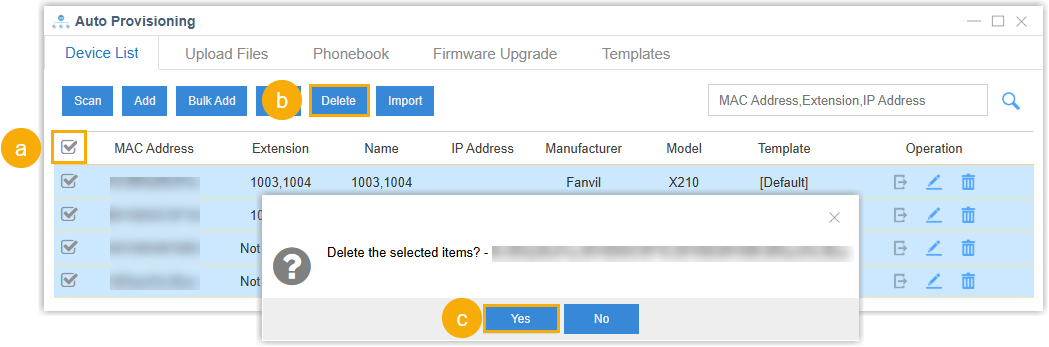
.tarfile to obtain the exported backup file. - Optional: To avoid potential auto provisioning conflicts after
migration, remove the previously provisioned IP phones from the
system.
-
On the PBX web interface, go to , select all the phones in the list.
-
At the top of the list, click Delete.
-
In the pop-up window, click Yes.
-
Restore the backup on P-Series PBX system
-
Log in to the PBX web portal of your P-Series PBX system, go to .
-
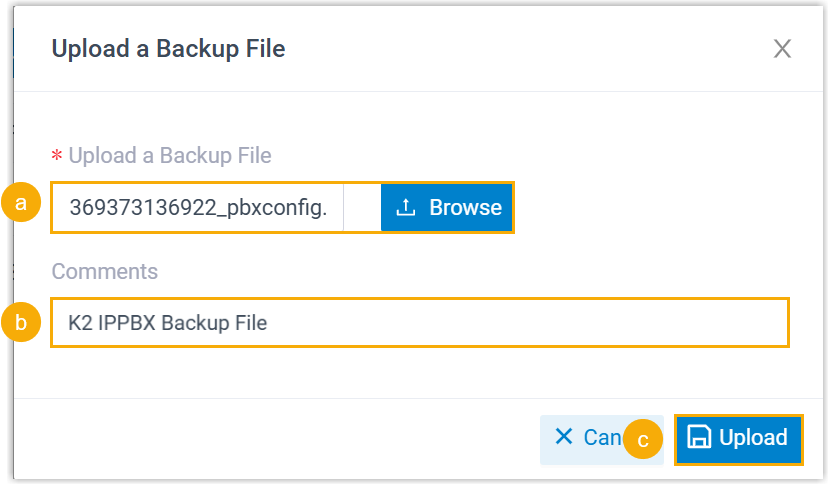
Click Upload, and do as follows in the pop-up window.
-
Click Browse to select the backup file you downloaded.
-
Optional: In the Comment field, add a note to help you identify the file.
-
Click Upload.
The backup file is uploaded and displayed in the list.
-
-
Restore the PBX system from the backup file.
- Click
 beside the backup file.
-
In the pop-up window, click OK.
-
Reboot the PBX to take effect.
- Click
Result
The configurations on your P-Series PBX system are overwritten with the data from the K2 IPPBX backup file.
What to do next
Verify that the settings and data have been correctly migrated from Yeastar K2 IPPBX to your P-Series PBX system.